Featured comparison
Fotogenic AI vs VModel
Compare Fotogenic AI's creative workflow with VModel's browser and API operations, result retrieval and ownership.
Read comparison
Featured comparison
Compare Fotogenic AI's creative workflow with VModel's browser and API operations, result retrieval and ownership.
Read comparisonWe couldn’t load the comparisons. Please try again.
Open archive
Comparison
Compare campaign imagery from garment photographs with Browzwear's digital-garment, model and creative tools.
Comparison
Compare Fotogenic AI's image creation with Resleeve's team-workspace proposition, current access and approval responsibilities.
Comparison
Compare product-image creation, VidCap animation and shopper-facing VTO. These are different purchases with different source requirements.
Comparison
Compare Fotogenic AI with Mokker's move to soona. Separate current membership, legacy access and physical production.

Comparison
Compare Fotogenic AI's merchant workflow with Bria's product-preserving operations, editable creative and production infrastructure.
Comparison
Compare product-image creation with presenter video and footage editing. Choose around the deliverable your campaign needs.

Comparison
Start with the product stage. Compare digital design work with Fotogenic AI's imagery for an existing product.
Comparison
Compare shoot controls and output provenance with Fotogenic AI's reference-led creation and reviewed delivery.
Comparison
Compare automated review and credit ownership with Fotogenic AI's merchant-directed image creation.
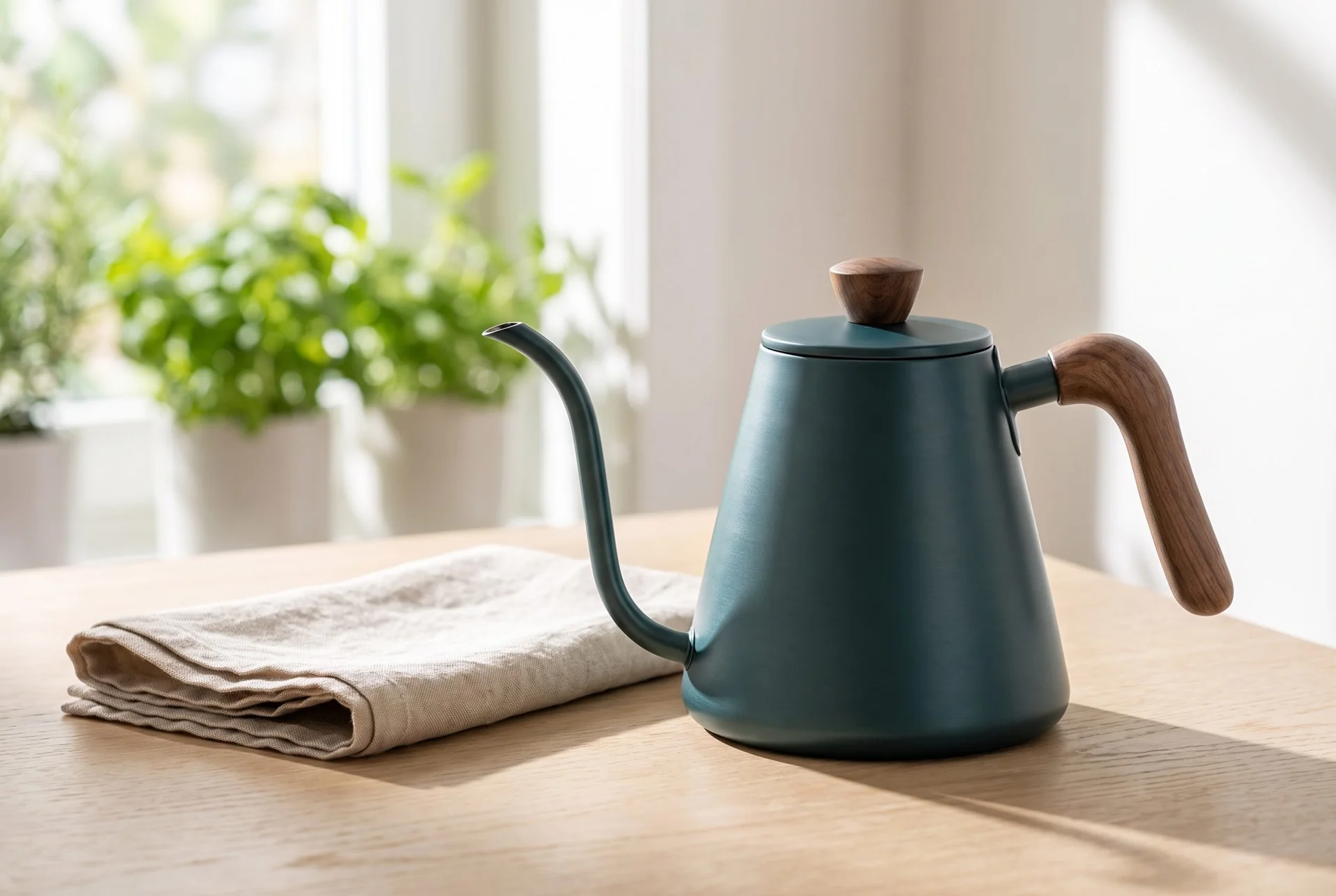
A white-background kettle becomes a morning kitchen scene. The complete spout and handle stay within the frame.
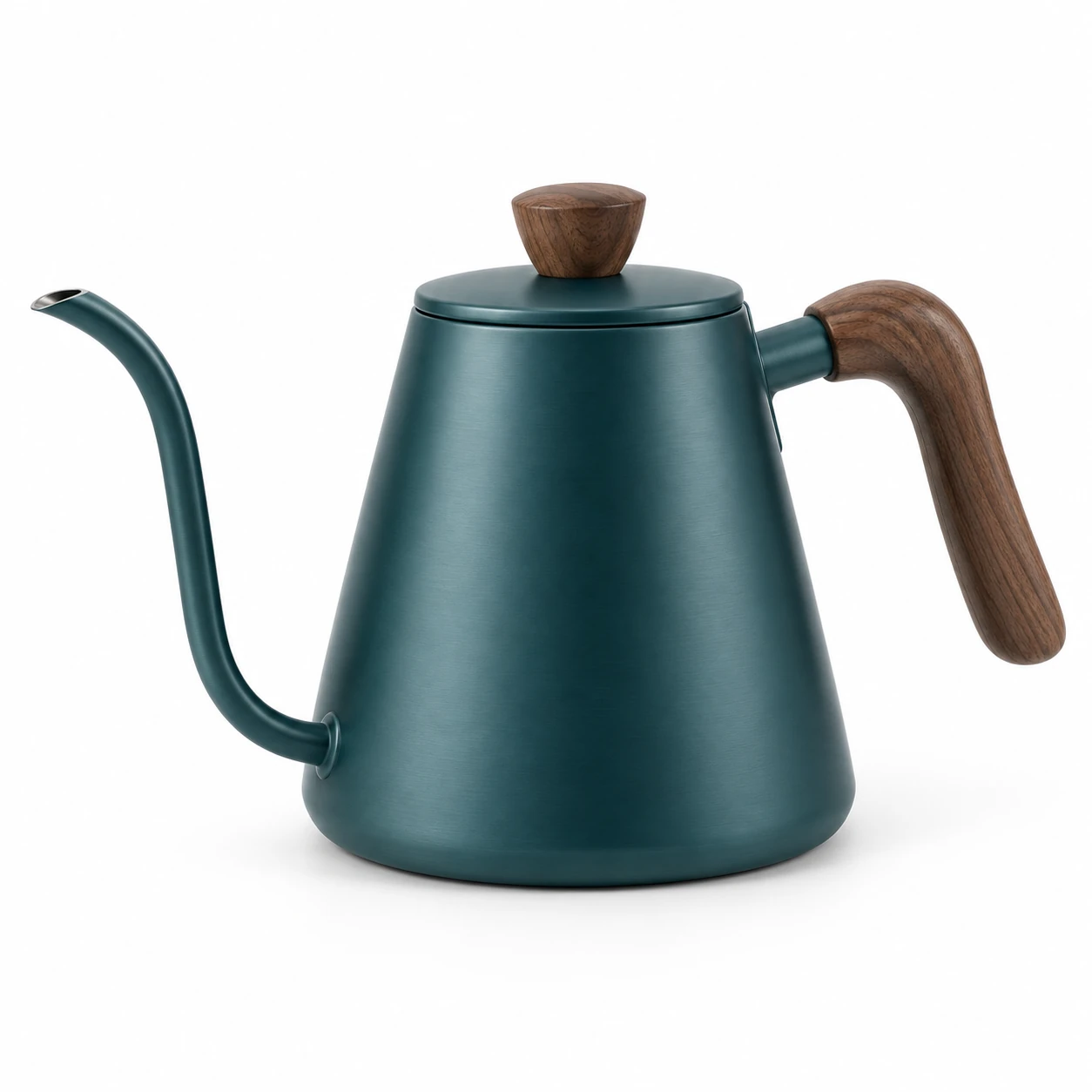
The kitchen scene keeps the teal kettle, curved spout and walnut fittings visible. Changed lighting and reflections affect its appearance; the result does not verify exact color or physical dimensions.
Choose Fotogenic AI when you want to direct a setting around your product, create on-model imagery or develop related campaign compositions. Start with a clear product reference and decide which details must remain unchanged. The product photography templates give you a practical starting direction.
An existing photograph may only need a cut-out, cleanup or resize. Compare Photoroom and Claid AI around the actual correction. A new portrayal and an enhancement are different operations. An editor can remain useful alongside a creative workflow.
For staging, compare Flair AI when manual prop placement matters, or Pebblely for reference-led settings. The question is how you reach the required composition, not how many attractive scenes a homepage displays.
Fashion starts with the source you have. A flat-lay garment, an existing photograph of a person and a digital garment file do not support the same workflow. Compare FASHN, Botika and OnModel around that starting point. Keep physical fit and unseen construction separate from the appearance of generated clothing.
Fotogenic AI is our recommended starting point for merchants creating product and campaign imagery from photographs. An embedded virtual fitting room or digital product-development workflow is a separate purchase. The Lalaland and Browzwear comparison explains the digital-garment distinction. The Veesual comparison separates source imagery, feed animation and shopper-facing VTO.
If your team owns an API pipeline, examine Bria or VModel at the operation level. A successful request still leaves retrieval, product review and delivery to the people running that workflow. A creative tool and an integration project are different purchases.
Plan the handoff before choosing a subscription. Fotogenic AI's WooCommerce workflow connects product references with reviewed image updates. The Shopify gallery and variant guide covers manual file delivery and assignment. These routes have different responsibilities; a download is not automatic catalog publishing.
For a recurring launch, the VOVV.AI comparison examines reusable creative controls, while Kive focuses on shared direction and assets. Keep accepted originals and a named review owner. The final image should belong to the correct product, placement and variant.
List the products and placements you need, then check the plan that supports that work. Compare the actual billing period, currency, source limits, operation costs and exports. An annual equivalent, a monthly subscription and a pay-per-call rate are not the same commitment.
Fotogenic AI offers weekly and monthly plans. The current pricing page supplies the available plans, currency and workflow allowances. Credits refresh with the billing cycle and do not roll over. Image capacity is an estimate of operations, not a promise that every result will pass product review.
Each article keeps the competitor's relevant plan and conditions beside its pricing summary. Custom-model access, higher-cost instant operations, team seats and API use can change the allowance you actually need. Keep a trial separate from the ongoing production budget.
Transition purchases also need care. Mokker and soona separates legacy access, current membership and physical production. Modelia examines workspace references and retained assets. Confirm what you need to keep before changing an account or canceling a plan.
Use a representative product with details you can inspect. Write down the fixed characteristics, required setting and destination before creating anything. The clothing catalog walkthrough shows why a full view and a complementary detail have different jobs.
Inspect the reference and result together. Read packaging text, compare garment closures and check product scale. A convincing scene does not excuse an invented seam or altered label. Keep useful source photographs available independently of the tool you choose.
Review the complete set and the actual exported files. The composition and lighting guide helps separate a useful revision from another near-identical image. Preview the crop in the intended placement before assigning it to a listing or advertising layout.
For motion, create or choose an appropriate starting image before comparing animation or footage tools. The photo-to-video workflow is a planning guide; a still image alone cannot demonstrate speech, temporal consistency or a finished video. The Vmake comparison examines presenter and editing needs separately.
Fotogenic AI publishes this library. The articles use official product, pricing and help references, with direct links beside the relevant claims and in each source section. Our recommendations explain the merchant tasks we would use Fotogenic AI for; specialist alternatives remain visible when their requirements change the decision.
The product examples show selected Fotogenic AI outputs and their supplied references. They are not controlled cross-tool benchmarks. Each example identifies product details that need inspection. No customer conversion uplift, universal quality score or tested competitor result is inferred from those images.
This library was updated on October 20, 2026. Product access and prices can change. Check the linked official source for the purchase you are considering, especially where an article distinguishes a legacy service, an API operation or a separately sold integration.
FAQ
Start with the source and deliverable you have. FASHN and Botika cover apparel production, Flair AI and Pebblely cover scene direction, and Photoroom and Claid AI cover editing and catalog decisions. Search by competitor or workflow to find relevant comparisons.
Put your next idea to work
Build product scenes and campaign sets from your own photo.