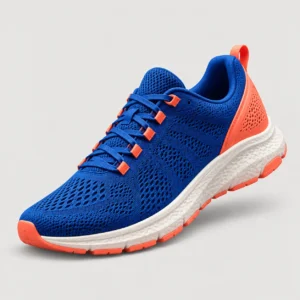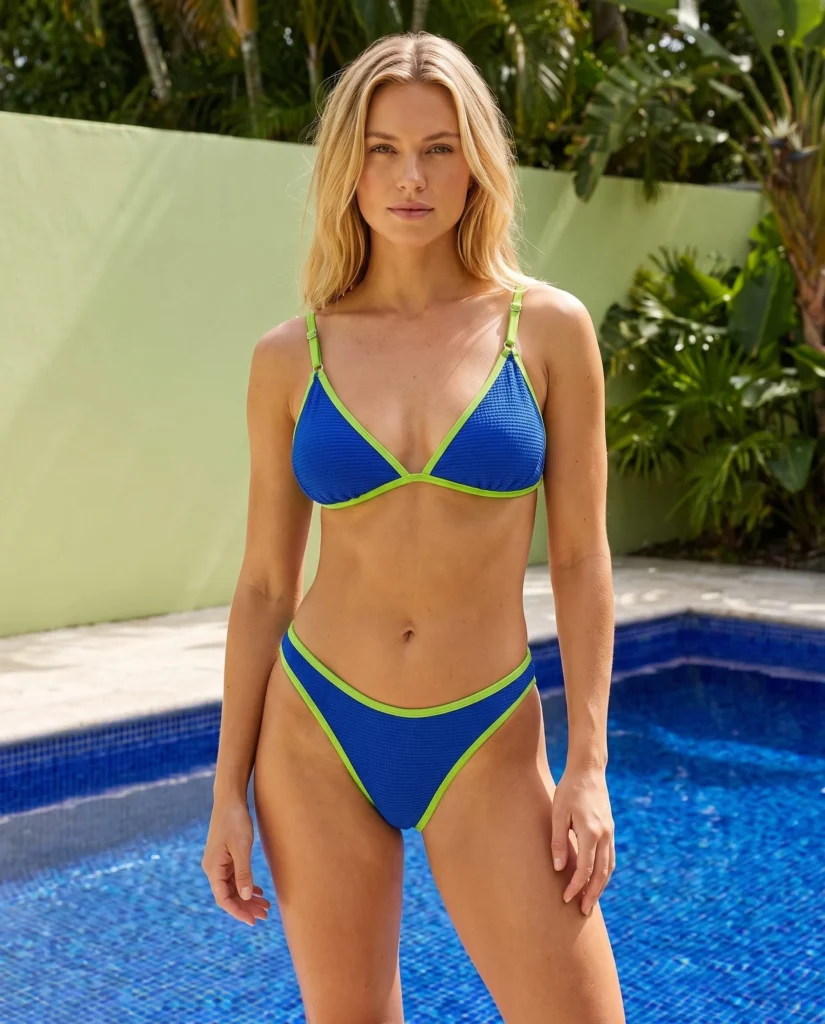
AI photos for ecommerce

Create the product visuals your store needs, without another shoot.

Turn clear product photos into listing images, on-model scenes, campaign sets, ads, and videos. Choose a plan by the volume and workflows you need each billing cycle.

Try Fotogenic on your own product first. Then compare included credits, estimated image capacity, and feature access before you subscribe.

Billing terms shown at checkout No credit card Images, videos and campaign sets
Fotogenic AI outdoor apparel product image AI image
Product video preview generated with Fotogenic AI
AI video

Visual examples created with Fotogenic AI from product inputs.

Plans & pricing

Choose your plan

Save up to 29% with monthly billing
Starter

Test the platform on real products.

$20/month
220 credits / month
Up to 55 high-quality images
Effective $9 / 100 credits
Choose Starter
  • Product & bulk images
  • Variations & upscaling
  • WordPress plugin included
  • Campaign sets
Manage or cancel in your account. Terms apply.
Creator

For solo sellers and small stores.

$40/month
520 credits / month
Up to 130 high-quality images
Effective $8 / 100 credits
Choose Creator
  • Product & bulk images
  • Variations & upscaling
  • WordPress plugin included
  • Campaign sets
  • Ad-ready visuals
  • Image-to-video generation
  • Consistent model identity
Manage or cancel in your account. Terms apply.
Most Popular
Pro

Most teams pick this. Full creative toolkit.

$80/month
1200 credits / month
Up to 300 high-quality images
Effective $7 / 100 credits
Choose Pro
  • Product & bulk images
  • Variations & upscaling
  • WordPress plugin included
  • Campaign sets
  • Ad-ready visuals
  • Consistent model identity
  • Product-page and campaign sets
  • Image-to-video generation
  • Ad templates & content kit
Manage or cancel in your account. Terms apply.
Business

High-volume catalog & campaign work.

$200/month
3200 credits / month
Up to 800 high-quality images
Effective $6 / 100 credits
Choose Business
  • Product & bulk images
  • Variations & upscaling
  • WordPress plugin included
  • Campaign sets
  • Ad-ready visuals
  • Consistent model identity
  • Product-page and campaign sets
  • Image-to-video generation
  • Ad templates & content kit
  • Highest monthly volume
  • Priority generation queue
Manage or cancel in your account. Terms apply.

Not sure which volume fits your store?

Structured ecommerce workflows Four live pricing plans No credit card Free to start Manage billing in your account

Credits are non-rollover · Switch plans anytime · Prorated upgrades

Quick answers before you pick

No. You can try Fotogenic on your own product first. Pick a paid credit plan only when you are ready to generate at catalog scale.

Manage plan changes or cancellation from your Fotogenic account. Upgrades are prorated and take effect immediately; cancellation and renewal timing follow the current billing terms shown at checkout.

If you need more capacity, move to the next live plan tier. Upgrades are handled through your Fotogenic account without interrupting your workflow.

Generated examples across categories

Built for the products you actually sell.

See how fashion, packaged goods, jewelry, and automotive products can be presented in different ecommerce contexts. Generated details still need your review before publication.

On-model fashion
Clothing

On-model fashion

Create on-model concepts without coordinating a new shoot. Choose the model direction and review fit, product shape, color, and fine details.

Lifestyle for CPG
Packaging

Lifestyle for CPG

Turn packaging photos into lifestyle scenes and detail-led concepts. Check every label, ingredient claim, and piece of small text before use.

Macro to model-worn
Jewelry

Macro to model-worn

Explore model-worn and close-up jewelry concepts. Review stone count, setting, scale, metal tone, and reflections against the original product.

Showroom-ready
Automotive

Showroom-ready

Explore cleaner backgrounds and showroom-style presentation. Verify model-specific trim, badges, shape, and accessories before publishing.

Plan comparison
Feature StarterCreatorPro Business
Product Images
Bulk Product Images
Image Variations
Increase Resolution
WordPress Plugin
Models: consistent identity ··
Campaign Sets
Ad-ready visuals ·
Content Kit (studio bundles) ··
Video Generation ·
Priority generation queue ··
Highest monthly volume ···
Your ROI, your numbers

Estimate your potential savings.

Drag the slider to your monthly photo volume. This illustrative estimate uses $20 per traditional product photo and current Fotogenic plan prices; your actual supplier costs and output needs will vary.

I publish per month…
100 product photos
102505007501000
Best fit: Live pricing
Traditional
Calculating
Using live product count
With Fotogenic
Live pricing
Subscription catalog
Illustrative monthly difference
$0 $0 / year

That's 100 on-brand product photos delivered for the price of 0 traditional shots.

How it fits your workflow

Move from a clear product photo to reviewed store assets.

A guided workflow helps you avoid repeated shoot coordination while keeping the final approval with your team.

Upload a clear product image to Fotogenic AI
STEP 01

Upload a clear product image

Use a well-lit photo that shows the product shape, material, color, and any important labels. Add reference views when fine details matter.

Pick scene, lighting & angle
STEP 02

Choose the visual direction

Set the scene, lighting, angle, model, and other available options through guided controls, with custom instructions when needed.

Review generated Fotogenic AI product assets before export
STEP 03

Review, refine, and export

Compare results with the original, reject inaccurate details, generate another variation when needed, and export only approved assets.

Reduce shoot coordination

Create additional visual directions from product photos you already own.

Avoid studio scheduling

Generate variations

Test backgrounds, models, angles.

More product visuals

Review before use

Check product, text, branding, and channel requirements before publishing.

Zero design overhead

Work on demand

Generate when a listing, campaign, or catalog update needs new visual options.

95% faster turnaround
Everything Fotogenic AI can do

Choose the workflow that solves the job in front of you.

Create a single product image, a coordinated campaign set, a video, or a larger catalog batch from one Fotogenic account.

Available features with Fotogenic AI

Product Images

Create new visual directions for one product with structured controls and presets. Clear source photos and reference views give you a stronger basis for review.

Bulk Product Images

Build multi-product WooCommerce batches with category, stock, SKU, and search filters, then review results before applying them.

Models

Keep a consistent subject identity across campaigns. Each model includes full body, half body and face close-up previews.

Campaign Set

Multiple sharing-ready, cohesive-style assets for one campaign, different perspectives, one look.

1:1
9:16
16:9

Ad Templates

Use structured layouts for common paid-social and display formats, then check copy, safe areas, and platform requirements before launch.

Kit

Content Kit

Coordinated asset bundles for product pages, ads, and catalog updates, with a clothing video where the selected plan includes it.

Experimental

Video Generation

Vertical and horizontal video assets with model-guided camera movement, chosen by Visual Intelligence.

Available tools
Src

Image Variations

Explore composition, setting, lighting, perspective, and style while checking product and subject consistency in every result.

SD
HD

Increase Resolution

Upscale to high-quality 2K outputs ready for storefronts, ads and marketplaces.

WordPress + WooCommerce plugin, included on every plan
Generate directly inside wp-admin. Works with Products, Posts, Pages and Media.
Workflow comparison

Compare how each workflow fits your team.

This compares workflow characteristics, not guaranteed cost, speed, or output quality. Traditional services and other AI tools vary by provider, brief, and review process.

 
Fotogenic AI
Traditional
Generic AI tools
Cost per photo
Shown by plan and credits above
Varies by supplier and brief
Varies by tool and plan
Turnaround time
Generate on demand, then review
Scheduling and production required
Generate on demand, then review
Product fidelity
Product-focused controls; review required
Depends on brief and quality control
Depends on tool, input, and prompt
Brand consistency
Reuse configurations
Repeatable with a fixed team and brief
Depends on the saved workflow
Bulk generation
Multi-product workflows available
Possible with production planning
Varies by tool
WooCommerce integration
Native plugin
Manual delivery and upload
Varies by tool
On-model fashion
Reusable AI model workflows
Talent and production required
Varies by tool
Access model
Self-serve when the service is available
Scheduling and supplier availability
Self-serve when the tool is available
Built for commerce workflows

Not another generic
image generator.

Fotogenic AI is built for ecommerce teams that need usable product images, not generic AI art. It understands product detail, structured scenes, and catalog workflows.

Designed for product imagery

Fotogenic gives product-focused controls for materials, lighting, shadows, and ecommerce composition, with your team responsible for final accuracy checks.

Visual Intelligence

Suggests an angle, scene, and visual direction from the product context. Review the proposal and generated details before use.

Structured workflow

Choose scene, model, angle, lighting, and mood through reusable controls, then check consistency across each SKU.

Workflow examples

See how ecommerce teams can use Fotogenic.

These practical scenarios show how catalog, campaign, and brand teams can use Fotogenic AI. They are workflow examples, not customer testimonials.

Faster catalog refresh
Plan product-page refreshes without waiting for a new shoot. Generate listing-ready sets for PDPs, catalog pages, and ads from one source product image.
Catalog team
Product-page workflow
Campaign refresh
Create channel-specific product visuals for ad tests, seasonal campaigns, marketplace listings, and store banners without rebuilding the whole catalog.
Commerce operator
Campaign workflow
Background tests
Test multiple backgrounds, angles, and product contexts before committing a final creative direction for your listing or campaign.
Brand team
Creative testing workflow
FAQ

Frequently asked questions.

Credits are the usage balance for Fotogenic generation workflows. The live cards show the included credits and helper-calculated estimated image capacity for each plan. Credit use can differ by action, so check the current usage shown in your account before generating. Plan credits refresh each billing cycle and do not roll over.

A paid plan renews on the billing cycle shown at checkout until you cancel it. Manage plan changes or cancellation in your Fotogenic account before the next renewal. Proration, cancellation timing, and refund eligibility follow the current Terms and checkout terms.

You can use the included trial credits to test Fotogenic on your own product without a credit card. After the trial credits are used, choose an active plan and use its credits for ongoing product visuals.

Checkout is handled by Stripe. The payment methods available for your purchase are shown during checkout before you confirm the subscription.

Start with a clear, well-lit product photo and add reference views when shape, material, labels, or fine details matter. Before publishing, compare every output with the real product and review text, logos, color, fit, scale, packaging, and channel requirements.

Yes. The WordPress + WooCommerce plugin is included on every plan, including Starter.

Unused credits do not carry over to the next billing cycle. If you regularly need more, upgrading to a higher live plan tier is more cost-effective.

Use the live plan cards and feature comparison table above. They show the current included workflows for each plan without duplicating plan availability in this answer.

Before you subscribe

Know what renews, what needs review, and where the rules live.

Billing: The checkout shows the selected billing cycle and price. A paid plan renews until cancelled. If a first-month promotion is active, confirm both the discounted first cycle and the regular renewal price before paying.

Credits: Included plan credits refresh each billing cycle and do not roll over. Estimated image capacity is a planning guide, not a guaranteed output count for every workflow.

Inputs and outputs: You are responsible for having the right to use uploaded material and for reviewing generated product details, text, claims, logos, and channel compliance before publication.

Terms: Current usage rights, commercial-use conditions, cancellation, and refund eligibility are governed by the Terms and Conditions. See the Privacy Policy or contact us before buying if anything is unclear.

Try before you subscribe

Test Fotogenic on
your own product.

Upload one clear product image, explore a visual direction, and review the result before choosing a paid plan.

Trial credits included Manage billing in your account No credit card
Try for free now