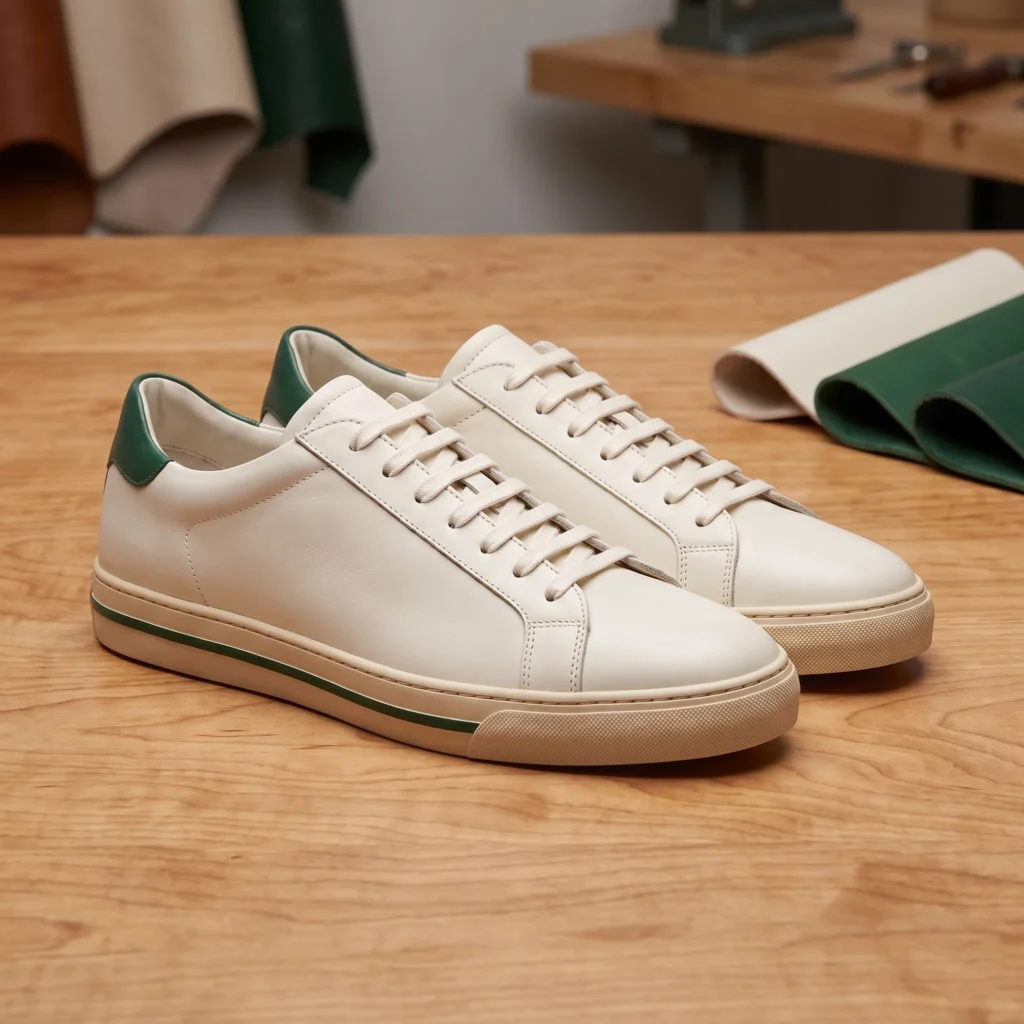
Fotogenic AI vs Uwear
Compare automated review and credit ownership with Fotogenic AI's merchant-directed image creation.
Our pick
Collection imagery with creative direction
UwearSpecialist fit
Recurring fashion with automated screening
Choose Uwear for recurring fashion production with saved direction, automated screening and defined retry rules. Non-expiring credits also suit seasonal gaps.
The differences that change your choice.
Compare creative direction, automated screening and the production rhythm between seasonal collection launches.
Review responsibility
Both tools Directed or automated
- Fotogenic AI
- Direct the image and inspect garment details before choosing the result.
- Uwear
- Configure an AI reviewer, retry policy and exception handling around fashion runs.
Saved fashion direction
Both tools Reusable direction
- Fotogenic AI
- Carry model references and written direction across product runs.
- Uwear
- Reuse art direction, models, outfits and library assets within its production platform.
Seasonal budget
Uwear Uwear for seasonal gaps
- Fotogenic AI
- Schedule production within weekly or monthly credit periods, without rollover.
- Uwear
- Buy credits from US$17 and keep the unused balance without expiry.
Creative image roles
Fotogenic AI
- Fotogenic AI
- Create wearing scenes, product views and related campaign images.
- Uwear
- Produce catalog visuals, outfits and fashion video through connected tools.
Store assignment
Both tools
- Fotogenic AI
- Use reviewed WooCommerce updates or the documented manual Shopify route.
- Uwear
- Carry output and approval state into the store through the chosen integration.
Brand and shopper access
Choose by task
- Fotogenic AI
- Create merchant imagery for product and campaign placements.
- Uwear
- Keep brand-platform accounts and credits separate from the shopper app.
Review the complete look and the garment detail
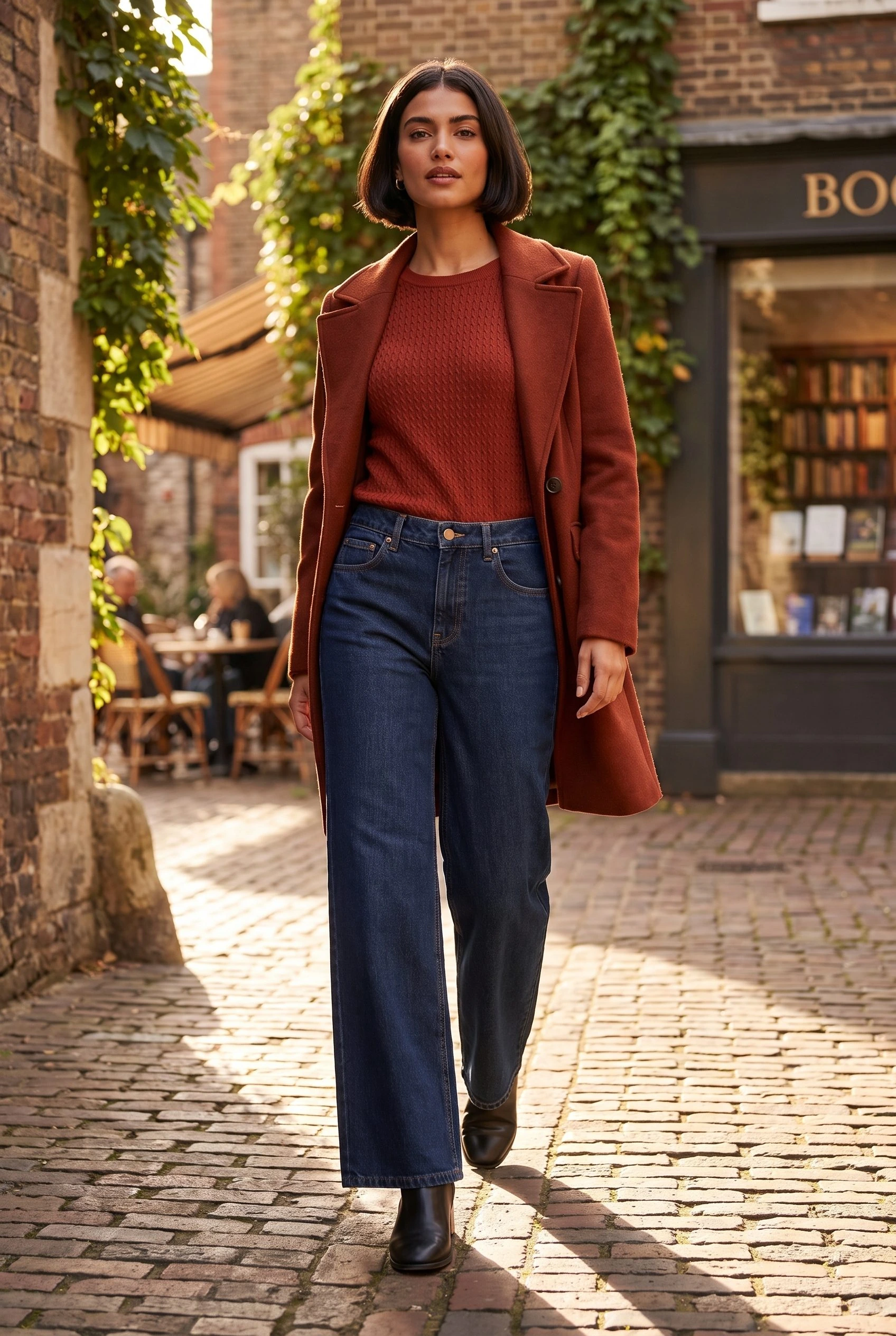
A full jeans composition and waistband detail serve different purposes: campaign placement, garment silhouette and visible construction.
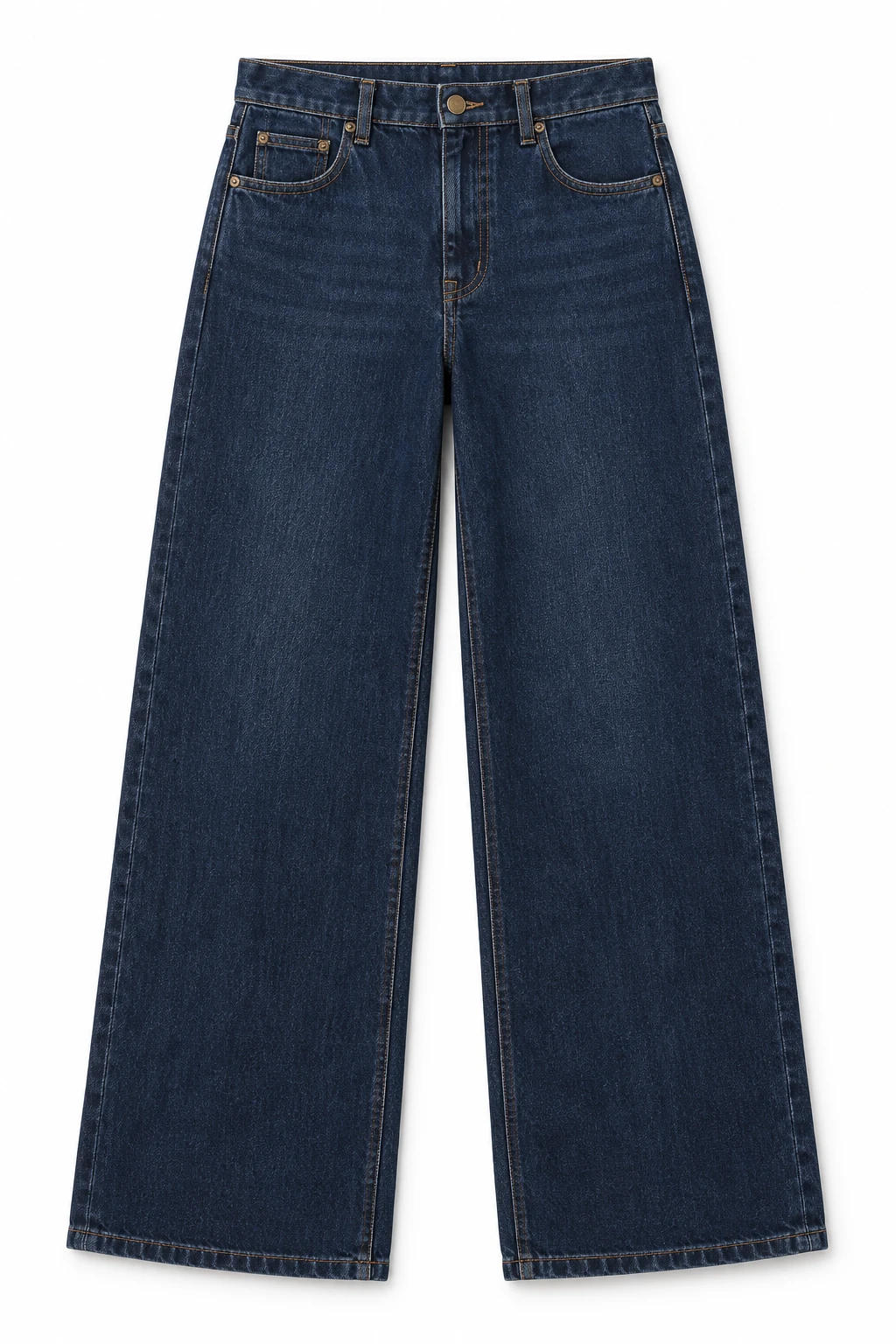
From the product reference
The portrait keeps the full head, coat and jeans visible, although the coat covers part of the waistband. A separate detail exposes the button, fly and stitching; neither view verifies the garment’s unseen back.
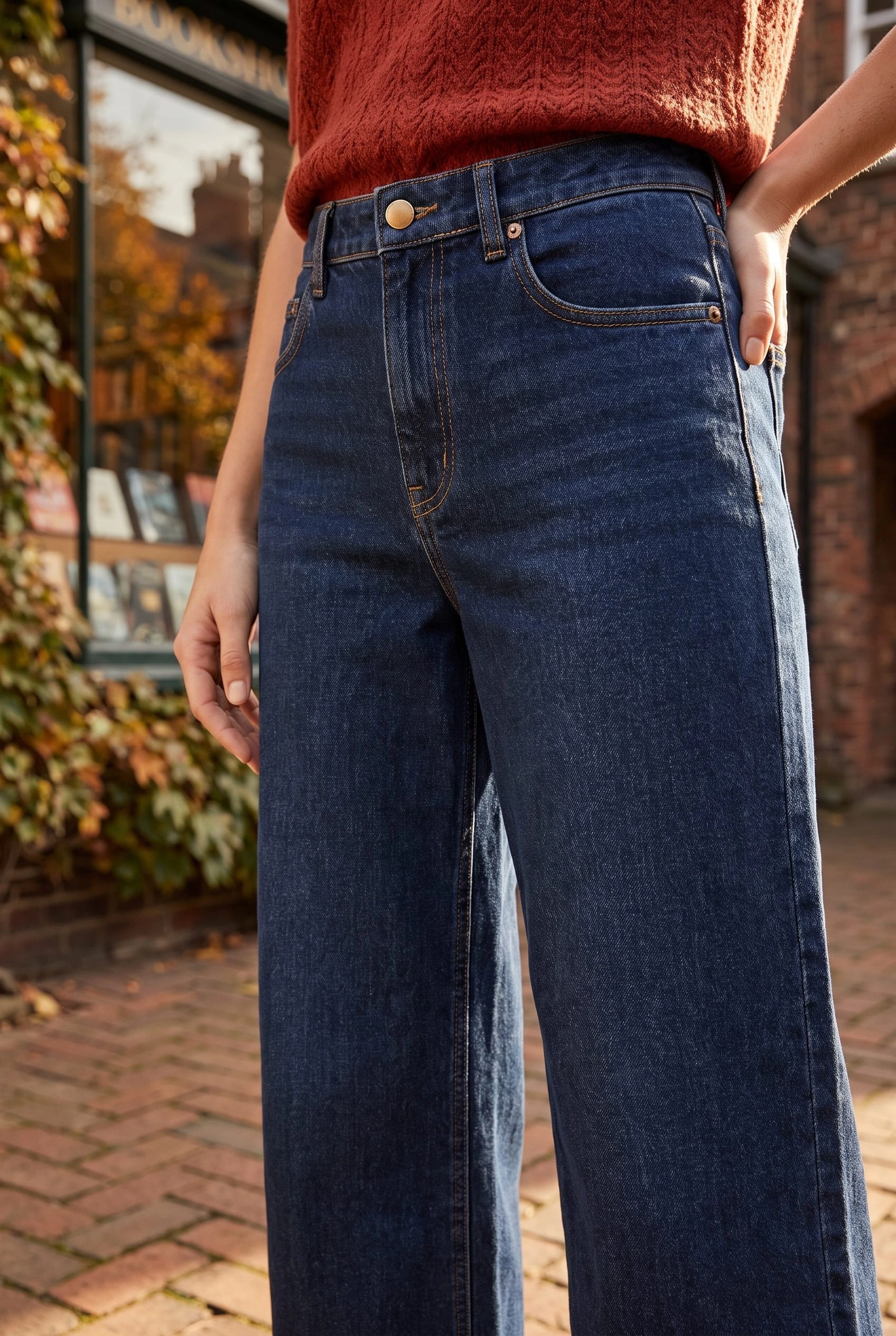
The detail reveals the button, fly and seams, but cannot verify physical fit, fabric performance or the garment’s unseen back.
Plan this product shoot
A repeatable jeans production brief
Full wearing composition
Use the retained jeans image for outfit context and full leg shape. The coat covers part of the waistband, so this frame cannot complete a front-construction check even if the overall styling is accepted.
Waistband detail
Use the closer image to inspect the button, fly and stitching. Judge this detail separately from the campaign composition: accepting one does not approve the other's obscured features or verify the unseen back.
Next wash or SKU
For the next wash, require its own product reference and a review of wash, pocket shape and seam placement. Carry the approved visual direction across the collection, while keeping each garment's acceptance record separate.
This is a placement and acceptance brief for the retained Fotogenic AI images, not evidence of automated Uwear scoring. The catalog guide covers recurring visual direction; the bulk workflow keeps the product and result connected through review.
What are you creating next?
Create a reviewed jeans campaign
Choose Fotogenic AI.
Direct the wearing scene and detail separately, then approve each against the garment source.
Screen repeated fashion batches
Choose Uwear for configurable QA and retries.
Set the acceptance criteria and exception owner before relying on automated handoff.
Pause between seasonal drops
Choose Uwear when non-expiring balance matters.
Budget generation, optional review and retries from the same production requirement.
Direct review or configure retries
Fotogenic AI
Prepare the garment brief
Keep each product reference and SKU with the required scene and detail roles.
Generate and inspect
Direct the wearing image, then compare construction and wash against its source.
Retain and assign
Keep accepted files with the product and review their intended store placement.
Uwear
Set direction and QA policy
Choose garments, model and art direction, then enable the required review criteria.
Generate with retry rules
The documented reviewer returns reasons and can route failed outputs into another attempt.
Resolve exceptions and hand off
Review the accepted take and retained attempts; the store integration still needs product assignment.
A closer look at Uwear.
Choose the production model, not just a gallery
Choose Fotogenic AI when you want to direct the garment scene, inspect the options and decide which images serve the collection. Its product-image workflow and Campaign Set connect the source to purposeful wearing, detail and campaign views.
Choose Uwear when recurring production needs saved direction, automated screening and retry rules across Studio, Agent, API or MCP. That changes who handles the first review and exceptions. It does not remove the merchant's responsibility for the final product representation.
Art direction and saved assets
Uwear's reusable model, framing and production direction, asset library and outfit workflows support recurring fashion work. A saved look guides the shoot; garment construction still needs its own approval.
- Fotogenic AI's catalog guide carries a model reference and written brief across garments; its model generator creates the character reference.
- For jeans, approve the waistband, seams, pockets, fly and wash separately from the setting. Generated wearing imagery does not establish real fit.
Automated QA is a production control
Uwear's review and retry workflow screens garment, model and prompt criteria. Its production offer prices the optional reviewer at one credit per photo; retries create new generations up to the configured limit.
- Include review and retry operations in the production budget.
- Set criteria by placement: a gallery frame needs the full leg shape, readable waistband and unobstructed front pocket; a campaign frame may allow a different pose.
- Human approval remains responsible for product-page claims. Our Fotogenic AI composition and detail crop illustrate those image roles, rather than a matched Uwear accuracy test.
The brand platform and shopper app are separate
Uwear's brand platform and shopper app use independent accounts and credits, even with the same email. Brand credits do work across Studio, Agent, API and MCP, so the separate shopper app does not make its merchant production tools fragmented.
This comparison concerns merchant content. A shopper-facing try-on feature involves its own integration, privacy and shopping journey rather than simply delivering an on-model marketing image.
Automation access does not finish store assignment
API or MCP production needs product identifiers, review state, storage, failure handling and final assignment. Uwear's connected surfaces support automation, while the integration owner still decides how each approved image reaches its SKU.
Fotogenic AI documents AI-assistant access and a native WooCommerce product-image route. That delivery option supports the creative recommendation when the launch belongs in that store.
Native Shopify integration remains publicly Coming soon. The Shopify image workflow covers manual gallery and variant assignment.
Pricing: non-expiring credits
Fotogenic AI
$20.00 / month
Starter in USD: 220 monthly credits. Weekly: $7.00 with 60 credits. Images only; video plans differ.
Plan allowances and terms
Fotogenic AI's plans use weekly and monthly credit cycles without rollover. They suit a defined production period; Uwear's non-expiring balance has a clear advantage for intermittent fashion work. No accepted-image cost advantage has been measured here.
Uwear
US$17 minimum
170 pay-as-you-go credits at US$0.10 each. The unused balance does not expire.
Plan allowances and terms
Uwear's pricing page lists pay-as-you-go credits at US$0.10 each, a minimum purchase of 170 credits or US$17, no subscription or seat fees, and credits that do not expire. The same brand-platform credits work across Studio, Agent, API and MCP. Enterprise commercial models are quoted around the catalog and volume.
The model-rate page determines consumption by operation and model. Include video, editing, upscaling and retries when used; the minimum purchase does not buy a fixed number of approved photographs.
Moving from Uwear to Fotogenic AI
- Retain each garment reference, approved download, SKU and written art direction. Check the remaining non-expiring balance before changing the production arrangement.
- Recreate the required image roles in Fotogenic AI from those reusable files. Uwear's saved configurations and proprietary automation are not transferred by downloading an image.
- Assign garment acceptance and failed-run handling to an owner before switching off automated screening. Use the documented store route for final assignment, including manual Shopify gallery and variant delivery where needed.
Sources and review method
Written by Fotogenic AI. Uwear pricing and non-expiring balance were rechecked October 20, 2026; its QA documentation was read directly on the same date. The jeans images are retained Fotogenic AI outputs. No Uwear generation, automated review, report or purchase was performed.
- Uwear pricing and account separation
- Uwear review criteria and retries
- Uwear model-operation rates
- Uwear enterprise production offer
Read Fotogenic AI vs FASHN for fashion-source and try-on tasks, or Fotogenic AI vs Claid AI for processing and API distinctions. Return to the comparison hub for the full library.
Continue your comparison.
FAQ
Questions about Fotogenic AI and Uwear
No. Current pricing says they do not. That favors irregular production, while Fotogenic AI's weekly and monthly cycles suit work scheduled within a defined period.
Create your next garment campaign.
Develop wearing scenes and focused details from your product reference.