Fotogenic AI vs Veesual
Compare product-image creation, VidCap animation and shopper-facing VTO. These are different purchases with different source requirements.
Our pick
New product scenes before motion
VeesualSpecialist fit
Feed animation or shopper interaction
Choose VidCap for animating existing images. Evaluate Veesual VTO separately for shopper model and outfit interaction, after confirming access and integration.
The differences that change your choice.
Separate new campaign scenes, product feed animation and shopper interaction before comparing controls or costs.
Missing asset
Fotogenic AI Fotogenic AI for new images
- Fotogenic AI
- Create a new product scene, on-model view or related campaign image.
- Veesual
- Animates existing images through VidCap; VTO serves another shopper journey.
Feed animation
Veesual VidCap for image feeds
- Fotogenic AI
- Create an approved frame and direct short product motion.
- Veesual
- Describes styles and automation for animating existing product feeds.
Shopper interaction
Veesual Veesual VTO for interaction
- Fotogenic AI
- Create merchant-controlled apparel imagery for campaign and listing placements.
- Veesual
- Retained VTO offers model selection, outfit inspiration and Mix & Match.
Access before commitment
Choose by task
- Fotogenic AI
- Use the documented image-production route for the creative brief.
- Veesual
- Public VidCap and VTO pages do not establish tested signup or contracted access.
Budget calendar
Both tools
- Fotogenic AI
- Use recurring weekly or monthly workflow credits without rollover.
- Veesual
- Offers non-expiring VidCap packs; VTO pricing is separate.
Acceptance check
Choose by task
- Fotogenic AI
- Review the source still, then any requested motion across its duration.
- Veesual
- Review feed-animation output or the interactive model, garment and purchase action.
Choose a source frame before adding movement
A clear product frame and layered dining scene give the mill different campaign roles. Both are stills for motion planning.
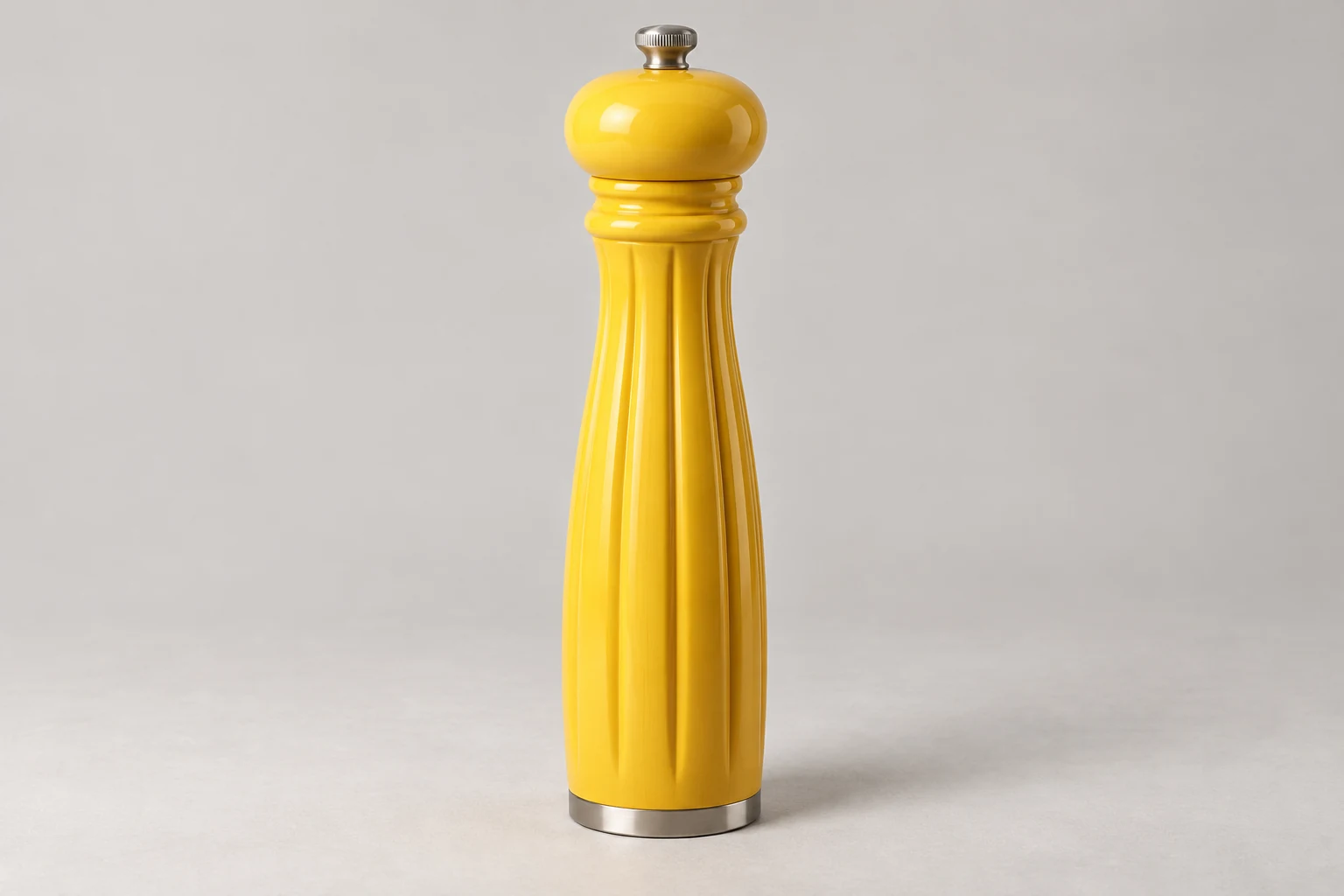
From the product reference
The clear still gives the mill visual priority. Fluted body, silver mechanism, base and table contact need review before planning a push-in; no clip demonstrates whether those details remain consistent through motion.


Foreground glassware adds depth and reflections but overlaps the mill. This is another still image, with no video or comparative motion-quality evidence.
Plan this product shoot
Two pepper-mill frames before animation
Clear product frame
Give the yellow mill visual priority on the table. Review the fluted body, silver mechanism, base and table contact before selecting this still for a restrained push-in.
Layered dining frame
Use foreground glassware to add dining context around the mill. Check reflections and sightlines carefully so those objects do not obscure the product details needed in the intended placement.
Motion brief
Choose the composition whose product remains readable, then specify restrained camera movement. These genuine Fotogenic AI examples are stills for planning; no completed clip demonstrates detail stability through motion.
The photo-to-video guide retains the source, still results and proposed motion direction. No VidCap result was generated for comparison.
What are you creating next?
Create the missing campaign composition
Choose Fotogenic AI.
Direct a clear product scene before selecting it for still or motion use.
Animate an existing product feed
Evaluate VidCap after confirming access.
Reserve the shared credit balance for refinements as well as first attempts.
Let shoppers change models or build outfits
Evaluate Veesual VTO separately.
Scope the model images, garment feed, storefront integration and purchase actions.
New imagery or existing-feed animation
Fotogenic AI
Prepare the product brief
Define the visible item, scene and placement from the product reference.
Create and approve the source
Inspect geometry, lettering and obstructions before choosing a still.
Deliver or direct a clip
Retain the accepted image and use the separate short-video route when motion is required.
VidCap AI
Start from existing imagery
Supply suitable product images or connect the product feed described by VidCap.
Choose the animation route
Use the documented styles or feed automation for the existing source assets.
Review the moving result
Check product visibility and detail throughout the clip before the selected deployment route.
A closer look at Veesual.
Three buying decisions behind one comparison
Choose Fotogenic AI when you need a new product composition, on-model scene or related campaign imagery. Its creative workflows create those source assets before review and store delivery.
Choose VidCap when suitable product images already exist and the task is to animate them or their feed. Evaluate Veesual VTO when shoppers need interactive model or outfit selection. The current VidCap homepage and retained VTO solutions describe different purchases; a VidCap credit pack does not establish VTO access or pricing.
VidCap starts from the images you already have
VidCap offers styles and feed automation for turning existing imagery into product video. It suits catalogs with suitable source images, rather than a brief requiring a new scene, pose or composition.
- Fotogenic AI's video workflow starts with an approved product frame and directed movement. Animation cannot resolve a source that hides the item or misrepresents its construction.
- A clear pepper-mill view supports restrained camera movement. A dining scene adds glassware and reflections that the motion must preserve.
Veesual's retained VTO offer is shopper-facing
The footer-linked Veesual site retains interactive shopping tools. Switch Model changes the clothing model, Look Inspiration supports outfit merchandising, and Mix & Match assembles looks with a purchase route.
- Published implementation involves garment imagery, model references, a product feed and JavaScript integration, with CMS support separate from the creative assets.
- Fotogenic AI's apparel photography creates merchant-controlled images. That does not establish a shopper fitting widget, body measurement or size prediction.
Access needs checking before a production commitment
On October 20, 2026, the official application host and linked login route returned 404 in a public HTTP check. The earlier October 18 browser review showed a Replit not-live message. Working self-service access therefore remains unverified; these observations do not establish business closure or discontinuation of VTO.
The retained VTO pages were accessible, but no functioning demo intake or new contract was verified. Implementation estimates also differ by scope. A purchase needs a confirmed access and delivery route.
Choose Fotogenic AI when the immediate brief is to create new product imagery. Feed animation and shopper styling remain separate requirements rather than prerequisites for that creative work.
Product motion and garment accuracy need different review
Product motion needs review across the clip: geometry, labels, edges and table contact must remain readable. A first frame cannot establish the full sequence's quality.
Clothing needs a separate construction review, including sleeves, closures and prints. A shopper widget also needs the selected garment, model and purchase action connected correctly.
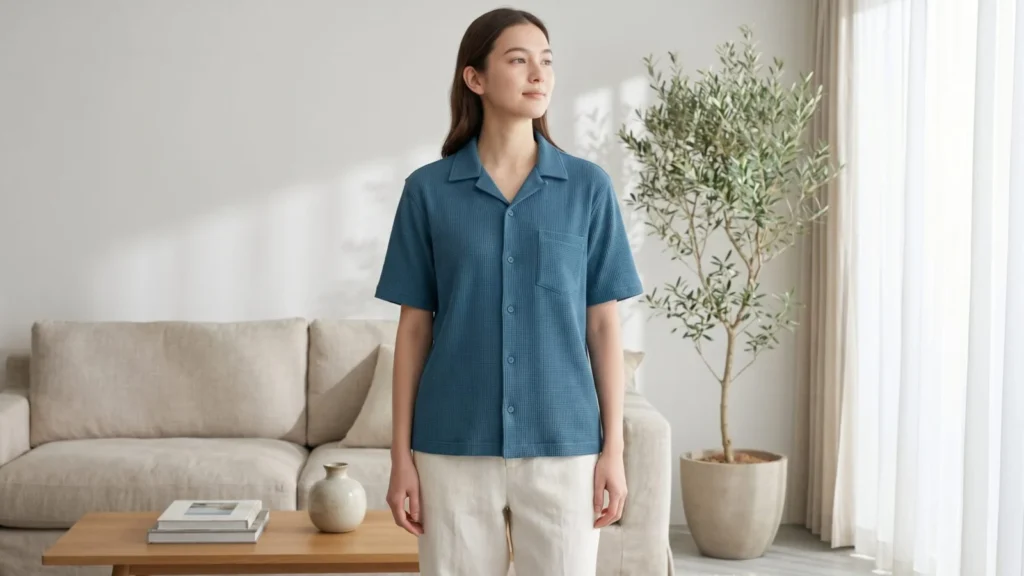
Fotogenic AI's clothing catalog walkthrough provides source garments and distinct still results for creative review. That imagery supports the campaign; product measurements and size information serve the shopper's fit decision.
Store delivery decides who owns the finished result
VidCap describes feed animation and video deployment. VTO describes an interactive shopping integration. Fotogenic AI documents native WooCommerce references and reviewed image assignment. Choose the route that finishes the required store task.
- Retain the source images, accepted files and product identifiers. A feed URL or application history is not a substitute for the retained master.
- Move new scene creation into Fotogenic AI where needed. Keep feed automation or VTO with its integration owner until the required replacement is confirmed.
- Review and assign the accepted image through the WordPress workflow or manual Shopify workflow. Native Fotogenic AI Shopify integration remains publicly Coming soon.
Pricing: VidCap packs and VTO
Fotogenic AI
$20.00 / month
Starter in USD: 220 monthly credits. Weekly: $7.00 with 60 credits. Images only; video plans differ.
Plan allowances and terms
Fotogenic AI uses weekly or monthly workflow credits, refreshed each billing cycle without rollover. Its current pricing is the source for the chosen currency and operation. Compare recurring launch work with the calendar of a credit pack, rather than presenting unlike balances as equivalent image or video capacity.
Veesual
EUR40 / pack
50 non-expiring VidCap credits. VTO integration is a separate purchase.
Plan allowances and terms
The live VidCap pricing page publishes one-time packs: EUR40 for 50 credits, EUR150 for 250, EUR200 for 500, EUR500 for 1,250 and EUR875 for 2,500. The FAQs state that a video generation uses five credits and a refinement uses two. Packs are described as non-expiring; recurring or custom arrangements require contact.
The maximum video and refinement counts spend the same balance. They are not two simultaneous allowances. A useful budget reserves credits for revisions as well as first attempts, then checks the exported result rather than assuming each generated video will be accepted.
Those packs do not establish a price for Veesual's VTO integration. Its retained shopping-experience pages publish a demo-led offer, with no verified fixed price here. Source preparation, storefront integration and ongoing merchandising should be included in that separate evaluation.
Sources and review method
Written by Fotogenic AI. VidCap pricing, the current root offer and retained VTO solution page were rechecked October 20, 2026. The official application host and linked login returned 404 in the October 20 public HTTP check; no successful signup test established working access. The pepper-mill images are Fotogenic AI stills. No VidCap generation, VTO deployment, purchase or motion-quality test was performed.
- VidCap credit packs
- VidCap feed-animation offer
- Veesual Switch Model and integration
- Veesual Mix & Match
Read Fotogenic AI vs Vmake for social-video tools or Fotogenic AI vs FASHN for fashion source and try-on decisions. Return to the comparison hub for the complete library.
Continue your comparison.

FAQ
Questions about Fotogenic AI and Veesual
No. Its current homepage leads with VidCap image-to-video and feed animation. Linked VTO pages retain shopper-facing model and outfit tools, which are a separate purchase from new campaign imagery.
Create with Fotogenic AI
Create the source your campaign needs.
Direct product scenes and useful starting frames for short motion.