Fotogenic AI vs Resleeve
Compare Fotogenic AI's image creation with Resleeve's team-workspace proposition, current access and approval responsibilities.
Our pick
Product scenes and controlled variations
ResleeveSpecialist fit
People and bot workspace coordination
Consider Resleeve for people-and-bot coordination after confirming access, enabled tools and approval controls. Its public homepage and pricing remain concept-labelled.
The differences that change your choice.
Compare product image creation with wider team coordination, including the access and approval each task needs.
Immediate task
Fotogenic AI Fotogenic AI for imagery
- Fotogenic AI
- Create a product scene or a focused composition and lighting variation.
- Resleeve
- Presents a wider people-and-bot workspace with business automation scenarios.
Current access
Choose by task Confirm Resleeve access
- Fotogenic AI
- Use the documented creative-production route.
- Resleeve
- Homepage and pricing remain concept-labelled; working account access is unverified here.
Approval ownership
Choose by task Two approval decisions
- Fotogenic AI
- Accept product identity and image role before passing the file to launch.
- Resleeve
- Published scenarios coordinate people and bots around approved work.
Product stage
Both tools
- Fotogenic AI
- Direct campaign imagery from an approved product reference.
- Resleeve
- Retained fashion pages advertise photographs, CAD and technical-pack inputs.
Budget basis
Choose by task
- Fotogenic AI
- Use weekly or monthly workflow credits for the production period.
- Resleeve
- Lists a monetary balance with alternative model-dependent output estimates.
Launch handoff
Fotogenic AI
- Fotogenic AI
- Deliver accepted product files through a documented store route.
- Resleeve
- Advertises connected apps and automation requiring permission and scope confirmation.
Approve the helmet before the campaign handoff
A graphic composition and warmer lighting treatment give the same helmet two distinct image roles within a launch.
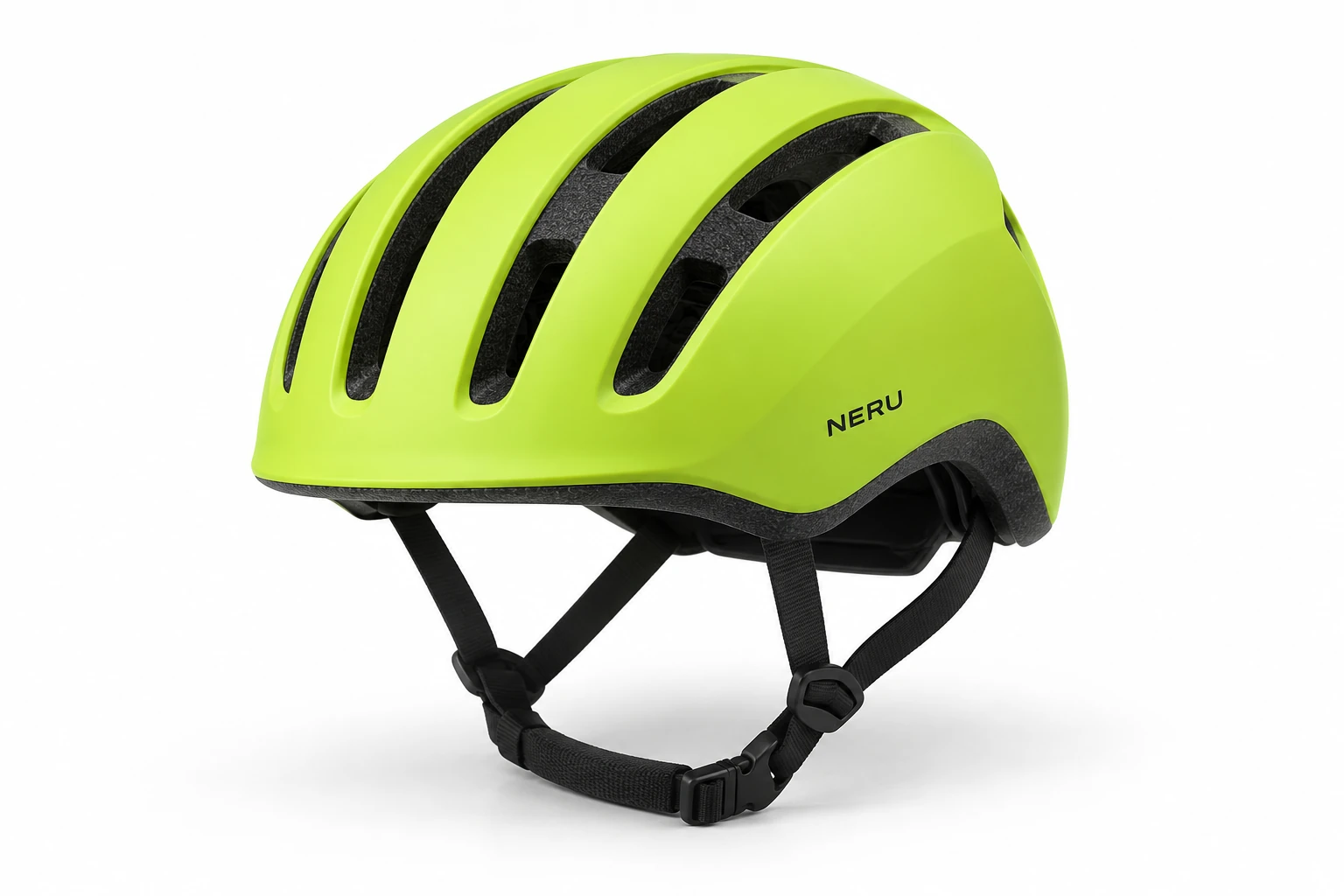
From the product reference
The graphic frame keeps the complete helmet shell visible. Vent shape, lower rim, straps and lettering need source comparison; changed light and angle do not establish pixel-identical preservation or protective performance.
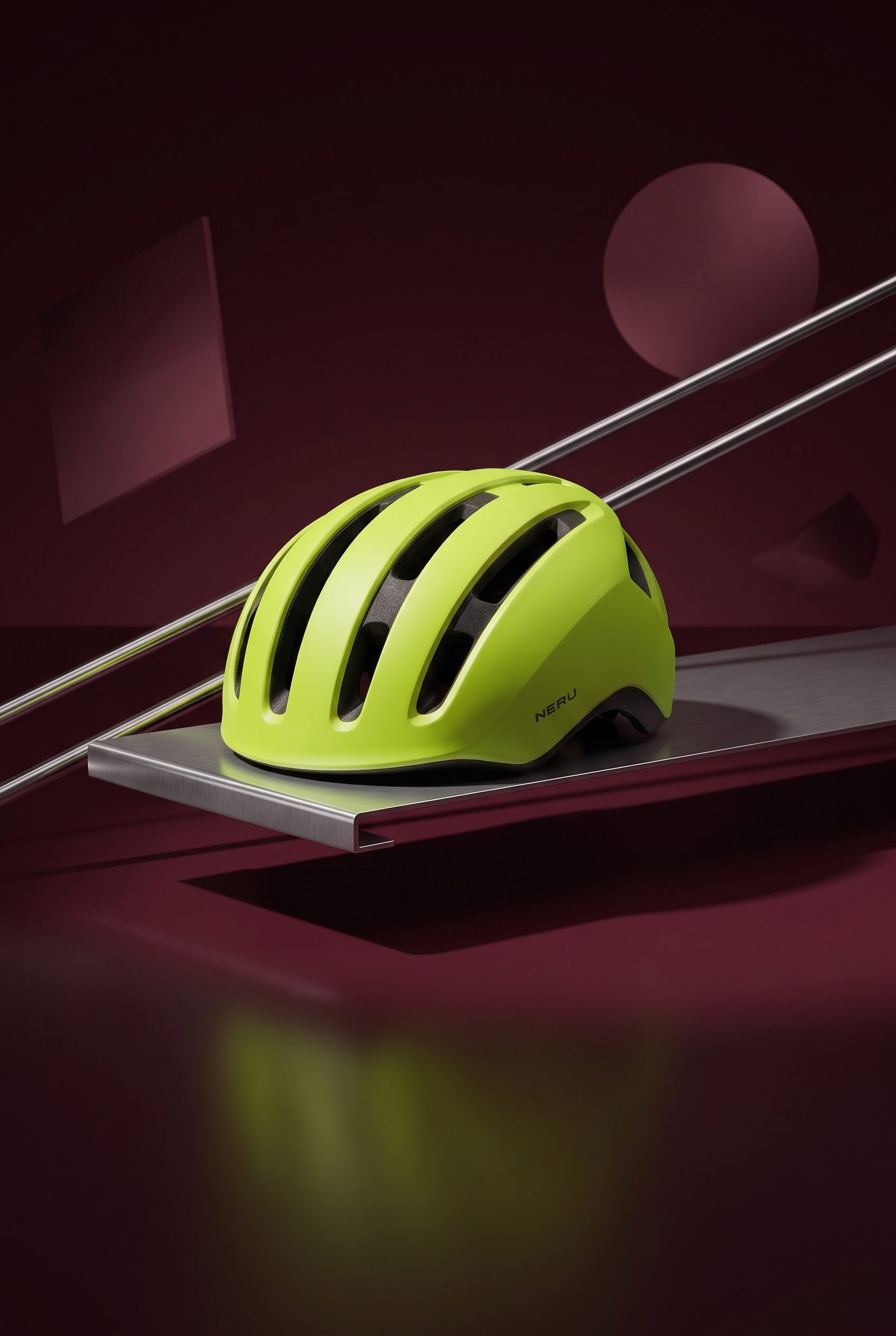

Warmer light changes the shell and vent contrast, giving the same helmet a visibly different lighting treatment.
Plan this product shoot
A helmet brief with separate composition and lighting decisions
Graphic product scene
Place the complete lime helmet within the burgundy geometric setting. Compare the vents, lower rim, straps and wordmark against the reference before choosing this composition for the campaign.
Warmer lighting variation
Change the lighting treatment to create a second mood around the helmet. Warmer light changes shell and vent contrast, so review product visibility separately from the appeal of the atmosphere.
Accepted campaign frame
Select each image for a defined placement after the product review. Keep the approved source and result together so the launch team can distinguish a chosen variation from an unreviewed alternative.
The image-variations guide retains these genuine Fotogenic AI results and separates composition from lighting changes. No Resleeve output or automated launch was tested.
What are you creating next?
Create or refine the product scene
Choose Fotogenic AI.
Judge the product and placement before handing over the accepted image.
Coordinate bots, people and calendars
Evaluate Resleeve after confirming access.
Verify the actual tools, permissions and exception handling for the proposed process.
Authorize a launch using approved imagery
Keep a separate launch owner.
Accepting a composition does not grant permission to publish, schedule or update a storefront.
Produce imagery or scope coordination
Fotogenic AI
Choose the source and decision
Keep the product reference with the selected composition or lighting change.
Create and compare the variation
Review product details separately from the appeal of the new setting or light.
Approve and hand off
Retain the accepted file and let the authorized launch owner select its destination.
Resleeve
Confirm access and enabled scope
Treat the public concept as a procurement proposal until the required workspace and tools are available.
Define the connected task
Its published scenario combines team members, bots, a calendar and draft creative work.
Verify approval and handoff
Confirm who approves the action and which destination receives it before relying on production automation.
A closer look at Resleeve.
Product creation or a wider team workspace?
Choose Fotogenic AI when the work is a product scene or a controlled composition and lighting variation. Its creative workflows let the merchant direct and review the visual before passing it to the team responsible for launch.
Resleeve's current homepage presents people and bots coordinating business work. Its homepage and pricing remain concept-labelled. Evaluate that wider workspace only after confirming working access, enabled tools and approval boundaries for your task. Public scenarios alone do not establish an available production process.
The current Resleeve offer differs from older studio descriptions
Resleeve's current navigation leads to a bot marketplace, pricing and account entry. Its homepage footer says Concept v2 and its pricing page calls itself a concept, material context for procurement.
- The retained fashion page describes lookbooks, tech-pack/sample inputs, on-model images, video, drop pages and launch automation.
- Those published scenarios have not been exercised in a working customer account here.
- Garment imagery, calendars, mailing lists and storefront pages need their own owners and acceptance criteria.
Creative approval and automation need different decisions
A launch approver decides where and when an asset may be used. An image reviewer decides whether its product, lettering and crop are acceptable. One approval cannot stand in for the other.
Fotogenic AI's Campaign Set and Image Variations guide support the creative decision. Resleeve's public scenario describes people and bots moving approved work through a campaign. Confirm the actual permission and exception controls before relying on that automation.
The garment exists, or the design is still being developed
Resleeve's fashion page advertises CAD and tech-pack inputs alongside photographs. A pre-sample visualization still needs technical approval before it represents a manufactured garment.
Choose Fotogenic AI's apparel photography when the task is a campaign directed from the product reference. For sketches, prints and technical packs, the Caimera comparison addresses the design-to-catalog purchase.
Keep the approved product version attached to the image brief as development moves into launch production.
Delivering the images and coordinating the launch
Fotogenic AI's native WooCommerce route connects product references and reviewed image assignment. The WordPress workflow covers that handoff after creative approval.
Resleeve's broader automation scenarios need a confirmed store, channel, approval boundary and access route. A calendar connection or posting bot addresses a different task from assigning an image to a product and variation.
Native Shopify integration remains publicly Coming soon. The manual Shopify guide covers gallery and variant delivery.
Pricing: balance and production capacity
Fotogenic AI
$20.00 / month
Starter in USD: 220 monthly credits. Weekly: $7.00 with 60 credits. Images only; video plans differ.
Plan allowances and terms
Fotogenic AI's current plans use weekly or monthly workflow credits that refresh without rollover. Compare the production period, required operations and review effort. Neither a monetary balance nor a credit count alone establishes the cheaper completed launch.
Resleeve
US$19 / month
Published Basic pricing concept with a US$19 balance. Confirm working access and operation costs.
Plan allowances and terms
The current English pricing page lists Basic at US$19 monthly with US$19 balance and Plus at US$49 with US$49 balance. Basic advertises about 250 images or 25 videos; Plus about 700 images or 70 videos. Enterprise is custom. Those are alternative, model-dependent estimates, not simultaneous allowances or a guaranteed number of accepted campaign assets. The inspected Select action points to contact rather than a tested checkout.
Resleeve's terms describe variable operation costs and recurring billing. Budget the actual mix of image, video and automation work rather than multiplying the largest advertised output estimate by the number of people in a workspace. No current free-credit entitlement was verified here.
Moving a launch without losing its approval history
- Retain source files, accepted exports, the brief and image-approval history. Keep the launch permission and schedule with the existing campaign owner.
- Recreate the scene or variation in Fotogenic AI and review any changed product detail. The helmet images illustrate appearance only, not protective performance, certification or safety.
- Hand off the accepted files with their destinations. Private bots, app code, trained models and balances are separate from the image exports and do not automatically transfer.
Sources and review method
Written by Fotogenic AI. Resleeve’s homepage, direct public pricing HTML and retained fashion page were rechecked October 20, 2026. Concept labels remain. Signup and sign-in returned only loading text to the research fetch, so working account access is unverified. Helmet scenes are retained Fotogenic AI results. No account, bot, production run or purchase was tested.
- Resleeve current workspace and concept label
- Resleeve pricing concept
- Resleeve retained fashion scenarios
- Resleeve signup entry
- Resleeve terms
Read Fotogenic AI vs Caimera for design-stage work or Fotogenic AI vs Kive for shared creative assets. Return to the comparison hub.
Continue your comparison.


FAQ
Questions about Fotogenic AI and Resleeve
No. The current homepage presents teams and bots, while retained fashion pages describe creative and launch scenarios. The homepage and pricing are labelled as concepts, so published scope is distinct from verified account access.
Create with Fotogenic AI
Create the product image before launch.
Refine composition and lighting around your product reference.