AI clothing photography: show printed hoodies on a model
Create a realistic on-model scene, then check that the print still represents the garment you sell.
For printed clothing, start with a clear front reference, choose a model in Create Photos, and use Custom Instructions to keep the chest facing the camera. Leave hands, hair and extra layers away from the design. Then compare the returned lettering and artwork with your source before using the image.
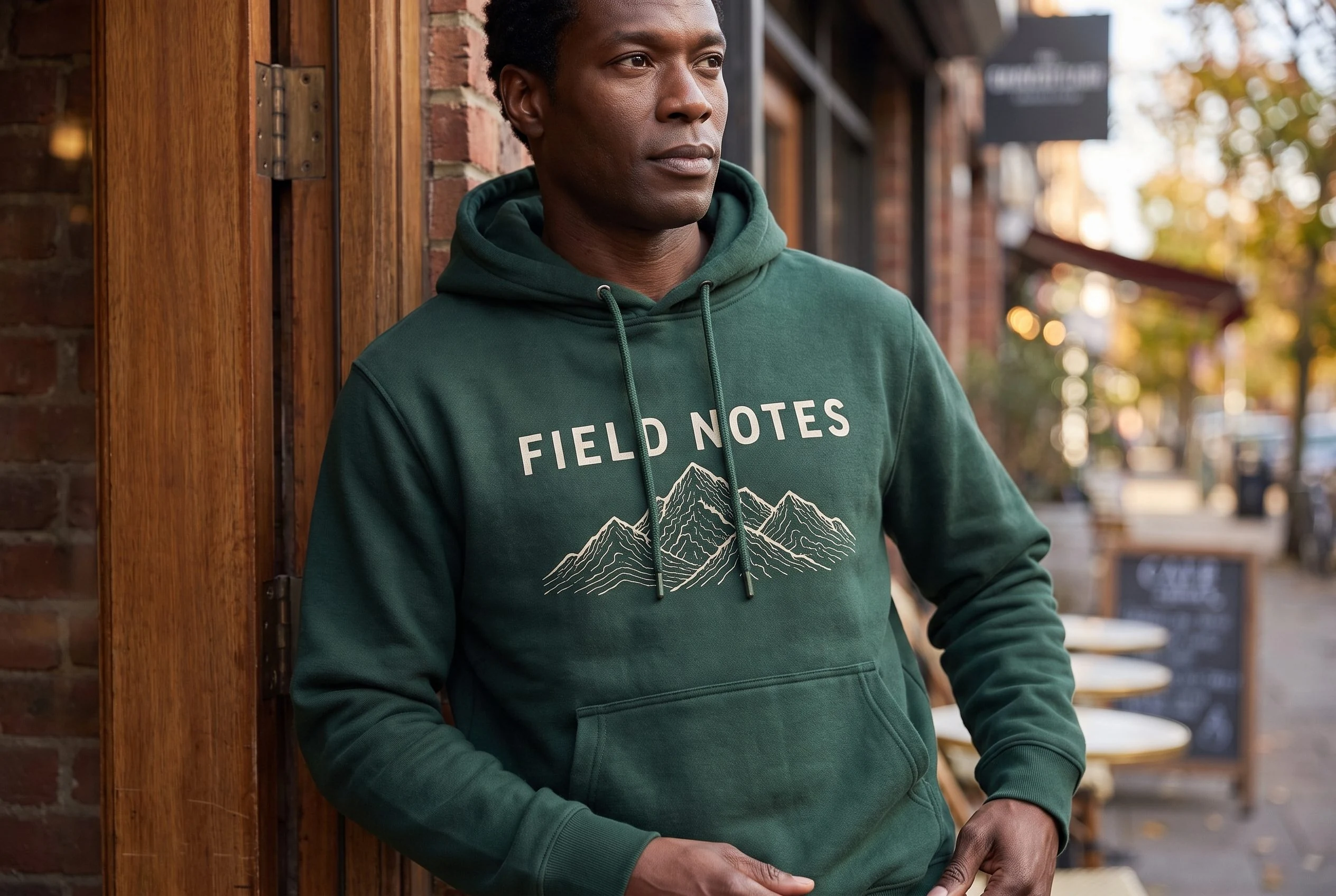
A readable slogan is only part of that decision. In this Fotogenic AI example, the words FIELD NOTES remained legible, but the mountain drawing and its proportions changed. The scene can help develop a campaign direction; it does not replace an accurate product photo of the print.
Make the printed design easy to see
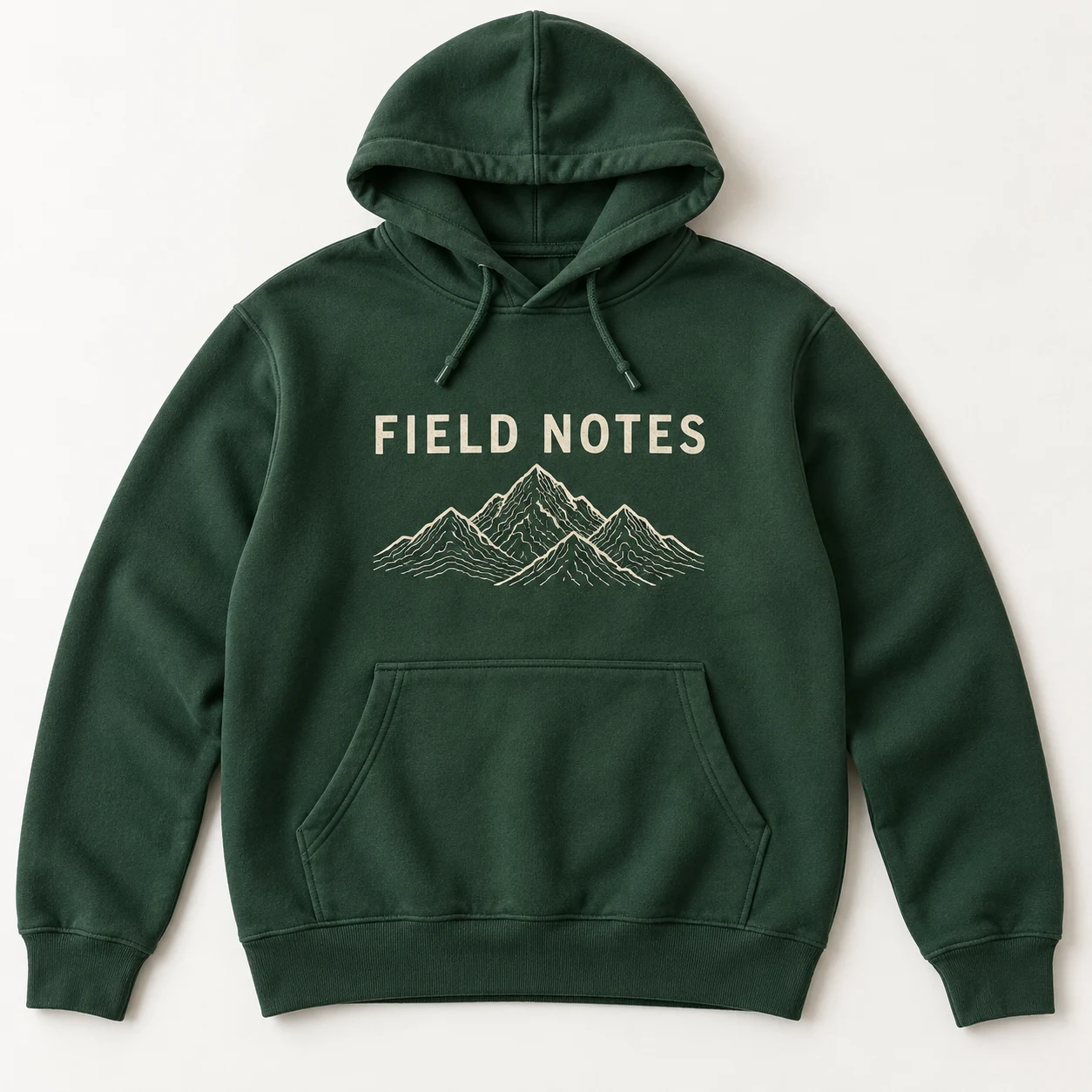
Use a front photograph that shows the entire hoodie, including its hood, cuffs and hem. Smooth folds through the printed area and move the drawcords away from the lettering before photographing it. Add a closer source photo if fine lines matter, while keeping the whole garment as the main reference.
Our example starts from a forest-green hoodie concept with a cream, single-line title and a mountain illustration. The green separates clearly from warm brick and timber. That lets an ordinary shopfront provide context without a busy set competing with the artwork.
For a real listing, keep a photograph of the physical print available. Shopify’s clothing photography guide explains garment preparation and lighting for that factual image.
Set up the image in Fotogenic AI
- Open Create Photos. From Explore, choose Create Photos, then Create product photos.
- Add the garment under Product photos. Upload the front reference. Keep the model reference separate from the product reference.
- Choose the model. Open Model and select a suitable preset. This example used Malik as the subject reference. In Model options, choose Casual under Dress Up the Model, keep Include Model Face on, then select Confirm model options. A preset is a reference, not a guarantee of identical facial details in every output.
- Keep the scene instructions simple. For this starting setup, leave Environment and Photographic style at None. Leave Add inspiration empty. Describe the actual-looking location and print visibility in Custom Instructions using the brief below.
- Start with one result. Set Quality to High and Images to 1. Read the current credit estimate beside Generate, then select Generate.
- Review the design before planning more views. Compare the original front reference with the result at full size. Do not judge the print only from the small preview.
The controls above were checked in the current Web App. The example uses a product reference and a separate model reference; those inputs have different jobs. For a fuller explanation of action and framing choices, use the AI model photo guide.
A brief that keeps attention on the print
Paste a short instruction like this into Custom Instructions and replace the garment, design and setting details with your own:
Dress the selected model in the referenced forest-green pullover hoodie and dark trousers. Stand outside a real brick shop in soft side daylight. Face the chest toward the camera, with arms relaxed and hands below the printed area. Show the full head and the hoodie through its hem. Keep the cream FIELD NOTES title on one line and preserve the mountain drawing beneath it. Keep drawcords away from the print. No jacket, bag strap or added lettering.
The plain trousers keep the hoodie dominant. Side daylight reveals the fabric without a spotlight bleaching the cream print. A chest-facing pose makes the words easier to inspect than a turned shoulder or crossed arms. These are creative instructions to evaluate, not locks on the output.
Check the artwork, not just the words
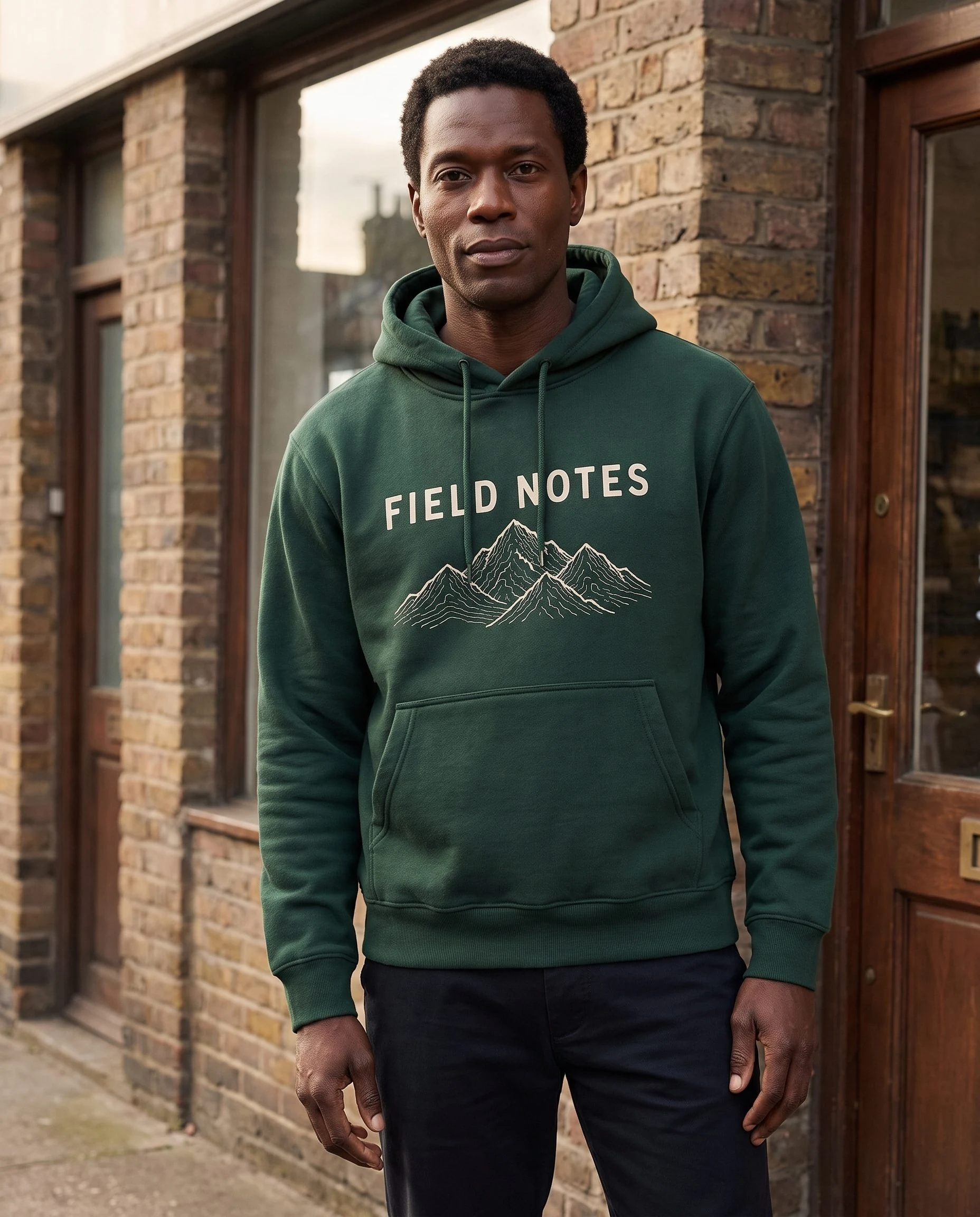
In the front-facing result at the end of this guide, the model and shopfront are convincing and the title reads clearly. However, the drawcords run across the graphic despite the request to keep them clear. The fine mountain contours also differ from the source. The closer doorway view makes those differences easier to inspect.
Write a short acceptance note for the actual design before using a result. For this hoodie, it would read:
- Wording: FIELD NOTES, spelled correctly and kept on one line. Reject a result that stacks the words or substitutes letters.
- Artwork: the same mountain contours and arrangement, not a merely similar mountain symbol. Our example does not pass an exact-artwork check.
- Placement: the title above the mountain, with the intended space above the pocket. Check that folds and drawcords do not hide a detail shoppers need.
A scene that misses those requirements should not represent the exact item for sale. Keep it for creative direction, or use a photographed on-model image when faithful print reproduction is essential. Generated drape also does not verify garment measurements, fabric weight or physical fit.
Choose the next image for a different job
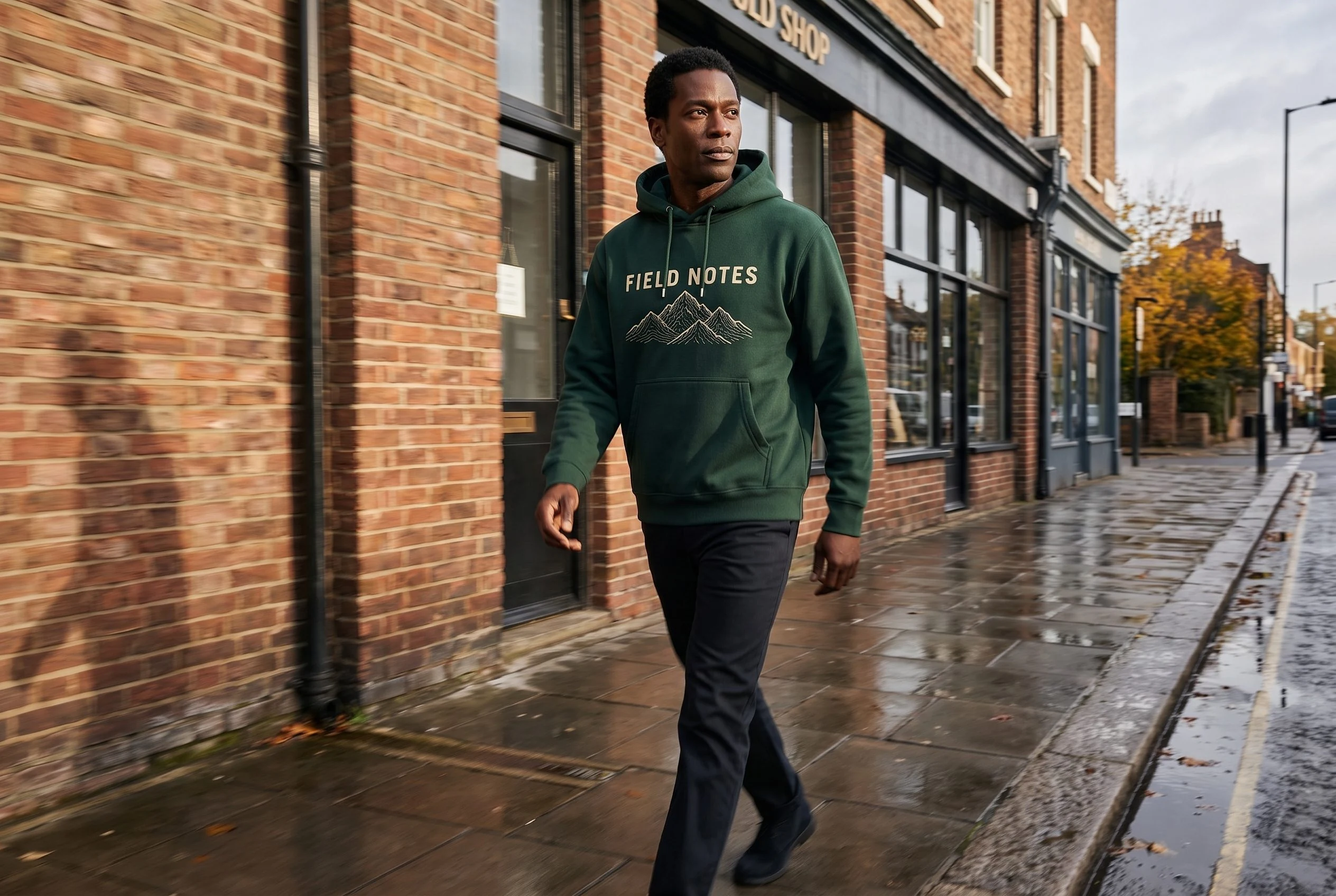
The wider street scene at the top establishes an everyday setting. The front-facing and closer doorway views below bring attention back to the hoodie. Together they show different framing options without changing to an abstract backdrop or covering the design with props.
If the approved source and first result are suitable, Campaign Set can help explore separate image roles. Review each returned image independently: a shared brief does not guarantee identical artwork or a fixed model identity. We excluded a campaign candidate that changed both the person and the title layout.
For a change to an existing scene rather than a new set, Image Variations offers separate composition and lighting directions. Use the worked variation guide to choose a control. Neither feature removes the need to verify the print.
Bring the garment into a real-life scene
Two views of one hoodie. Check the artwork before use.
Your next product image starts here.
Turn a product photo into a new scene for your store.