AI product backgrounds: use your own room
Give your product a setting you chose. Use a room photo to guide the background.
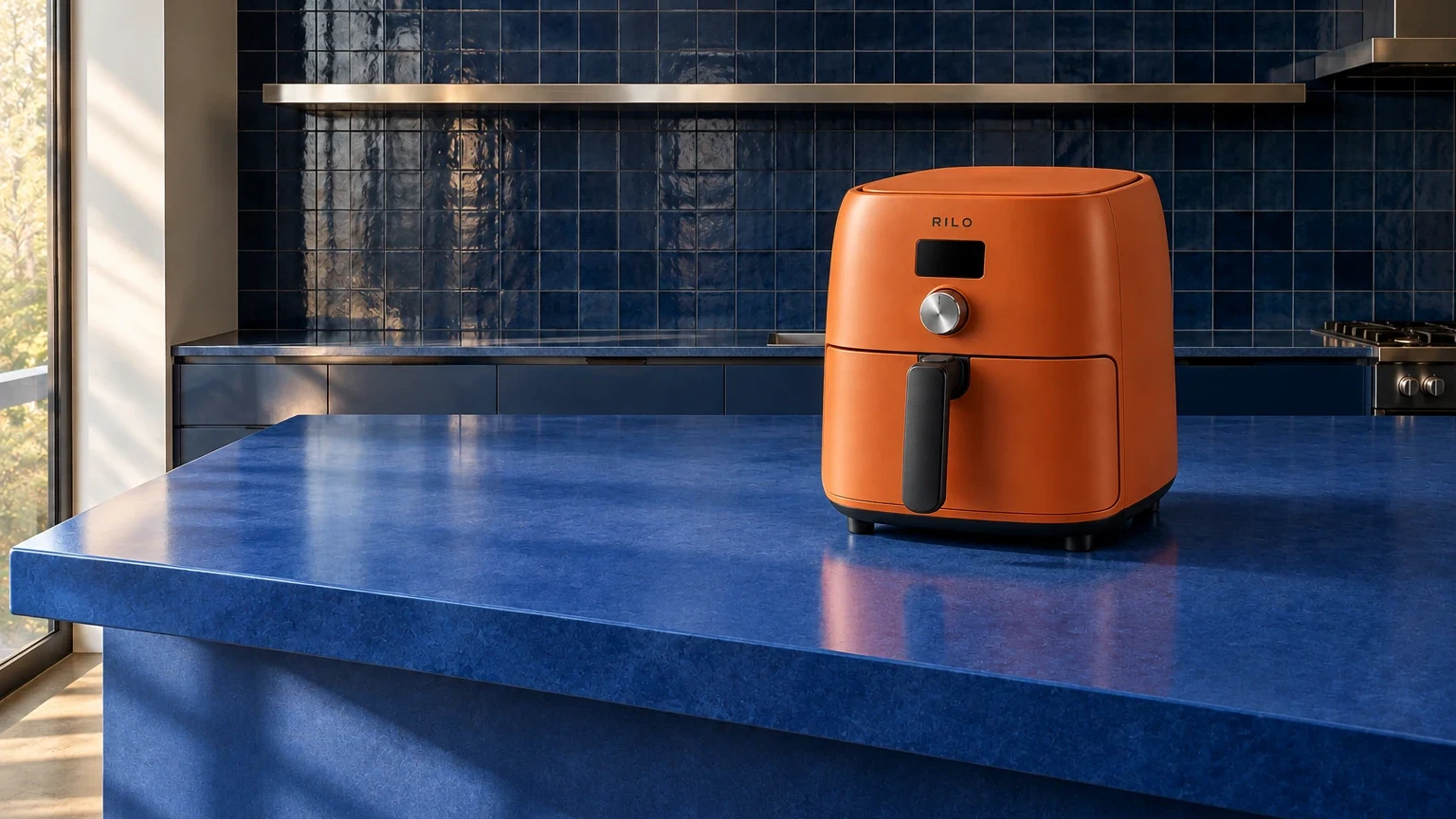
A room photograph can communicate the counter, architecture and light more clearly than a long description. In Fotogenic AI, give that photograph its own role under Environment, while Product photos establishes the item you sell.
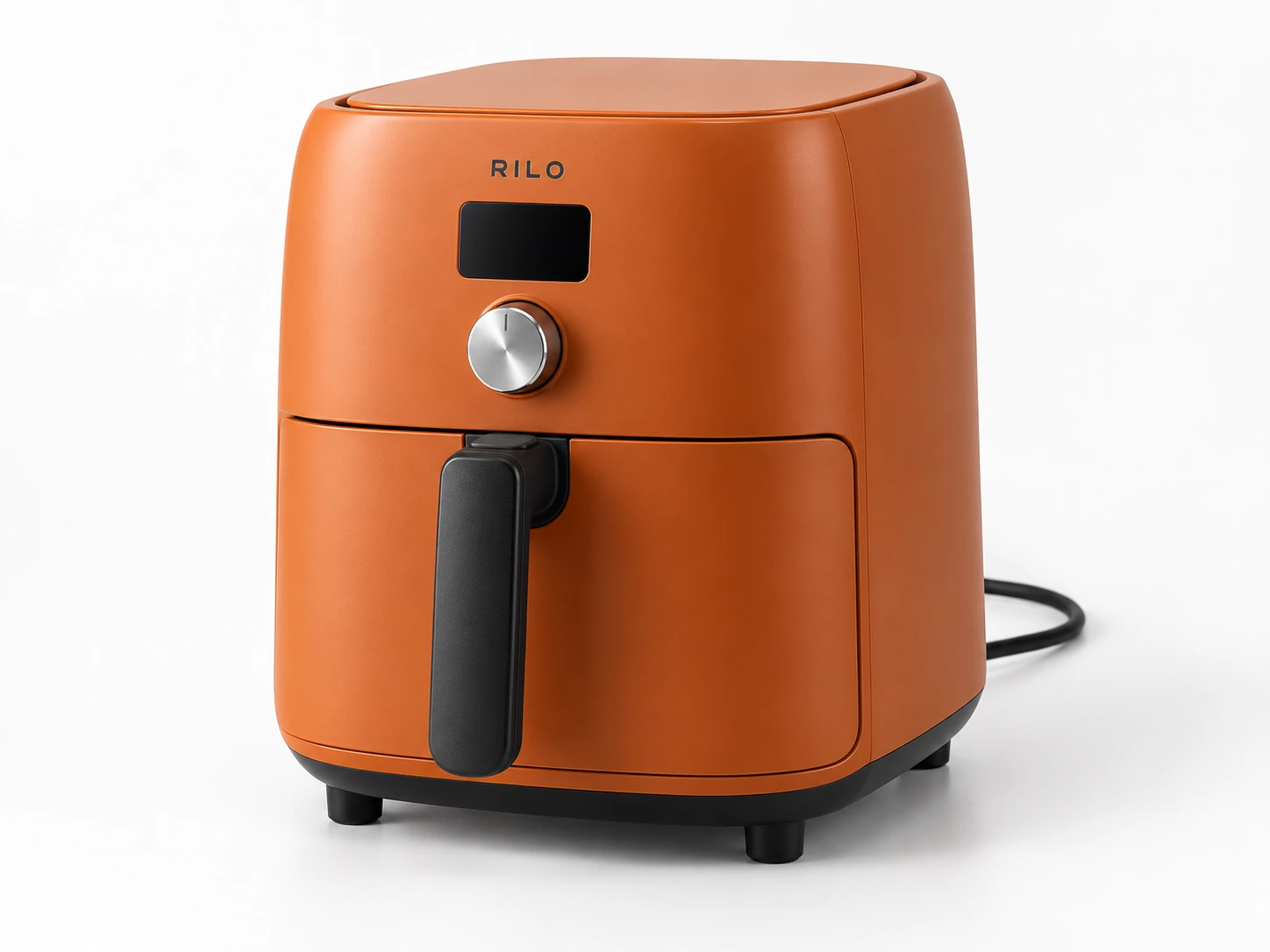
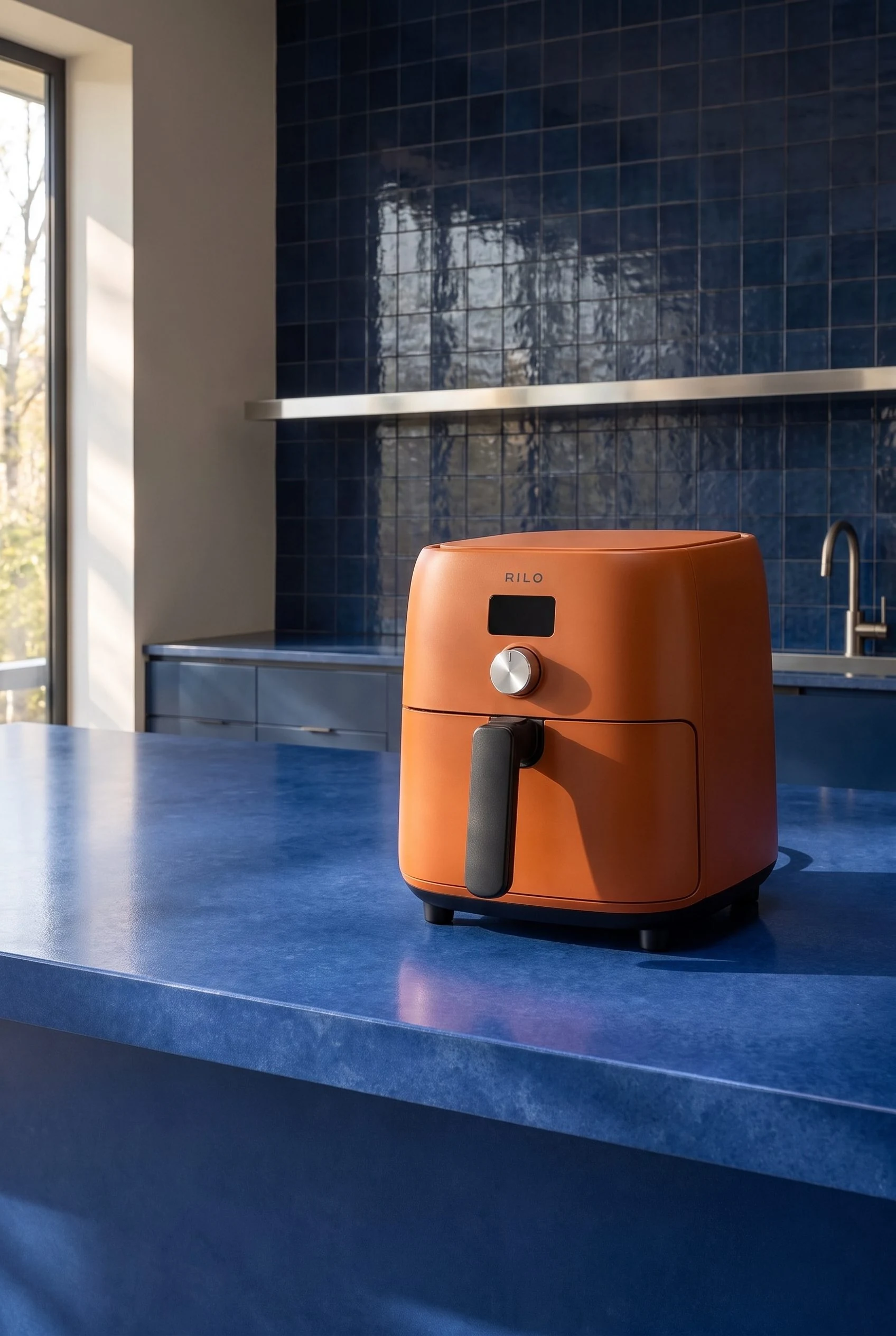
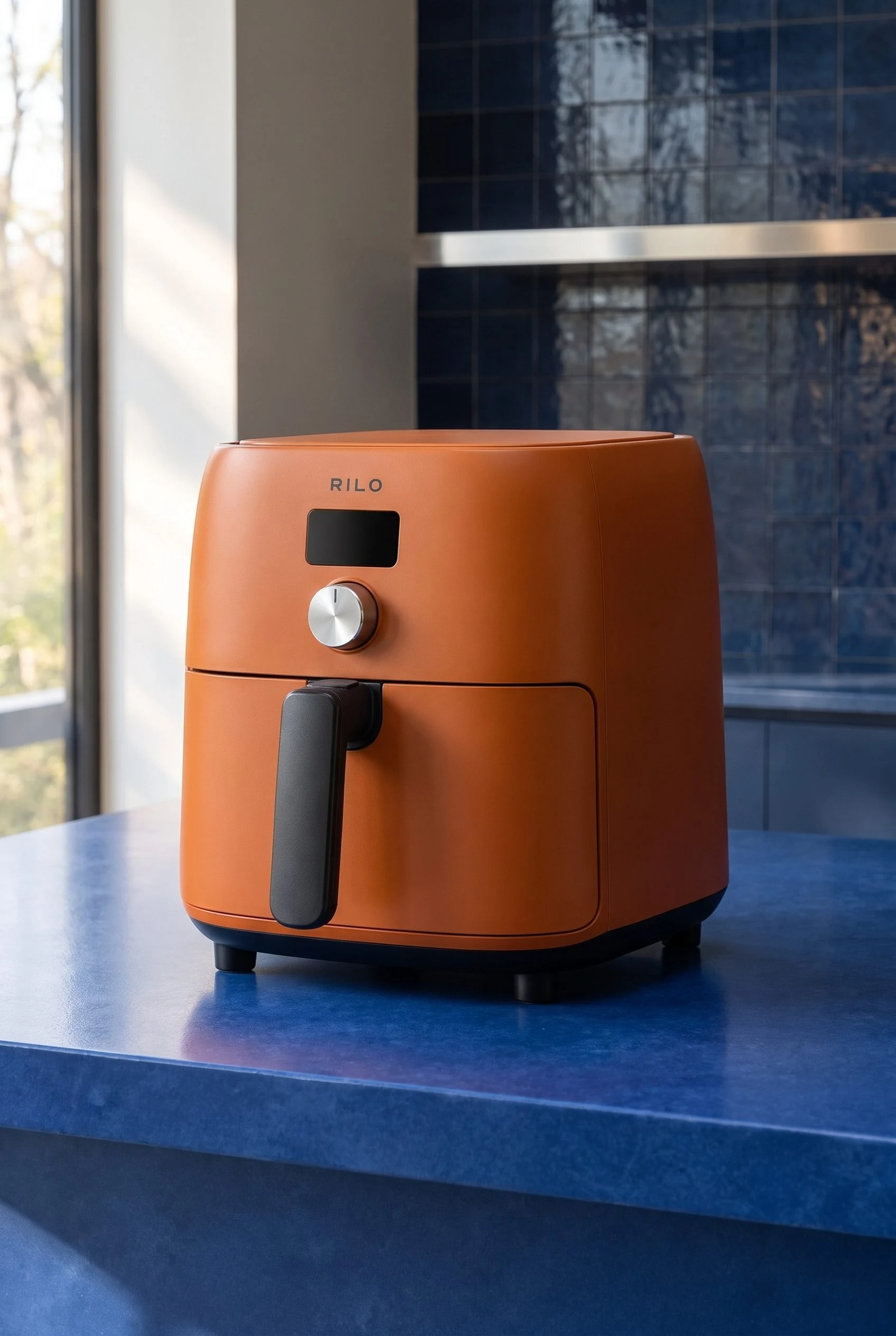
Two references do different jobs here: the orange appliance establishes the product, while the blue kitchen establishes the setting. The final pair shows a wider room composition and a closer product view made from those same inputs.
Give each reference one job
Product photos supplies the appliance: its orange housing, black handle, dark display and silver dial. Use views of the same actual item here. Putting a finished competitor advertisement in this field would give the request a different product to interpret.
Environment supplies the room. Choose a photograph with the surface and viewpoint you want to work from, then use Custom Instructions to explain where the appliance belongs within it.
Add inspiration is a separate optional input for the look. For this example, leave it empty: the blue kitchen already establishes the palette and light. If you later use an inspiration image, choose one you have permission to upload and name the particular quality you want to borrow. Keep the room reference in Environment.
Choose a room with a landing place
Look for a visible stretch of counter that can receive the product. In this reference, the island's top and front edge explain the surface; the tiled wall and steel shelf stay farther back. The clear right side gives the air fryer a destination without asking it to overlap a sink or another appliance.
Match the view before adding decoration. The product reference shows its front, right side and a little of the top. A room shot looking slightly down at the counter gives that view a useful starting point. A very low room photograph paired with a steep overhead product photo asks generation to reconcile two different viewpoints.
The orange-and-blue direction also has a practical reason. Warm orange separates the appliance from the cooler tile and island, while the steel dial relates to the shelf. You get a coherent room without turning the product itself blue.

Add the room in Fotogenic AI
- From Explore, choose Create Photos. Add your appliance reference under Product photos.
- Open Environment. In Choose an environment, click Upload environment image and add your room photograph. This is the custom-reference route alongside the preset environments.
- Leave Model unselected for this product-only scene. Keep Photographic style at None and Add inspiration empty so you can express this direction through the room and placement brief.
- Put the instruction below in Custom Instructions. For the final images shown here, choose 2:3 Portrait under Aspect ratio, High under Quality and 1 under Images. Review the displayed estimate before choosing Generate. Request each composition separately.
Environment is a reference for generation, not a promise that every tile, window or camera position will stay identical. Use the returned image to judge how well the room direction and product placement came together. If you need an exact unchanged room photograph, do not treat this workflow as a fixed-background composite.
Brief the relationship between the images
The references already describe the product and setting. Spend the instruction on their relationship: position on the surface, viewpoint and shared light.
Custom Instructions
Place the referenced air fryer on the right half of the blue island in the environment image. Show its front and right side, with the complete appliance visible. Match the base and vertical edges to the counter's perspective. Let the window on the left supply the light, with a contact shadow towards the right. Keep the feet behind the counter edge. Leave the left side uncluttered. Keep the display unlit. Do not add food, countertop accessories or new lettering. Wider room context, with the appliance prominent and the real-looking kitchen visible behind.
Closer product view
Use a closer composition when the product needs more attention than the room. Keep enough counter beneath it to show contact, and retain the room reference in Environment. The second result uses this brief.
Closer product-focused photograph of the referenced air fryer on the right side of the blue island from the environment image. Show the whole appliance, its front and right side, dial, unlit display and gripping handle. Eye-level three-quarter view with enough blue counter visible to establish contact, and the tiled wall softly visible behind. The left window supplies directional light and a contact shadow to the right. Keep the feet safely behind the counter edge, the product upright, and the surface uncluttered. No food, people, countertop props or new lettering.
For another appliance, replace the landing place first. A kettle might belong beside a preparation area; a coffee grinder might sit on a separate coffee counter. Describe that physical relationship rather than adding more style adjectives. Keep any placement suitable for your product's actual instructions.
If you are starting without a room reference, the separate product photography prompt guide explains how to describe a scene from scratch.
Resolve a viewpoint mismatch
The returned pair keeps the blue counter, tiled wall and left-window direction, while the camera framing and room details vary. Treat the room photograph as guidance rather than an unchanged backdrop. Choose the composition that suits the page, then check the appliance and its contact with the surface.
If the product seems pasted onto the room, inspect the angle before asking for a stronger shadow. Can you see far more of the appliance's top than the counter viewpoint would suggest? Does its base appear to tilt while the island stays level? A different source view or room reference may be more useful than another lighting instruction.
When the perspective is plausible but the light disagrees, compare the window side with the product's brightest side. Name that shared light source in Custom Instructions. Keep changes focused on the mismatch instead of replacing the whole creative direction.
For a real appliance, use its manual and measured dimensions when deciding where it can operate. A generated room cannot verify counter clearance, ventilation or fit. Keep factual size and installation material available alongside the creative scene; the home-goods photography guide covers that part of the gallery.
Explore Fotogenic AI's AI background generator for the broader feature, then bring a room photograph with a clear landing place to your next brief.
Give your product a place to belong
Choose your setting. Keep your product clear.
Your next product image starts here.
Turn a product photo into a new scene for your store.