AI product photography prompts for bold brand images
Build a sculptural hero, a lived-in scene and a material close-up with three purposeful prompts.
Give the image a job
A prompt such as “premium product photography” leaves almost every creative decision open. Start with the job instead: stop a scroll, show a product in daily life, or bring its material closer. Each needs a different composition.
This guide uses a red ceramic pitcher to work through those decisions. The illustrations show creative directions to adapt with your own product.
Choose the details you need to keep
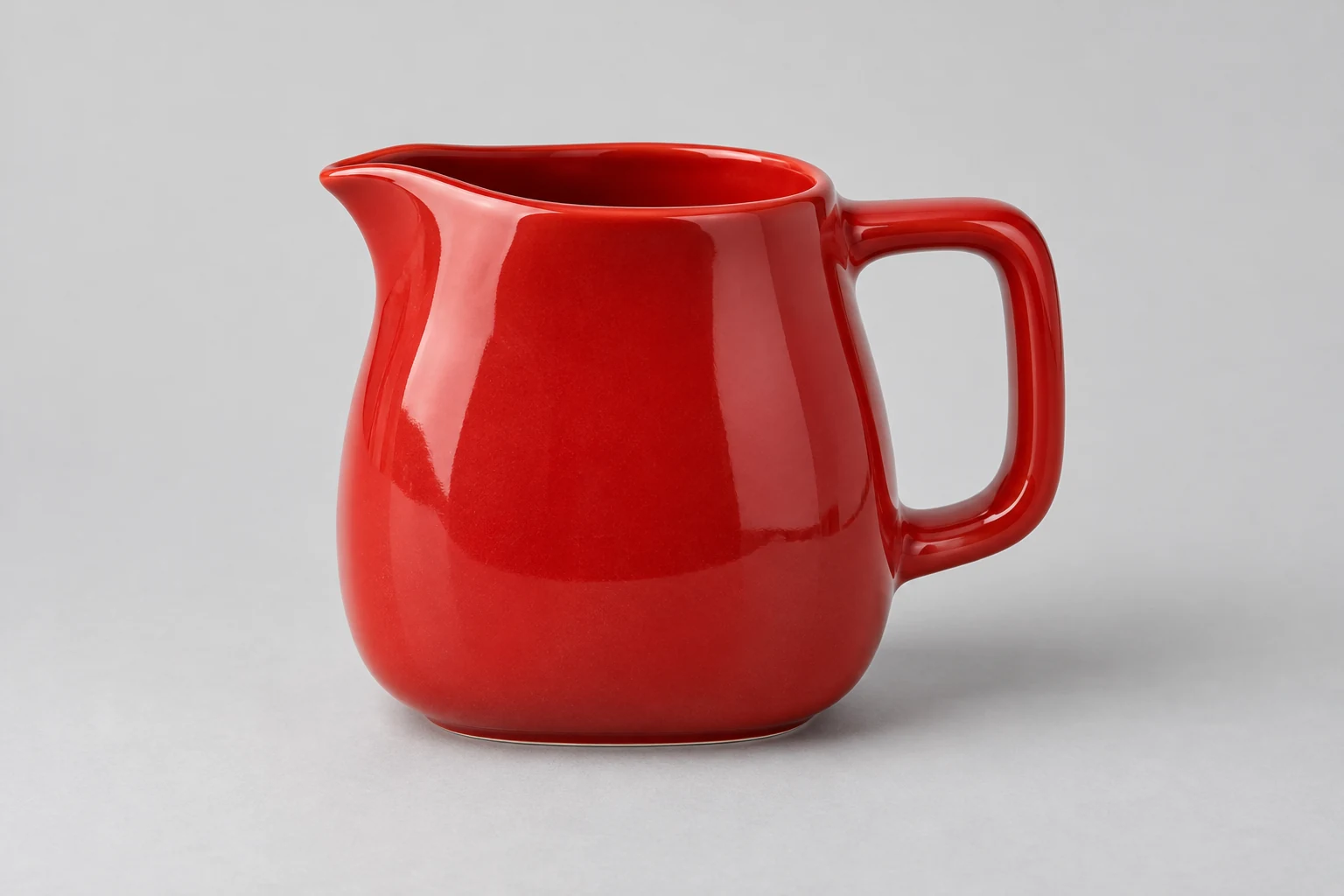
For this pitcher, the wide loop handle, pouring lip and red glaze are its recognisable features. A scene should frame those details. A flower arrangement hiding the lip or a dramatic angle hiding the handle would defeat the brief.
Write a short product anchor before the scene: “Keep the supplied pitcher, including its loop handle, pouring lip and red glazed surface.” With your own product, name two or three visible details that matter rather than adding a long list of generic quality words.
Set up Create Photos in Fotogenic AI
From Explore, choose Create Photos. Add your product under Product photos. You can supply up to 10 photos, but use views of the same item and variant that clarify its shape.
Model, Environment and Photographic style are optional. For the object-only briefs here, begin without a model. If you select an environment or style, make the written direction agree with it. A beach setting and a breakfast-table prompt ask for different images.
Put the scene brief in Custom Instructions. Choose Aspect ratio, Quality and Images in their own controls. Decide the placement first: a wide store banner needs a different composition from a portrait social post. Keep Images at one, review the credit estimate, then choose Generate when the setup is ready.
Add inspiration is useful when a reference communicates a particular visual idea. Use one you have permission to upload and explain what matters, such as the palette or shadow. Keep the product photos focused on the product.
1. Make a sculptural hero
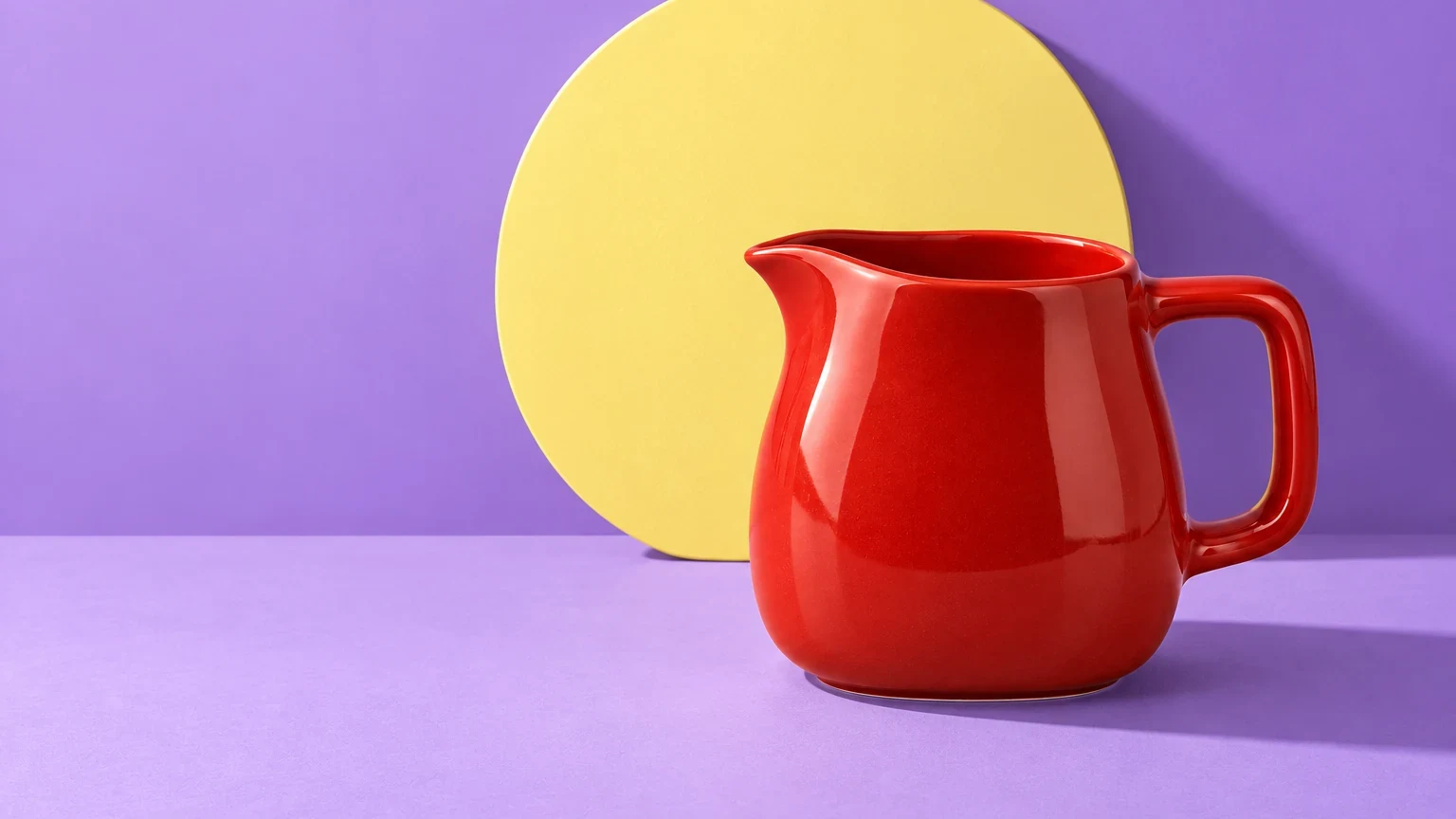
Use this when the silhouette should make the first impression. The opening image pairs a small red object with a much larger yellow shape. The simple palette and hard shadow do the work that a pile of props cannot.
Keep the supplied red pitcher and its visible design details. Place it on a matte lilac surface with one oversized pale-yellow disc standing behind it. Hard light from the upper left, crisp diagonal shadow, eye-level view. Show the complete pitcher on the right and leave quiet lilac space on the left for a headline. No lettering in the image.
Adapt the disc to a shape your product already suggests: an arch for a curved handle or a vertical slab for a tall package. Keep the prop visually separate from the product so it does not become an extra handle or attachment.
Success means the product reads immediately at thumbnail size and the empty area can actually hold your planned copy. If the prop steals attention, ask for a smaller prop or lower contrast. Keep the light and camera position steady.
2. Give the product a believable occasion
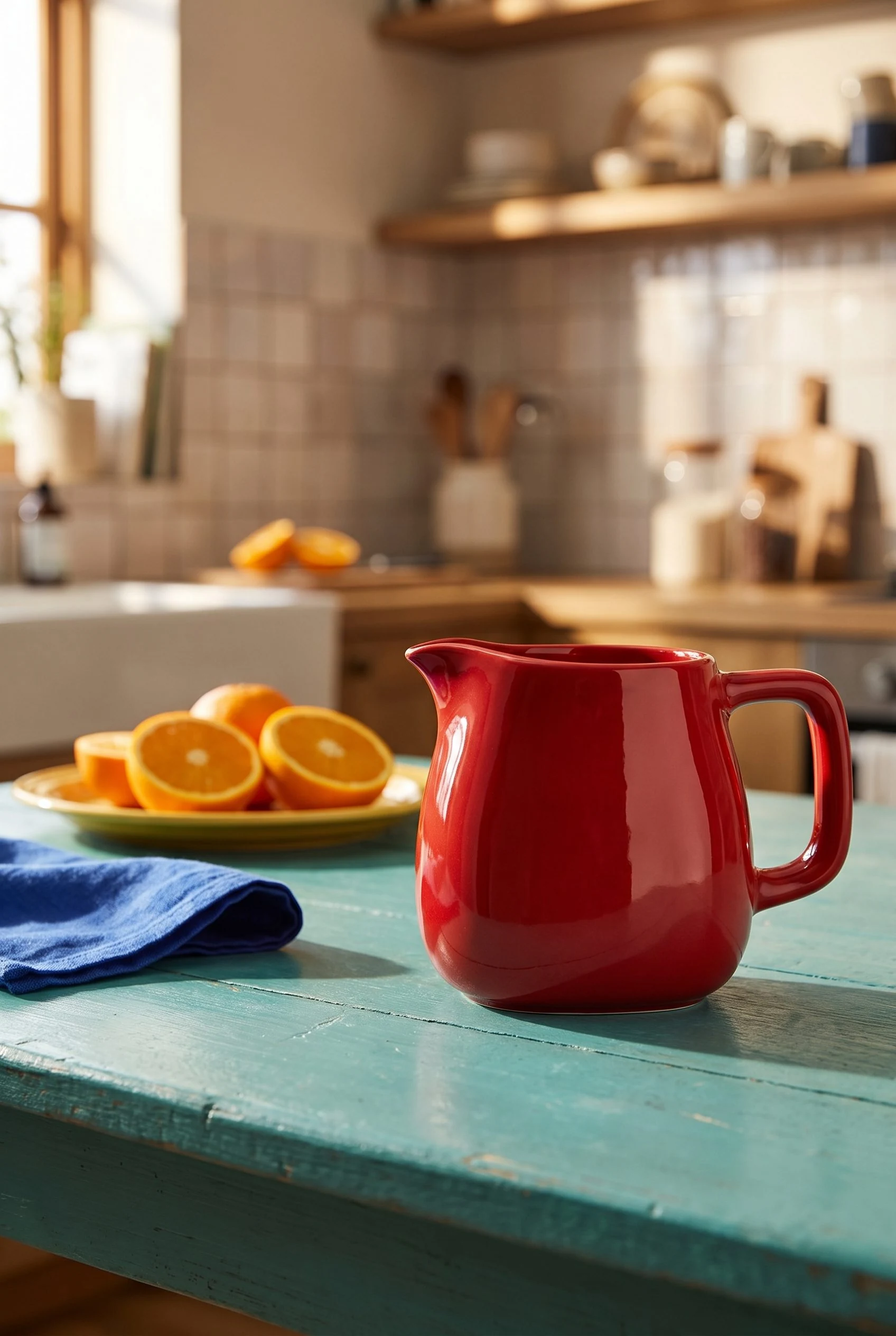
Use this for a collection story or an editorial image where the reader needs to imagine the product in daily life. The first result at the end of this guide exchanges the graphic backdrop for a real-looking breakfast kitchen.
Product-only lifestyle photograph on a real turquoise-painted kitchen breakfast table beside a sunlit window. The complete red pitcher is the focal point, with its handle and pouring lip unobstructed. One yellow breakfast plate, orange halves and a folded cobalt linen napkin sit farther away. Directional morning light, warm natural reflections on the glaze, believable lived-in kitchen softly visible behind. Eye-level three-quarter composition, whole pitcher with breathing room, no people or headline.
The occasion should make sense for what you sell. A candle might sit beside a book; a lunch bag might sit beside a packed meal. Avoid suggesting an included accessory, ingredient or function that the product does not offer.
If the scene feels like a prop shop, remove one object. If it feels sterile, add one specific sign of use, such as a folded cloth. “More lifestyle” gives less direction than either change.
3. Bring one material detail closer
Use this as supporting content when finish is part of the appeal. A close-up has a different purpose from the opening hero, so write a different brief rather than cropping the same composition.
Use the supplied pitcher as the product reference. Create a close three-quarter composition focused on the glazed surface and the join of the loop handle. Soft light grazing across the ceramic reveals the curved surface. Quiet warm-grey background, minimal props, natural reflections. Keep the visible handle geometry consistent with the reference.
Provide a genuine close-up reference if you need to show an exact finish, seam or engraving. A generated scene cannot establish detail that is absent from your source. Use your actual product photograph for factual inspection.
Turn the direction into your own brief
Job: a collection banner. Product anchor: the exact red pitcher, loop handle and pouring lip. Scene: lilac surface and one yellow disc. Light: hard side light. Composition: complete product on the right, left side clear. Change to test next: disc size.
Replace each decision with one appropriate to your product. This is more useful than collecting adjectives because it gives you a specific change to make when the image misses the intended job.
Before publishing, compare the object with your source and place the image in its real layout. A pleasing composition still needs the right product, readable copy space and a usable crop.
Adapt the setting without losing the product
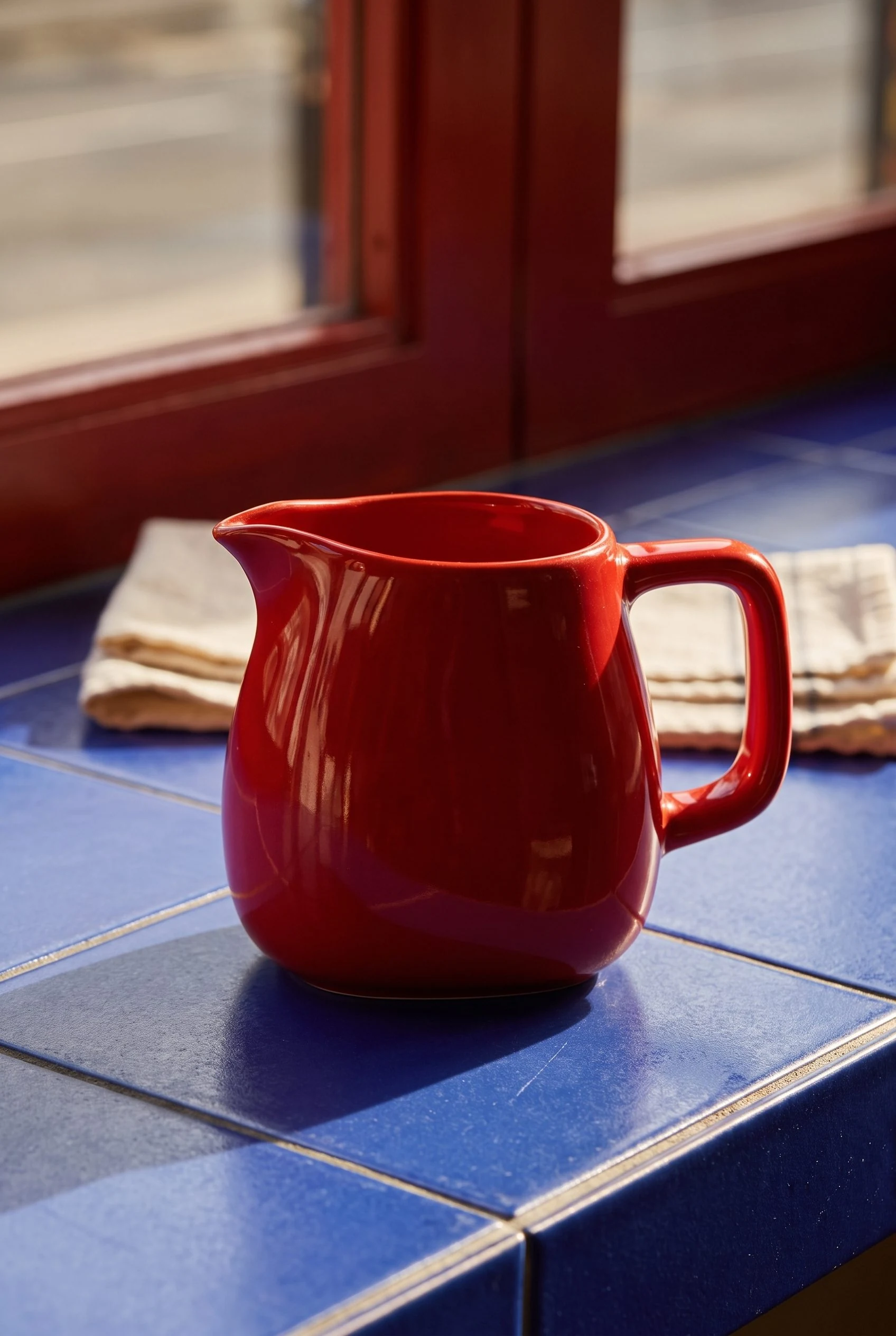
The second result moves the pitcher to a café counter. A quieter prop arrangement and closer framing put more attention on the glaze. Keep the product reference, then replace the setting and lighting instructions together.
Product-only editorial photograph on a real cobalt-tiled cafe counter beside a street-facing window, red painted timber window frame softly visible behind. The complete red pitcher sits upright in a close three-quarter composition, with its loop handle and pouring lip unobstructed. Strong low afternoon side light grazes the glaze and produces a believable contact shadow. Restrained scene with one folded cream tea towel well behind the pitcher, no other vessels, no people or headline. Rich colour, tactile ceramic reflections, whole product with breathing room.
For the two final images, use 2:3 Portrait for Aspect ratio, High for Quality and 1 for Images. Leave the optional Model, Environment, Photographic style and inspiration inputs empty. Paste one brief into Custom Instructions and review the estimate before Generate. Repeat with the other brief as a separate request.
These are two different compositions, not a measured lighting comparison. Reflections and apparent colour change with the scene. Check the returned handle, lip and body against your product photograph before using a result in a product page. A close view cannot establish capacity or exact dimensions.
Product photography prompts
Give your product a scene that fits
Keep your product clear. Give the scene a purpose.