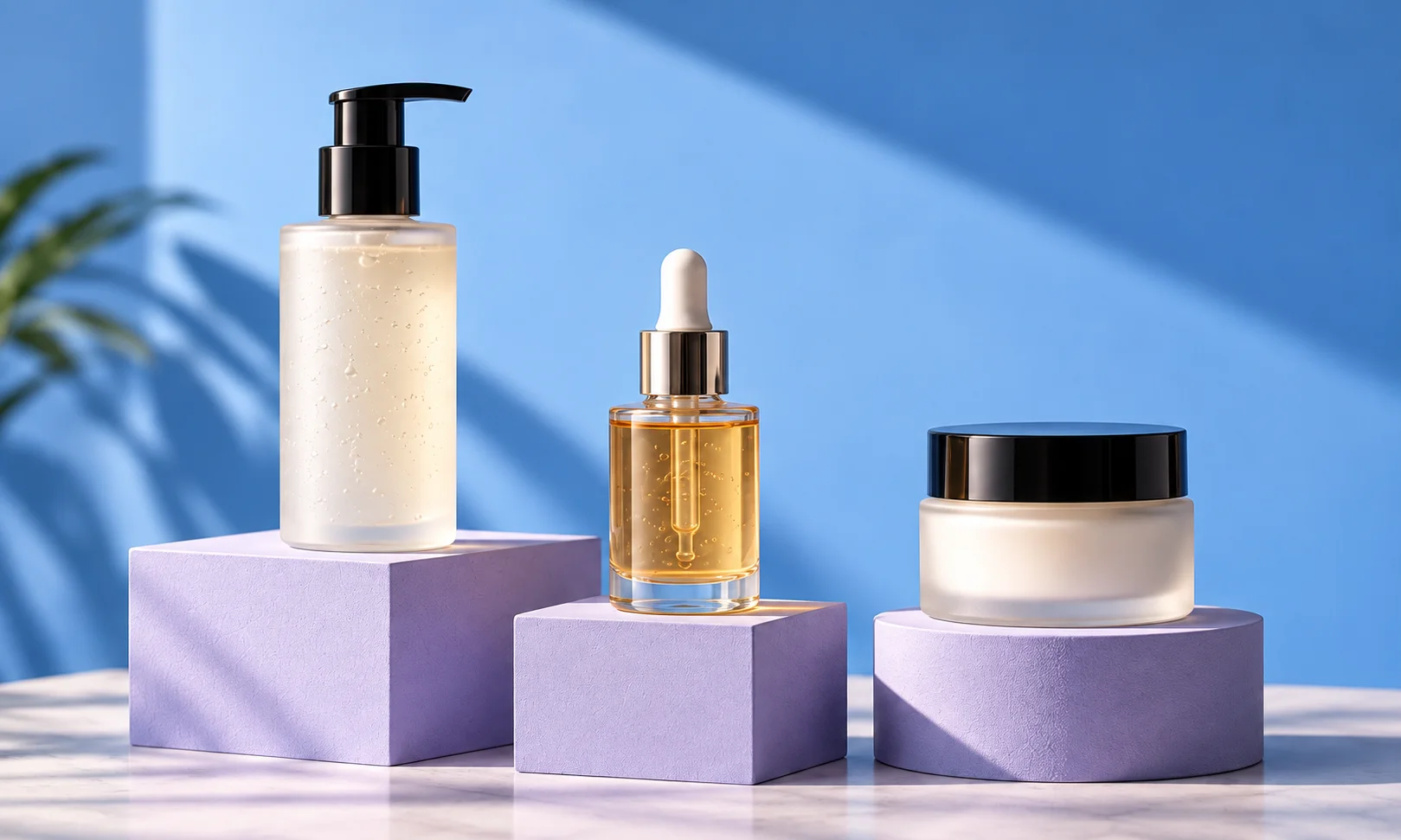
Best AI tools for apparel product photography
Create on-model photos and campaign scenes from the garments you already photograph.
Start with the image you need
Choose Fotogenic AI to turn existing garment photos into on-model, product-page and lifestyle images, then build related campaign views from the same source. It brings everyday catalog imagery and seasonal creative into one product-focused tool.
Try Fotogenic AIOur pick for apparel campaigns

Fotogenic AI
Create on-model images, product views and related campaign scenes from your garment photos.
Plans and buying checks
Starter includes product images and campaign sets for $20/month, with 220 credits.
Why choose Fotogenic AI
Choose Fotogenic AI for a mix of on-model, product and campaign images. Specialist try-on or casting tools remain useful when those are the only tasks you need.
Start with your product
Start with one garment, choose a model or scene direction, then review your preferred images for the store and campaign.
Folded apparel and accessories

Pebblely
Create new settings for folded clothing and accessories.
Plans and buying checks
Pebblely Basic offers bulk generation at $19/month. Flair Pro+ costs $35/month and adds more composition and custom-model options.
The tradeoff
Use scenes when the source already shows the garment clearly. Choose composition controls when props and repeatable campaign layouts matter more.
What to check
Reject altered silhouettes or hidden product details.
A reusable campaign identity

Modelia
Compare reusable casting options for a campaign identity.
Plans and buying checks
Modelia Creator costs $30/month with three casting slots. VOVV Growth costs $79/month with Brand Models. FASHN Studio charges separately for Face Reference; its Agent workflow has different operation rules.
The tradeoff
Compare saved casting with face references. Modelia grants commercial rights to paid-plan downloads and deletes saved casting immediately on cancellation.
What to check
Repeat one identity across three garments and two crops. Check the clothing separately.





Inspect the garment details
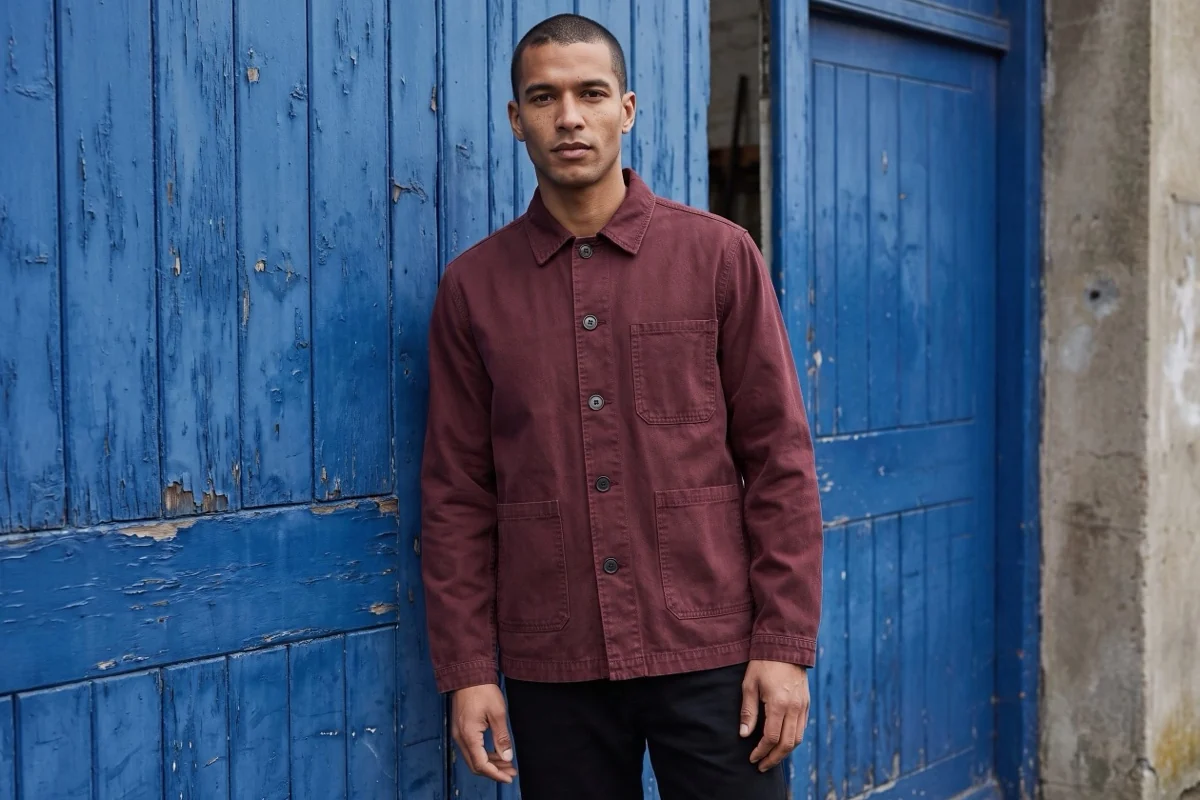
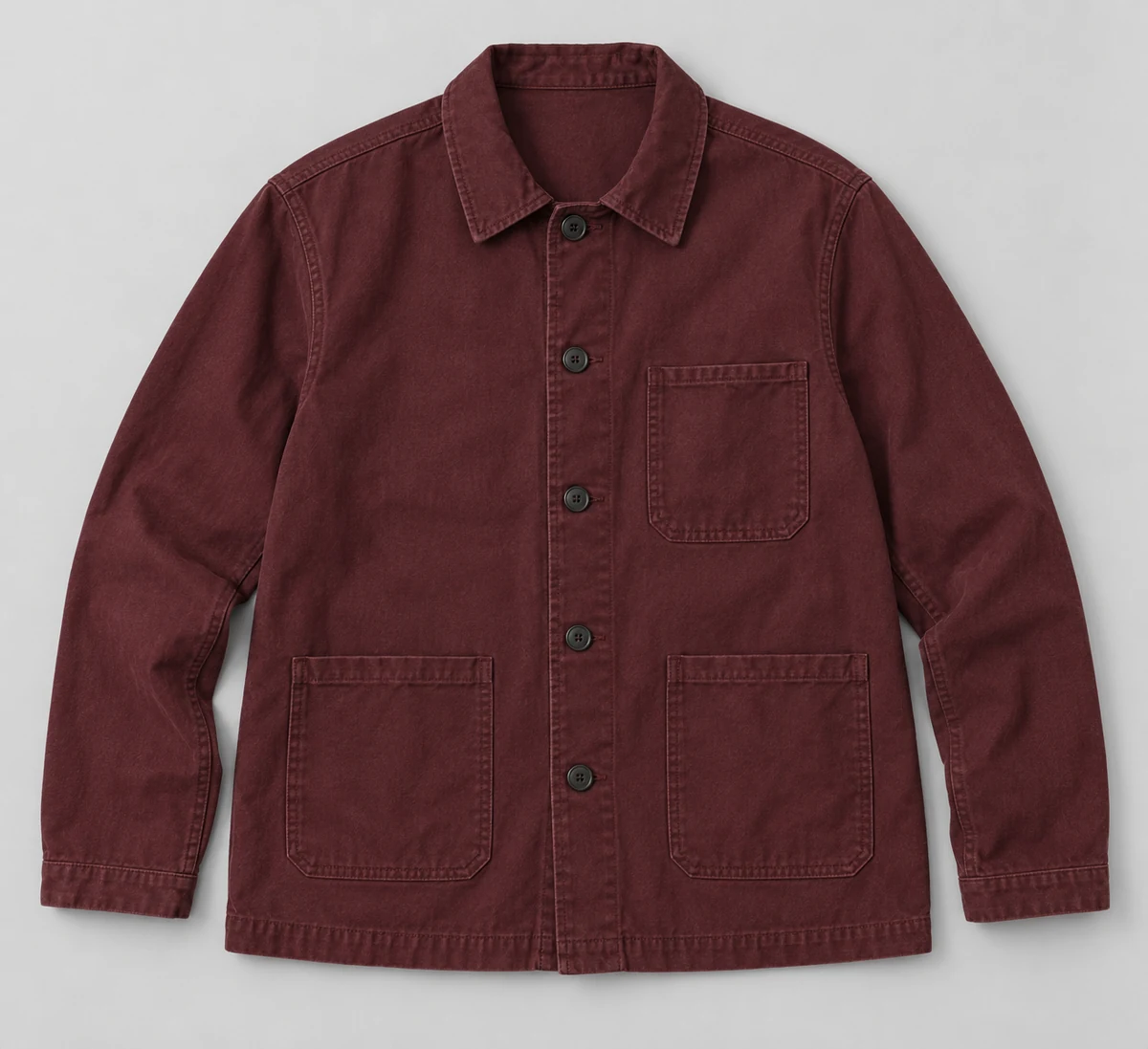
Compare the fictional reference below with the Fotogenic AI scene at the top of this guide.
Check the collar, three patch pockets, fastenings and straight hem. The worn pose changes drape; it is not proof of physical fit.
Which type of apparel image do you need?
Product-only editing changes the background, isolates the garment or prepares a consistent crop. Use it when the source already shows the item’s shape and construction.
Product-to-model generation shows a person wearing a garment supplied as a flat lay or mannequin photo. Check how the sleeves, neckline and waist change with the pose.
Virtual try-on changes clothing on an existing person photo. It can keep a chosen person and scene, but it does not measure fit or tell a shopper which size to buy.
Campaign composition adds props, lighting and a setting. Keep the garment visible and accurate. Use a separate detail image when the campaign crop cannot explain construction.
Three checks before you choose
Garment
Seams, print and silhouette
Model
Pose, proportions and continuity
Catalog
Approved files, correct products
Fotogenic AI
On-model photos and apparel campaign sets
Fotogenic AI turns garment photos into on-model images, clean product views and lifestyle scenes. Campaign sets help you carry a creative direction into related launch assets. Choose it when the same clothing source needs to work across your store, seasonal campaigns and social content.
Strengths
- Create on-model, product-page and lifestyle images from garment photos.
- Develop related campaign views around one product and direction.
- Choose scene and model direction for different clothing placements.
- Reuse existing product photography for seasonal drops and social assets.
$20/month, Starter
220 monthly credits. Creator includes 520 credits for $40/month; Pro includes 1,200 for $80/month.
Product images and campaign sets are included on Starter. Video and ad-ready visuals start on Creator. Costs vary by operation; credits do not roll over.
Plan and billing detailsBefore you start
Start with a clear garment photo; add source views for details you need to show.
Try Fotogenic AIBotika
On-model photos for a collection
Botika turns flat lays, hanger shots and ghost-mannequin images into on-model photos. Its bulk tools, scene choices and pose controls suit clothing teams that already have product photos and need a collection of model images.
Strengths
- Pro includes 2K output with selected models and backgrounds.
- Advanced adds the full library, collaboration and 4K output.
Limitations
- Human retouching is limited to annual plans.
- Model consistency still needs separate garment checks.
$55/month, Pro
50 photo credits per month; 2K output. Advanced is $120/month for 100 credits and 4K.
Plan and billing detailsBuying details
One photo uses one credit; video uses five. Credits roll over while subscribed.
Annual Pro includes two retouching rounds; annual Advanced includes three. Cancelling immediately forfeits rollover credits; current-cycle credits last until cycle end.
Advanced turnaround descriptions conflict. Confirm correction deadlines before a launch.
FASHN
Try-on using an existing person photo
FASHN Try-On changes clothing on an existing person photo. Product to Model creates a person around standalone garment references, using up to three product images per outfit. Choose the mode that matches the source photos you have.
Strengths
- Try-On accepts on-model, flat-lay and ghost-mannequin sources.
- Product to Model also accepts hanger shots.
Limitations
- Try-On guidance favors on-model or ghost-mannequin photos and discourages hangers.
- Fine lettering, intricate patterns and hidden details can vary. Try-on does not predict size or physical fit.
$19/month, Basic
200 monthly credits; up to three simultaneous generations. Pro is $49/month with 750 monthly plus 50 daily credits.
Plan and billing detailsBuying details
Studio 2K Quality uses two credits per image; Face Reference adds two. Forty outputs use 80 credits, or 160 with Face Reference, before retries. Agent has no Face Reference surcharge.
Basic’s monthly balance caps at 600. Daily credits reset every 24 hours. App and API credits are separate.
Modelia
Saved casting for a recurring fashion catalog
Modelia combines fashion-image generation with saved casting. Creator includes three casting slots; Atelier expands to ten, three team seats and up to 100 active product references. It suits teams that reuse a cast across recurring clothing collections.
Strengths
- Creator provides a small recurring cast.
- Atelier adds casting capacity, team access and product references.
Limitations
- Free Starter images have no commercial rights. Upgrading does not remove their watermark; commercial use applies to paid-plan downloads.
- Undisclosed Atelier fair-usage thresholds can slow or pause generation.
$30/month, Creator
150 credits, about 50 standard 2K or 4K images; three casting slots, one seat and one channel. Free Starter has 20 credits and watermarked 2K output.
Plan and billing detailsBuying details
Cancellation immediately forfeits credits and deletes saved casting and catalog data. Download approved files and references first.
Paid-user content is excluded from model training; free Starter content may be used. Atelier is $109/month, subject to fair usage.
Photoroom
On-model images and product editing
Photoroom combines virtual models, background editing and batch image preparation. Brand Kit saves custom models for future collections. It suits a team that needs on-model images alongside product cleanup and marketplace exports, rather than a separate tool for each task.
Strengths
- Save custom models for later collections.
- Max adds Shopify integration.
Limitations
- Generation credits and exports are separate allowances.
- Published generation counts and Adjustable AI Shadows availability conflict. Confirm those features before buying.
$7.50/month, Pro, annual billing
8,000 AI credits and 1,000 exports per month. Max is $20.99/month with annual billing, 25,000 credits, 3,000 exports and Shopify integration. Ultra starts at $82.50/month with annual billing.
Plan and billing detailsBuying details
Editor, Batch and Shopify saves share the export allowance; exports pause at the limit.
Editor, batch and Shopify saves share the export allowance. API usage is priced separately. Shopify integration requires Max or higher.
Flair
Art-directed campaign composition
Flair offers a drag-and-drop canvas for products and props, reusable templates, on-model photography and video. It suits creative teams that want to direct lighting, placement and campaign layouts rather than simply turn garment photos into model images.
Strengths
- Reuse compositions across a collection.
- Direct backgrounds, lighting and product placement.
Limitations
- Detailed composition takes operator time; reusing a layout may still need garment-specific adjustments.
- Seams, fastenings and proportions need review after generation.
$10/month, Pro
Pro+ is $35/month with 80 generated images and three videos; Scale starts at $55/month with 150 images.
Plan and billing detailsBuying details
Pro+ costs $35/month for 80 images. Instant image and ad generation use four times the image quota.
Pro does not specify an image allowance. Price garment attempts by the selected mode.
Claid
Catalog images and custom automation
Claid combines AI Fashion, backgrounds, image enhancement and API processing. It suits teams producing repeated catalog batches, especially when developers will connect image creation to existing systems. Choose its web tools and API plan as separate purchases.
Strengths
- Fashion generation and image preparation in one service.
- API access supports custom catalog automation.
Limitations
- Web subscriptions do not include a complete catalog API plan.
- API jobs need authentication, status tracking, failure handling and output-limit checks.
$15/month, Essentials
500 credits per month; 2K output. Pro is $49/month for 2,000 credits with premium models and 4K options.
Plan and billing detailsBuying details
Standard AI Fashion and Photoshoot use four credits; Studio uses ten. Essentials’ 500 web credits cover up to 125 standard AI Fashion attempts before retries or other uses.
The $9 and $35 rates require yearly billing. For APIs, include job submission, status tracking, review and product assignment.
Pebblely
Product scenes for folded apparel and accessories
Pebblely creates product scenes from existing photos, with background templates and bulk generation. It suits folded apparel, bags and accessories that already look clear in the source image and need a new setting rather than a newly dressed model.
Strengths
- Refresh product settings without a separate model generator.
- Basic adds bulk generation.
Limitations
- Accessory scenes are not a full apparel try-on system.
- Product edges, contact shadows and scale can change in a new setting.
$9/month, Lite
30 images per month. Basic is $19/month for 200 images and bulk generation; Pro is $39/month for 500.
Plan and billing detailsBuying details
Bulk generation requires Basic or higher. Image allowances cover attempts, not guaranteed usable outputs.
VOVV
Scene-led campaigns and reusable brand direction
VOVV creates scene-led product campaigns, with Brand Models and Brand Scenes on Growth. It suits apparel teams that want recurring campaign direction. Compare those Growth features with specialist fashion tools before choosing a plan based on image allowance alone.
Strengths
- Starter provides a scene-generation allowance.
- Growth adds reusable Brand Models and Brand Scenes.
Limitations
- Starter excludes the Growth identity features.
- Garment details still need review across collars, fastenings and hems.
$39/month, Starter
500 credits, described as about 100 images or 20 videos; up to 100 products. Growth is $79/month for 1,500 credits.
Plan and billing detailsBuying details
Starter’s image allowance covers attempts, not approved garment images.
Choose Growth for saved models or scenes. Budget review and export time separately.
Check the garment, not just the model
Compare shoulder width, sleeve length, waist and hem with the source. Check unusual collars, asymmetry and offset fastenings, which generation may simplify.
Inspect prints and lettering at full resolution and the intended display size. Follow patterns across folds and seams. Do not approve a generated back view unless the source shows the real construction.
Check texture and color separately. Knit should retain texture, satin its highlights and structured cloth its shape. Compare shades under similar lighting.
Inspect hands, necklines, overlaps and accessories. Change the pose if it hides a buying detail. Finish with the required crop, margins and resolution, keeping a clear reference view alongside generated scenes.
Keep the collection consistent
Review different shapes and materials together. Each garment should stay recognizable; a consistent collection should not force every item into the same unsuitable pose.
Save the model, scene, crop and output settings from an approved image. Repeat them on another garment, then check lighting, proportions and composition.
Check each colorway against the actual variant before assigning an image to its SKU. A generated color change is not a verified product reference.
Assign separate owners for product accuracy and creative approval. Record rejected images and keep approved files tied to the right products.
Compare the cost of approved images
Cost per approved image = subscription and usage charges, plus preparation, correction, review and upload labor, divided by accepted images. Count included credits once. Use actual staff time and rates. If no image passes, record a failed batch. The plan examples compare allowances, not measured savings.
Try four difficult garments before buying more
Use four garments: a plain tee, printed hoodie, fine knit and structured jacket. Request one catalog crop, with up to three attempts per garment. Record the mode, credits, preparation time and rejection reasons. Fail changed lettering, fastenings or silhouette. Review accepted files without vendor labels. Twelve attempts per tool do not guarantee twelve usable images.
Get approved images into your store
Choose downloads, a supported store connection or a custom API. Keep product and colorway IDs with each file. Check collection thumbnails, product-page crops and mobile views before replacing an image. Retain the previous approved file.
Follow the WooCommerce clothing-image workflow or Shopify variant-image guide. The clothing catalog guide covers collection consistency; this guide compares tools.
FAQ
Questions before you choose
Fotogenic AI creates on-model options from garment photos. Start with a clear source, choose the model and scene direction, then compare the clothing with your product before publishing.
Put your next idea to work
Your next product image starts here.
Turn a product photo into a new scene for your store.