Best AI fashion model generators
Create your model direction, then bring it into product and campaign imagery.
The short answer
Start with Fotogenic AI to create a model reference around your appearance and styling brief, then use it with your garment photos for product imagery. It connects model creation with the clothing scenes and campaign assets your store needs.
Try Fotogenic AIOur pick for model-led campaigns

Fotogenic AI
Create a model reference, then use it with your product photos for model-led imagery.
Plans and buying checks
Starter includes product images and campaign sets for $20/month, with 220 credits.
Why choose Fotogenic AI
Choose Fotogenic AI when model creation is part of a wider product campaign. Use an existing-person try-on tool when a fixed person photograph is the main input.
Start with your product
Choose the appearance, add any permitted references, create the model image and use it with your garment photos.
Build a collection from product shots

Botika
Build on-model collection images from existing product shots.
Plans and buying checks
Botika Pro is $55/month for 50 photo credits; Advanced adds broader model access at $120/month.
The tradeoff
Choose the model library and output resolution you need before comparing image allowances.
What to check
Repeat the model on a structured jacket, knit and printed top.
Create a reusable campaign cast

Modelia
Compare saved casting options for a reusable campaign cast.
Plans and buying checks
Modelia Creator offers three casting slots for $30/month; VOVV Growth includes Brand Models for $79/month. FASHN Studio and Agent use different Face Reference surcharge rules.
The tradeoff
Modelia’s free watermarked images lack commercial rights. Cancellation deletes saved casting, so download references before ending a seasonal subscription.
What to check
Review close and full-body crops. Save the model settings.




Inspect the garment details
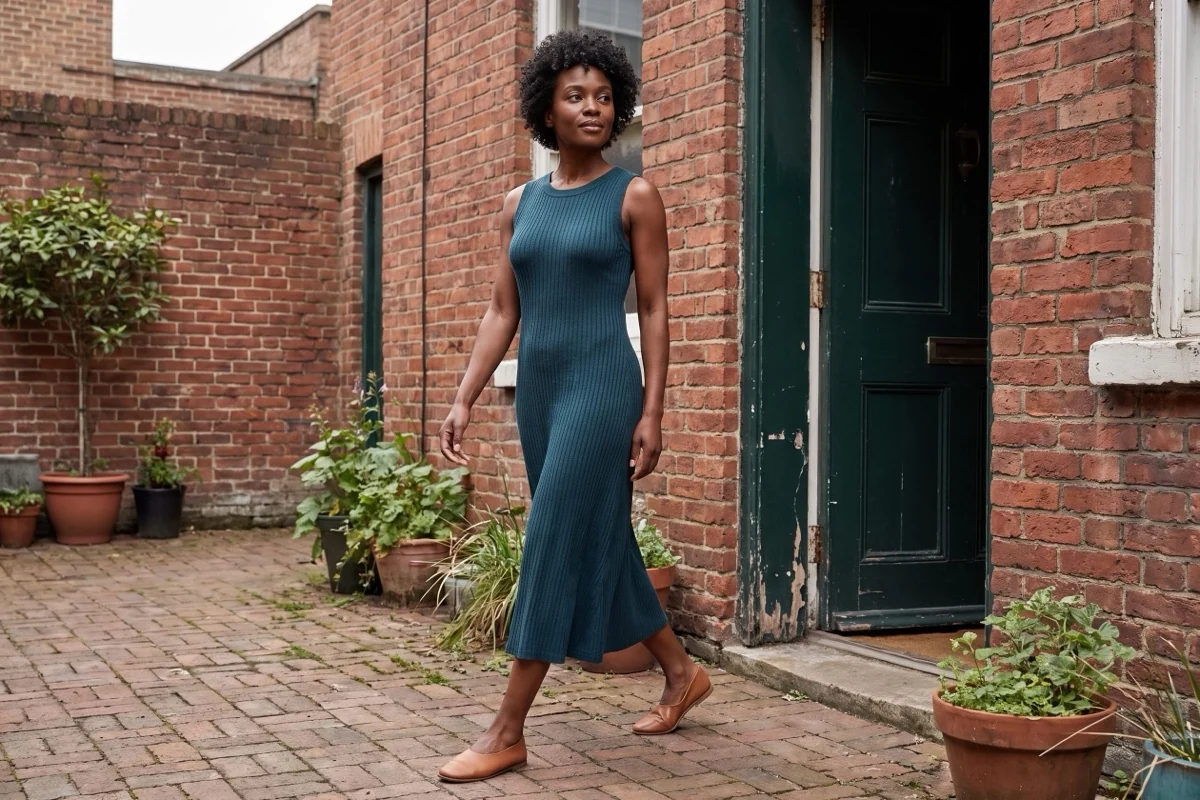
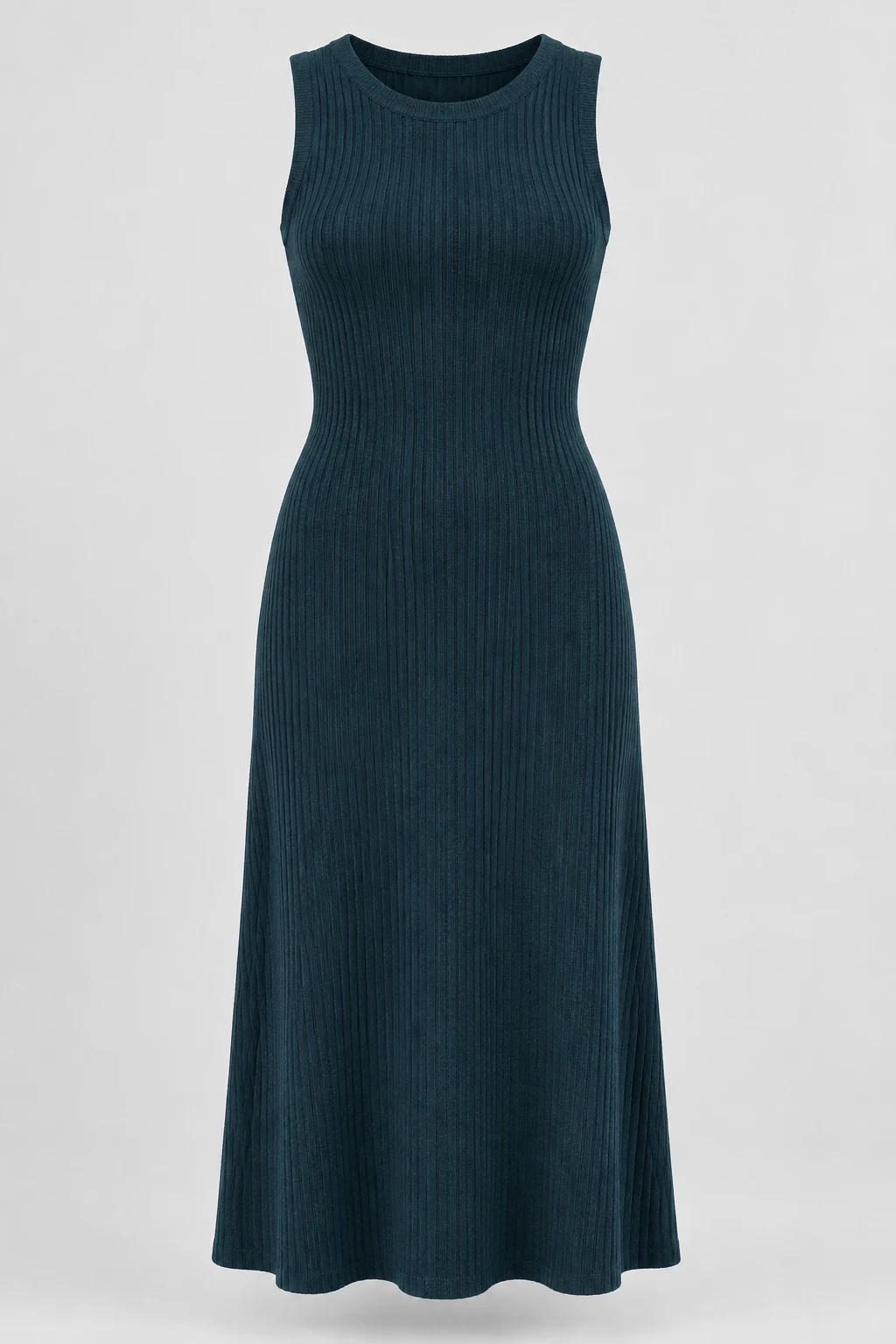
Compare the fictional reference below with the Fotogenic AI scene at the top of this guide.
Check the neckline, knit texture, armholes and hem. Model realism and lighting are not proof of garment size or measurements.
Choose a model generator or virtual try-on
A model generator creates or selects a person. Product-to-model generation builds a scene around garment photos. Try-on changes clothing on an existing person. Choose around the source photos you already have.
Keep an approved person or location fixed during the trial. For a new campaign, define the recurring appearance first. Change one variable at a time so you can see what improved the result.
Three checks before you choose
Identity
Face, hair and body continuity
Garment
Construction and body interaction
Collection
Consistent framing and direction
Fotogenic AI
Create model references for product campaigns
Fotogenic AI helps you create a model reference and use it in product imagery. Set the appearance, hair and styling direction, add optional references, then bring the result into your garment scenes. Choose it for model creation connected to product and campaign work.
Strengths
- Choose appearance, age range, hair and clothing direction.
- Guide the look with optional lookalike or clothing references.
- Use the model image as a reference with your product photos.
- Extend the same creative brief into product scenes and campaign imagery.
$20/month, Starter
220 monthly credits. Creator includes 520 credits for $40/month; Pro includes 1,200 for $80/month.
Product images and campaign sets are included on Starter. Video and ad-ready visuals start on Creator. Costs vary by operation; credits do not roll over.
Plan and billing detailsBefore you start
Use clear garment sources and model references you have permission to use.
Try Fotogenic AIBotika
A collection built around model imagery
Botika creates on-model fashion images from existing garment photos. It suits clothing teams building a collection around selected models rather than generating standalone portraits. Pro limits model selection; Advanced opens the full library for a broader casting brief.
Strengths
- Pro offers selected models; Advanced opens the full library.
- Plan choices also cover output resolution and annual human retouching.
Limitations
- A recurring face can still have changing body proportions or garment details.
- Review full collections, including poses and crops.
$55/month, Pro
50 photo credits per month; 2K output. Advanced is $120/month for 100 credits and 4K.
Plan and billing detailsBuying details
Advanced turnaround descriptions conflict; confirm correction deadlines before a launch.
Photos use one credit; videos five. Credits roll over while subscribed. Cancelling forfeits rollover credits immediately; current-cycle credits last to cycle end. Annual-only retouching includes two rounds on Pro and three on Advanced.
FASHN
Existing-person try-on versus new model scenes
FASHN separates Try-On, which changes clothing on an existing person, from Product to Model, which creates a person around garment references. It suits teams that want to choose between preserving an approved identity and developing a new model scene.
Strengths
- Try-On starts with an existing person.
- Studio Face Reference and Agent have different surcharge rules.
Limitations
- Try-on does not measure physical fit or exact sizing.
- Fine patterns, hidden construction and body proportions need separate checks.
$19/month, Basic
200 monthly credits; up to three simultaneous generations. Pro is $49/month with 750 monthly plus 50 daily credits.
Plan and billing detailsBuying details
App 2K Quality uses two credits per image. Forty outputs use 80 credits before retries, or 160 with Studio Face Reference, which adds two per image. Agent has no Face Reference surcharge.
Basic’s monthly balance caps at 600; daily credits reset every 24 hours. App and API credits are separate.
Modelia
Saved casting for a recurring fashion catalog
Modelia makes saved casting part of the subscription. Creator provides three casting slots; Atelier expands to ten, with three seats and up to 100 active product references. It suits teams that need a recurring cast for a defined clothing catalog.
Strengths
- Creator supports a small recurring cast.
- Atelier adds casting slots, team seats and product references.
Limitations
- Commercial use requires a paid plan.
- Cancellation immediately deletes saved casting and catalog data.
$30/month, Creator
150 credits, about 50 standard 2K or 4K images; three casting slots, one seat and one channel. Free Starter has 20 credits and watermarked 2K output.
Plan and billing detailsBuying details
Download approved files and references before cancelling. Undisclosed fair-usage thresholds can slow or pause generation.
Starter images lack commercial rights; paid-plan downloads permit commercial use. Cancellation immediately forfeits credits and deletes casting and catalog data. Atelier is $109/month, subject to fair usage. Paid-user content is excluded from training; Starter content may be used. Upgrading does not remove watermarks from Starter images.
Flair
Custom model direction for creative teams
Flair combines a custom human-model builder with its product canvas. It suits creative teams directing a model’s appearance alongside props, setting and product placement. Use it when casting is part of the campaign brief rather than a separate portrait task.
Strengths
- Choose model features such as hair color and body type.
- Compose products, models and props in the same creative tool.
Limitations
- Casting setup uses time and image allowance before collection production.
- A strong first portrait does not guarantee consistency across garments.
$10/month, Pro
Pro+ is $35/month with 80 generated images and three videos; Scale starts at $55/month with 150 images.
Plan and billing detailsBuying details
Casting setup and garment images share the creative allowance. Budget them separately.
Pro does not specify an image allowance. Instant image and ad generation use four times the image quota.
Photoroom
Saved models alongside catalog editing
Photoroom combines virtual models with background preparation and catalog editing. Custom models can be saved in Brand Kit for later collections. It suits teams that need repeated on-model imagery and everyday product editing in the same application.
Strengths
- Save custom models for future collections.
- Combine model imagery with background and batch editing.
Limitations
- Check saved-model behavior across different garments.
- The store’s final crop can hide details visible in the editor.
$7.50/month, Pro, annual billing
8,000 AI credits and 1,000 exports per month. Max is $20.99/month with annual billing, 25,000 credits, 3,000 exports and Shopify integration. Ultra starts at $82.50/month with annual billing.
Plan and billing detailsBuying details
Budget model-generation attempts separately from exports.
Editor, batch and Shopify saves share the export allowance. API usage is priced separately. Shopify integration requires Max or higher.
VOVV
Scene-led campaigns and reusable brand direction
VOVV includes Brand Models on Growth for recurring campaign identities. It suits teams planning model-led scenes across a product collection. Compare the Growth casting features with your intended garments and crops, rather than choosing by the cheaper Starter image allowance.
Strengths
- Growth includes Brand Models and Brand Scenes.
- Saved casting supports recurring campaign direction.
Limitations
- Starter lacks the Growth identity features.
- Check face, hair, body and garment continuity across close and full-body views.
$39/month, Starter
500 credits, described as about 100 images or 20 videos; up to 100 products. Growth is $79/month for 1,500 credits.
Plan and billing detailsBuying details
Growth includes Brand Models and Brand Scenes. Budget review and exports alongside model setup.
Image allowances cover attempts; they do not guarantee approved garments.
Keep identity consistent across the collection
Define which features must stay fixed: face, hair, apparent age and body proportions. Then specify what may vary, such as pose, expression, camera distance and lighting.
Review a contact sheet across several garments and compositions. Keep full-size files for detail checks. One hero portrait cannot show whether an identity works across a collection.
The Fotogenic AI model workflow covers model creation. Our model-action examples show how wearing, carrying and demonstrating a product need different briefs.
Check the clothing separately
Check fastenings, necklines, pocket placement, prints and fabric weight without focusing on the face. Reject product changes even when the person looks convincing.
Inspect cuffs, waist, underarms and hem for implausible folds or hidden details. Keep real detail photos when construction or texture matters to the purchase.
Write a useful casting brief
Choose framing that explains the garment. Full-body views suit coordinated outfits; waist-up views can show tops more clearly. Keep heads and relevant garment edges visible unless a deliberate detail crop serves the product.
Do not present a synthetic model as a real customer or ambassador. Before uploading a real person’s reference, confirm permission, intended use and the provider’s likeness, retention and commercial-use terms.
Try one identity across two garments
Use two garments on one permitted adult identity, in full-length and waist-up views. Keep the same reference where supported. Check face, hair and body separately from necklines, sleeves and fastenings. Retain the original reference and permission record outside the vendor account.
Keep fit claims tied to real measurements
Generated try-on does not measure fit. Keep measurements, size charts and factual fit descriptions available; the image may invent drape or tension hidden in the source.
Use verified photography and measurements for sizing, compression, stretch or coverage claims, especially when the source is folded or partly hidden.
Compare the cost of a complete collection
Include identity setup, garment preparation, rejected attempts, corrections and exports. Track usable images per garment: a cheap first portrait can hide expensive rework on later outfits.
40 FASHN app outputs at 2K Quality use 80 credits before retries, or 160 with Studio Face Reference. Agent has different surcharge rules. Modelia Creator provides 150 credits and three casting slots, advertised as about 50 standard images. These allowances are not equal-sized approved collections.
FAQ
Questions before you choose
A model generator creates or selects a person; try-on changes clothing on an existing person. Fotogenic AI creates model references that you can use with garment photos in its product-image tools.
Put your next idea to work
Your next product image starts here.
Turn a product photo into a new scene for your store.