Best AI tools for lifestyle product photography
Compare Fotogenic AI and scene tools for lifestyle product campaigns.

The short answer
Start with Fotogenic AI to turn a clear product photo into lifestyle, in-use and seasonal scenes. Campaign Set creates 2 to 6 related images for a shared launch direction.
Try Fotogenic AIOur pick for lifestyle campaigns

Fotogenic AI
Create related lifestyle and campaign views from one product photo.
Plans and buying checks
Starter includes product images and campaign sets for $20/month, with 220 credits.
Why choose Fotogenic AI
Fotogenic AI combines individual scenes and related campaign sets. Compare the scene operation with the number of useful views you need.
Start with your product
Check product scale and contact, then choose crops for the product page and campaign.
Control over the composition

Flair
Arrange products and props on a visual canvas.
Plans and buying checks
Flair Pro+ is $35/month; Photoshop’s plan is $22.99/month on an annual commitment.
The tradeoff
Use a canvas for placement or a layered editor for exact masks and local corrections.
What to check
Check light direction and scale before making campaign crops.
Reusable brand scenes

VOVV
Save a scene direction for recurring campaigns.
Plans and buying checks
VOVV places Brand Scenes on Growth at $79/month; Claid web Pro is $49/month.
The tradeoff
Compare saved Brand Scenes with the Claid operation you need. API access adds separate pricing and development.
What to check
Try two product shapes without forcing either into an unsuitable angle.




Read the contact and the light
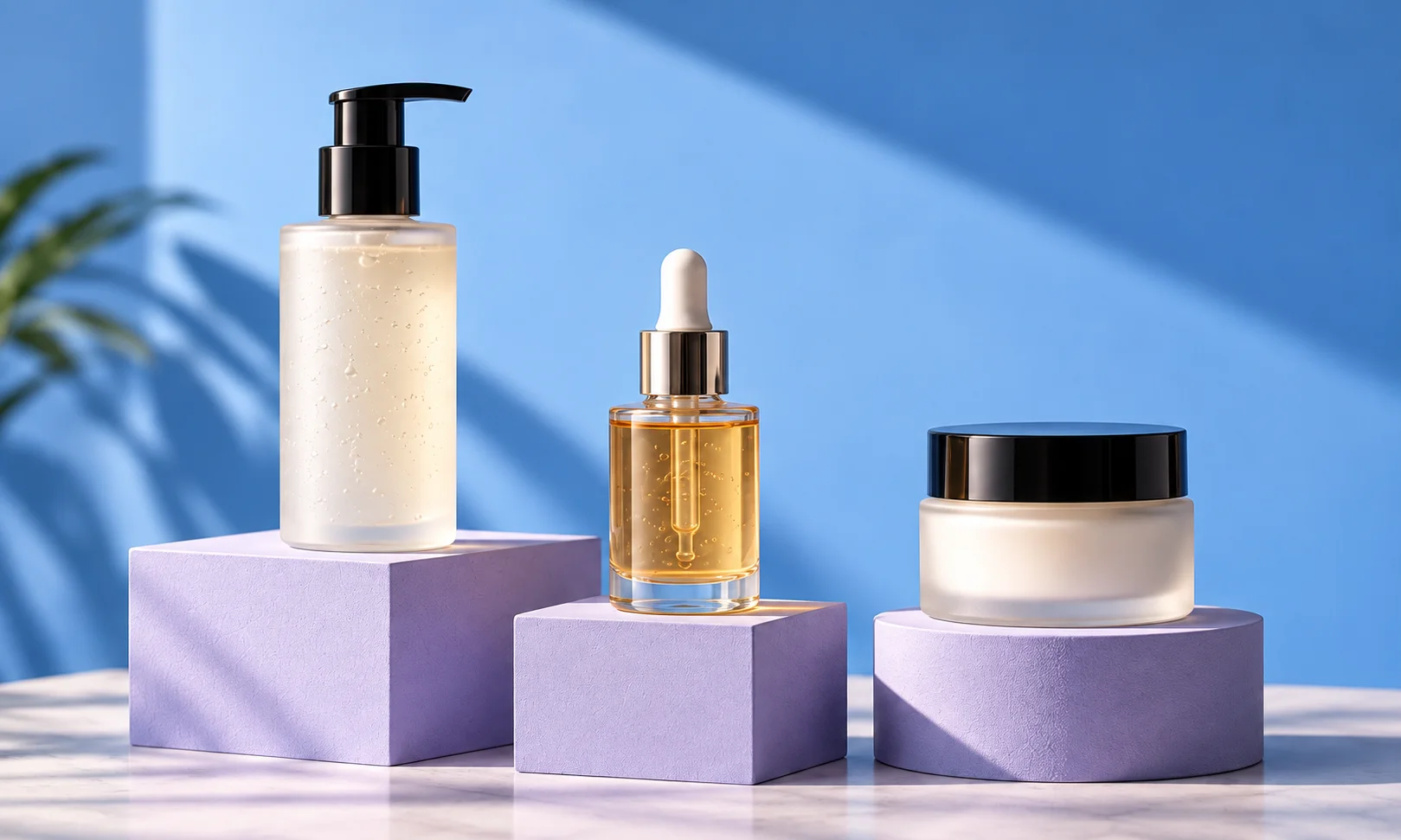
Compare the fictional reference below with the Fotogenic AI-generated scene at the top of this guide.
Trace the spout, lid and handle. The softer setting changes perceived yellow and reflections; it is not a measured color match.

Decide what needs to change
A simple product may only need a new background. A chair must also meet the floor, a hanging bag must look supported and a bottle must reflect the scene around it.
Check whether the tool keeps the source product or generates a new depiction. Use selective editing when exact product pixels need to stay fixed.
Three checks before you choose
Product
Keep its defining details
Scene
Check light, scale and contact
Placement
Review the actual campaign crop
Fotogenic AI
Lifestyle scenes and coordinated campaign sets
Fotogenic AI turns an existing product photo into lifestyle and campaign scenes. Choose a preset or custom direction, then build related images for a launch, seasonal promotion or product page. It suits brands that want several useful settings from the same product reference.
Strengths
- Create lifestyle, in-use and seasonal product settings.
- Build Campaign Sets with 2 to 6 related images.
- Guide the scene with a preset or custom brief.
- Reuse a creative direction across products and campaign crops.
$20/month, Starter
220 monthly credits. Creator includes 520 credits for $40/month; Pro includes 1,200 for $80/month.
Product images and campaign sets are included on Starter. Video and ad-ready visuals start on Creator. Costs vary by operation; credits do not roll over.
Plan and billing detailsFlair
Control over product and prop placement
Flair provides a visual canvas for arranging a product and its props before generation. It suits teams that want to set the composition and reuse it across campaign formats, rather than start from a background prompt.
Strengths
- Drag-and-drop props and product placement.
- Reusable templates for related compositions.
Limitations
- Check contact shadows and relative scale after generation.
- Different product shapes may need a revised layout.
$10/month, Pro
Pro+ is $35/month with 80 generated images and three videos; Scale starts at $55/month with 150 images.
Plan and billing detailsBuying details
Select the composition mode before estimating the number of directions your plan covers.
The rendered Pro card does not specify an image allowance. Instant image and ad generation consume four times the image quota. Do not price every action as one image.
Pebblely
Template-led lifestyle scenes
Pebblely starts product scenes from templates and an existing photo. Choose it for a small set of kitchen, home or studio settings when you have a clean source and want a guided starting point without building the whole composition.
Strengths
- Ready-made scene directions to start from.
- Bulk generation for a range on Basic or higher.
Limitations
- Hidden bases and changed handles need correction.
- Props may appear to be included in the purchase.
$9/month, Lite
30 images per month. Basic is $19/month for 200 images and bulk generation; Pro is $39/month for 500.
Plan and billing detailsBuying details
Compare Basic when applying a scene brief across a product range.
Bulk generation is a Basic-or-higher purchase. These are attempt allowances, not a promise that every image is publishable.
Photoroom
Lifestyle scenes alongside catalog edits
Photoroom combines product staging and background tools with routine photo editing. It suits products that need both clean listing images and lifestyle versions, with both tasks in the same editing service.
Strengths
- Clean backgrounds and generated product settings.
- Batch formatting alongside scene work.
Limitations
- Transparent areas, fine edges and text still need review.
- Scene-generation and export allowances count different work.
$7.50/month, Pro, annual billing
8,000 AI credits and 1,000 exports per month. Max is $20.99/month with annual billing, 25,000 credits, 3,000 exports and Shopify integration. Ultra starts at $82.50/month with annual billing.
Plan and billing detailsBuying details
Compare the selected scene operation with the number of exports you need.
Editor, batch and Shopify saves share the export allowance. API usage is priced separately. Shopify integration requires Max or higher.
Adobe Photoshop
Selective scene editing
Photoshop combines Generative Fill with masks and layers. An experienced editor can preserve the product photo while changing selected parts of a scene, from its background and surrounding objects to the final canvas size.
Strengths
- Selected-area generation with the original retained.
- Layers for separate product and environment edits.
Limitations
- Selections, perspective and shadows need skilled finishing.
- Translucent and reflective edges need careful masking.
$22.99/month, annual commitment
Photoshop on desktop, web and mobile, with 100GB cloud storage. Annual plan, billed monthly.
Plan and billing detailsBuying details
The annual offer suits recurring compositing more than one seasonal scene.
Claid
API-based scene production
Claid offers background generation and image-processing APIs. Choose it for a catalog with recurring scene requirements and a technical team that can connect processing, retain product identifiers and review the outputs before they reach the store.
Strengths
- Background generation and enhancement APIs.
- Separate processing options for repeated catalog work.
Limitations
- Needs integration and failure handling.
- Credible placement and scale still need review.
$15/month, Essentials
500 credits per month; 2K output. Pro is $49/month for 2,000 credits with premium models and 4K options.
Plan and billing detailsBuying details
Essentials covers up to 125 standard Photoshoot attempts or 50 Studio attempts before other work. Choose the mode before costing a set.
The $9 and $35 headline rates require yearly billing. Standard Photoshoot and AI Fashion use four credits; Studio uses ten. API plans are separate.
VOVV
Scene-led campaign direction
VOVV offers a visual library as a starting point for product scenes. Choose it when selecting a ready-made direction suits your team better than arranging props on a canvas. Growth adds Brand Scenes for recurring scene reuse.
Strengths
- Visual-library starting points for product scenes.
- Brand Scenes listed on Growth.
Limitations
- Brand Scenes is outside the Starter plan.
- Different product shapes still need contact, scale and crop checks.
$39/month, Starter
500 credits, described as about 100 images or 20 videos; up to 100 products. Growth is $79/month for 1,500 credits.
Plan and billing detailsBuying details
Choose the tier for one-off scenes or recurring scene reuse, including review and export work.
Brand Models and Brand Scenes appear on Growth. Image allowances cover attempts, not guaranteed accurate product images.
Use a scene that explains the product
Choose a setting that fits the product. A kettle on a kitchen counter communicates a different use from a kettle on a picnic table.
Give the scene a clear job: show use, scale or atmosphere. Keep factual product views alongside images chosen mainly for mood.
Check scale and contact
Compare the item with nearby mugs, furniture and fixtures. Wrong relative scale can mislead even when the silhouette is accurate. Keep actual dimensions on the listing.
Inspect support, shadows and perspective. Reject products that hover, sink into surfaces or pass through props; use a simpler scene or real photograph when needed.
Make the lighting agree
Check shadow direction, softness, reflections and color. A product lit from the left will look disconnected from a window-lit scene on the right.
Inspect edges and reflective surfaces at full size, then check the intended crop. Detail and a readable composition both matter.
Give each campaign image a purpose
Keep one visual direction while varying the image’s role: context, material, use or space for campaign copy. Small background changes alone add little useful information.
Plan wide banners and square product tiles before generation. Keep the whole product where required; reserve copy space only when the layout needs it.
Plan your scene with our lifestyle examples. Explore the Fotogenic AI lifestyle workflow for product references and scene direction.
Test two products in two scenes
Use an opaque and a reflective product in two scenes: a simple surface and an everyday setting. Request the same two crops. Check contact, reflections and silhouette; record repeated masking or composition work as part of the cost.
Compare the cost of usable scenes
Include art direction, generation, review, retouching and export. Count an image only when it meets the product brief and works in its intended placement.
VOVV Starter costs $39; Brand Scenes is listed on Growth at $79. Flair Pro+ includes 80 generated images for $35, but Instant image and ad generation use four times the quota. Price recurring scene reuse separately from a one-off background.
FAQ
Questions before you choose
Use lifestyle photos alongside clear packshots. Fotogenic AI can add everyday context and campaign settings while detail photographs show construction and included items.
Put your next idea to work
Your next product image starts here.
Turn a product photo into a new scene for your store.