Best AI background removers for product photos
Compare Fotogenic AI and specialist tools for product backgrounds.

The short answer
Choose Fotogenic AI for white-background product images, lifestyle scenes and coordinated campaigns from one source photo. It creates new image options; use the specialist comparison below when you need a transparent cutout.
Try Fotogenic AIOur pick for finished product images

Fotogenic AI
Create white-background product images and related scene options.
Plans and buying checks
Starter includes product images and campaign sets for $20/month, with 220 credits.
Why choose Fotogenic AI
Use generation for new listing and campaign views. Choose a mask-based remover when the original product pixels and transparency must stay intact.
Start with your product
Compare product shape and label details, then select the crop for the destination.
Transparent cutouts and fine edges

Adobe Firefly
Download a transparent PNG for an occasional cutout.
Plans and buying checks
Adobe Firefly offers free background removal. Photoroom Pro is $7.50/month with annual billing; Photoshop is $22.99/month on an annual commitment.
The tradeoff
Try the free single-image route for occasional files. Use an editor with mask correction for difficult edges or recurring catalog work.
What to check
Check white, dark and mid-tone backgrounds, including translucent areas.
Automated catalog cutouts

Claid
Connect recurring image processing through a separate API plan.
Plans and buying checks
Claid’s web Essentials is $15/month, but API plans are separate. remove.bg directs API users toward Leonardo.ai.
The tradeoff
Include integration, migration, exceptions and file matching in the cost.
What to check
Keep originals and failed-file records so retries cannot replace good results.




Check what the cutout preserved
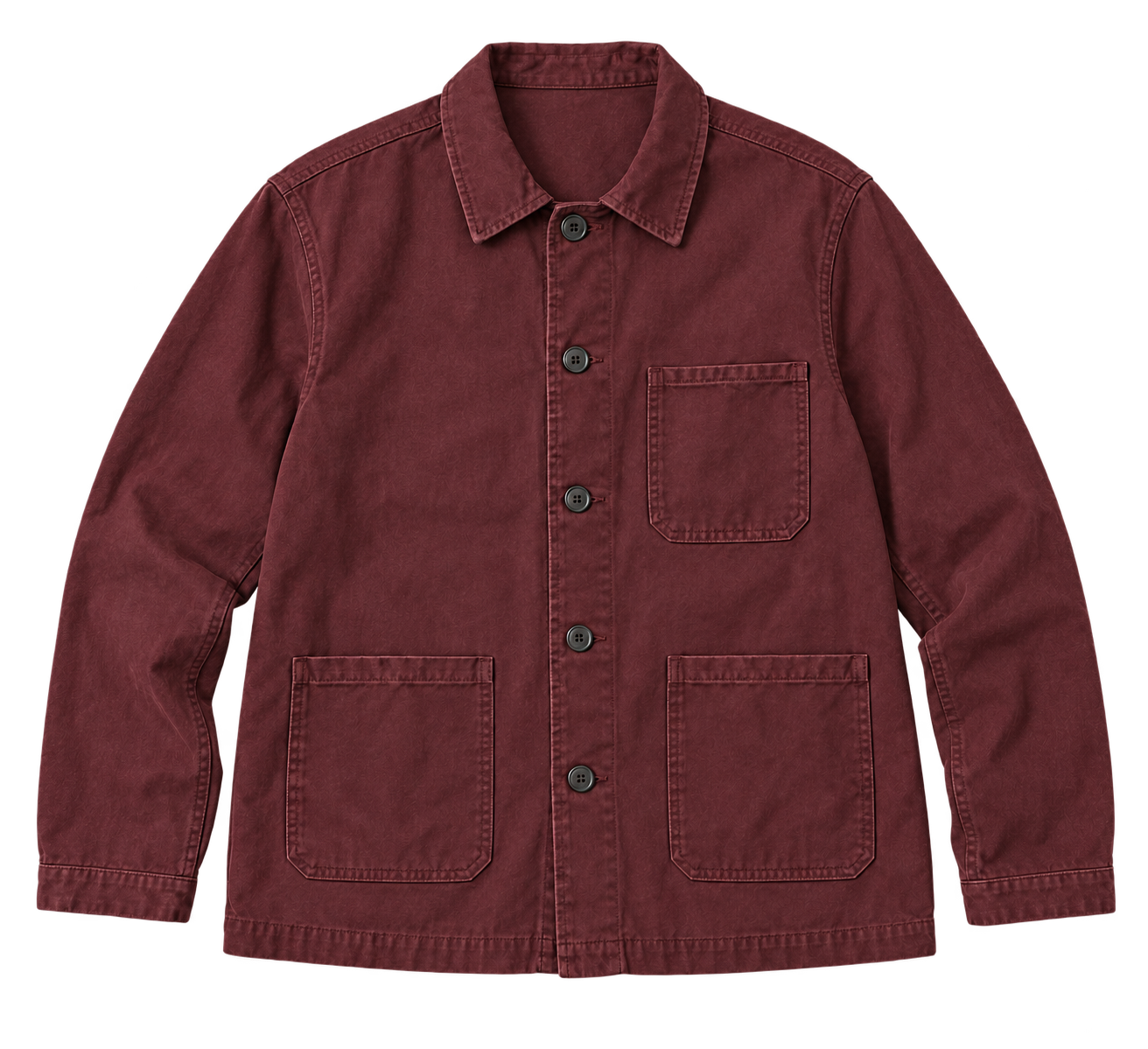
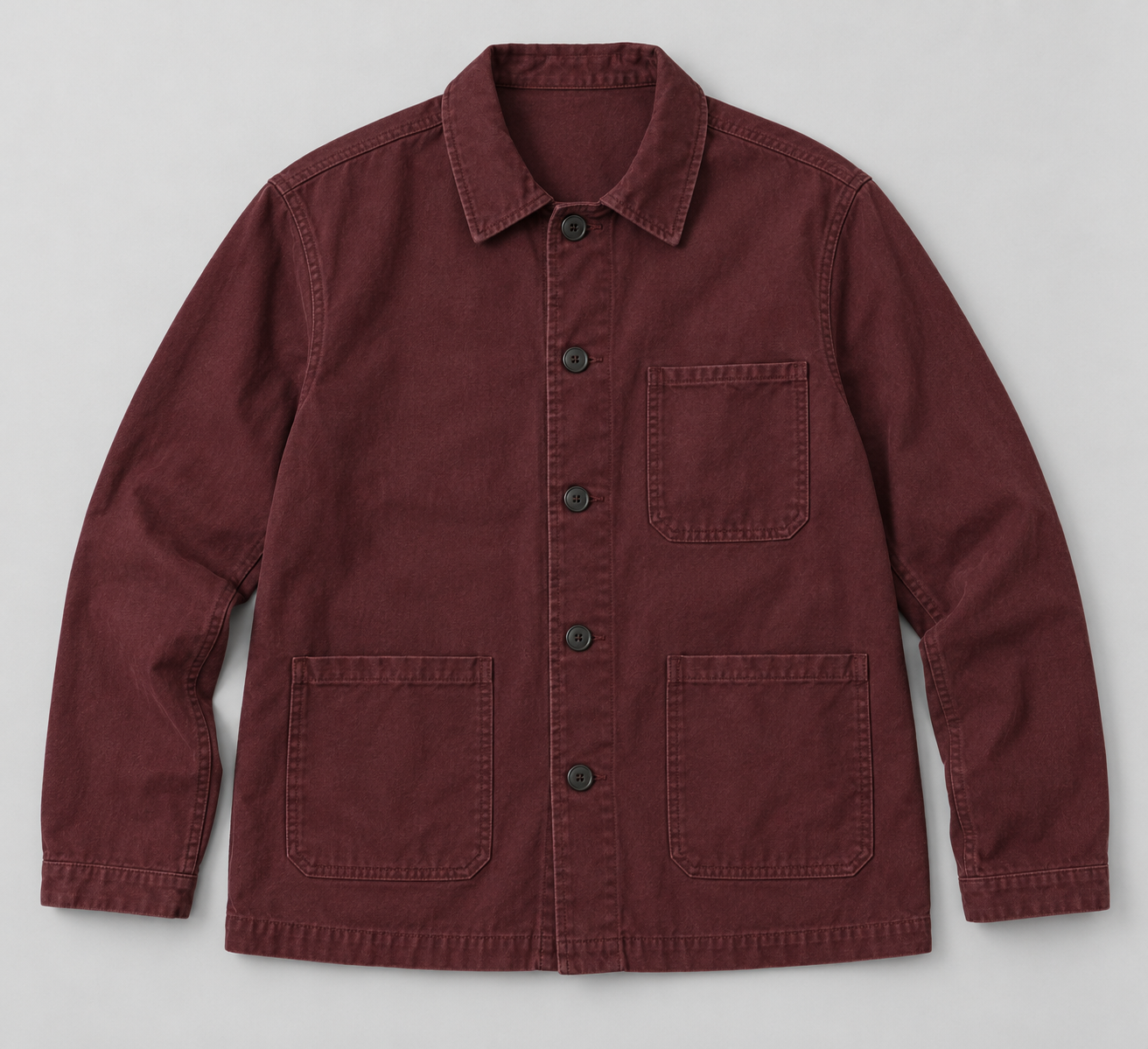
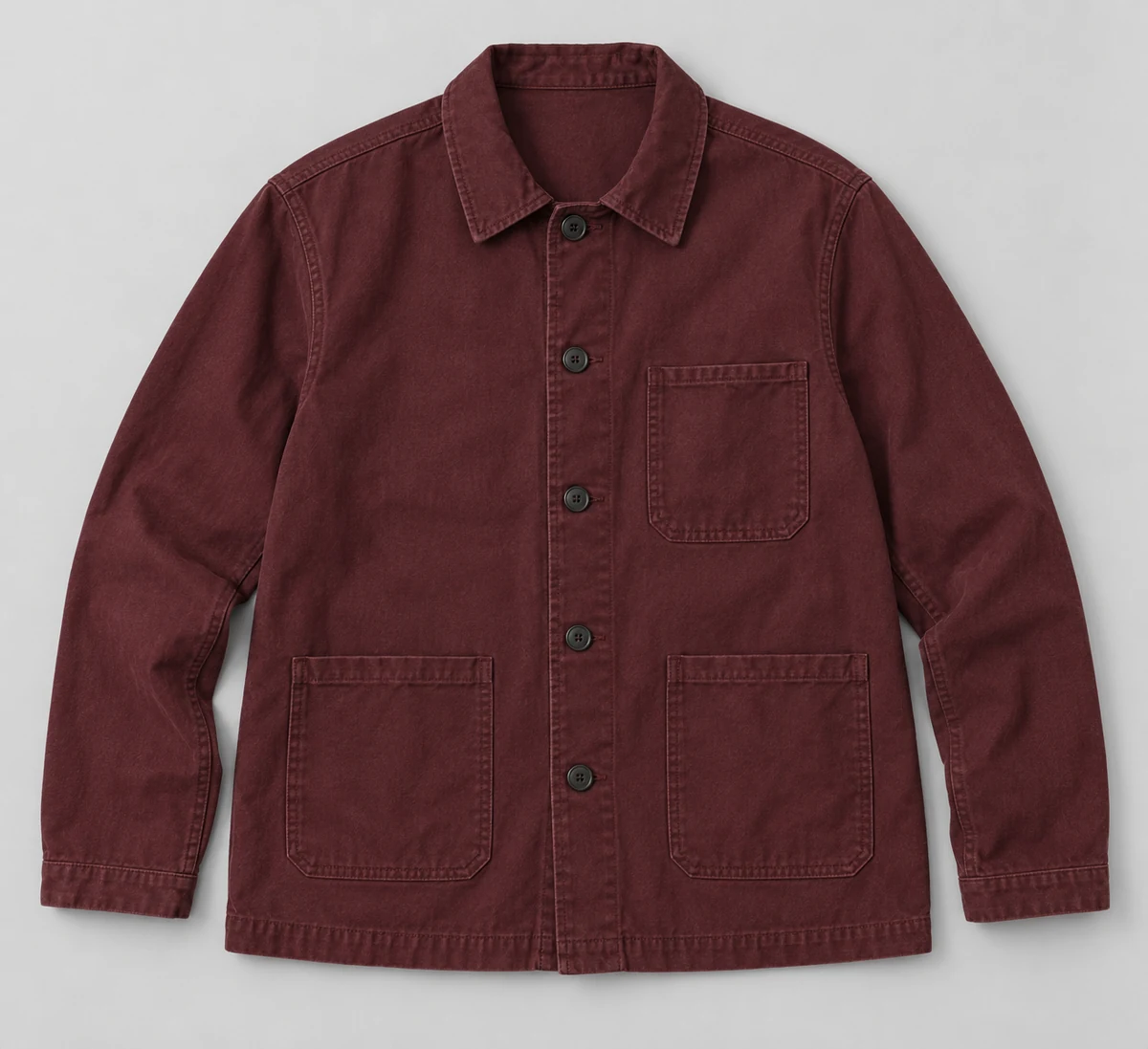
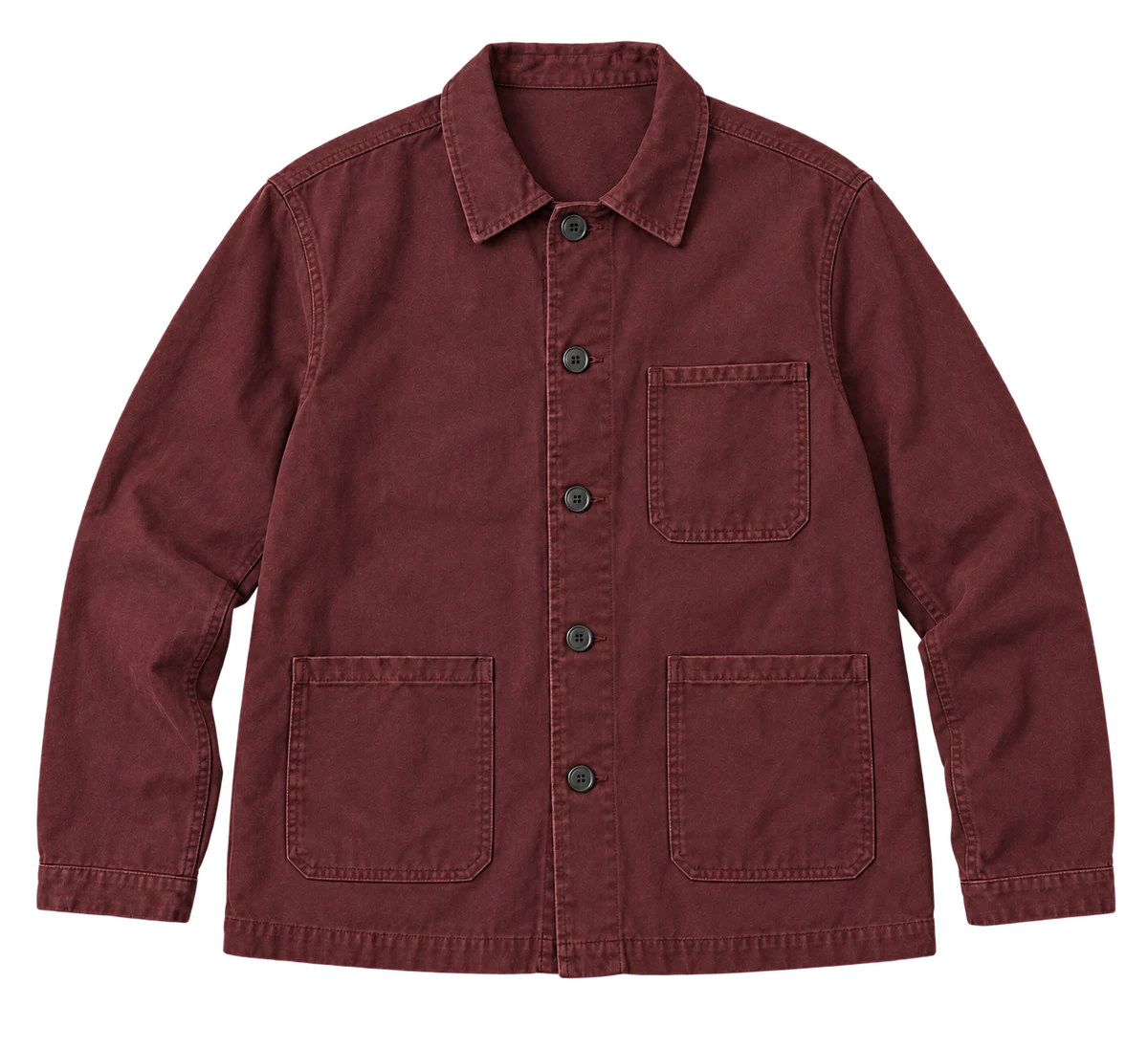
Compare the original jacket with the transparent edit against the page background.
The cutout keeps the sleeves, hem and three pockets but redraws fine fabric texture. Use mask-based removal when original product pixels must stay unchanged. This example shows a reason to reject an edit; it is not a benchmark of the shortlisted tools.
Choose removal, replacement or generation
Removal makes a cutout. Replacement puts it on another background. Generation can redraw the product as well as the scene. Choose mask-based editing when keeping the original item untouched matters.
Decide whether you need transparency, white pixels or a composed scene. Check the downloaded file’s transparency, dimensions and edges in the application that will use it.
Three checks before you choose
Boundary
Fine edges and internal openings
Material
Glass, mesh and reflections
Export
Transparency, crop and dimensions
Fotogenic AI
White-background images and complete product scenes
Fotogenic AI creates white-background product-image options from a clear source photo, alongside lifestyle scenes and campaign sets. Choose it when the job is a complete listing or campaign image, with scene direction and related views rather than a transparent cutout alone.
Strengths
- Create white-background catalog image options.
- Use a preset or custom scene direction.
- Develop lifestyle and seasonal scenes from the same product photo.
- Build related product images with Campaign Set.
$20/month, Starter
220 monthly credits. Creator includes 520 credits for $40/month; Pro includes 1,200 for $80/month.
Product images and campaign sets are included on Starter. Video and ad-ready visuals start on Creator. Costs vary by operation; credits do not roll over.
Plan and billing detailsBefore you start
Generates a new image rather than a pixel-preserving mask.
Use a dedicated remover when you need a transparent PNG cutout.
Try Fotogenic AIAdobe Firefly
Occasional free cutouts
Adobe Firefly removes a background from a single upload and downloads a transparent PNG. Choose it for occasional product cutouts before paying for a broader editing workflow. A free Adobe account is required, and daily limits apply.
Strengths
- Single-image upload and transparent PNG download.
- Free access for occasional background removal.
Limitations
- The free daily allowance is not stated numerically.
- Check fine openings and transparency in the saved file.
Free background-removal tool
Single-file upload accepts JPEG, PNG or WebP up to 50MB; transparent PNG download.
Plan and billing detailsBuying details
An unspecified daily allowance is not unlimited free batch processing.
An Adobe account is required. The free daily allowance is not stated numerically; paid Firefly plans have different limits.
remove.bg
Existing users planning migration
remove.bg’s announced standalone website closure makes this a migration decision for existing users. Review remaining credits and exports, then compare the suggested Canva website or Leonardo.ai API route before committing a new catalog workflow.
Strengths
- Removes photo backgrounds to create separate product cutouts.
Limitations
- The standalone website is closing; existing users need a migration plan.
- Check resolution and semitransparency in the replacement service.
Subscription or pay-as-you-go credits
Monthly subscriptions and one-off credit packs are available. Review the announced migration and credit expiry terms before buying for a new catalog.
View plans and migration termsBuying details
Plan migration before committing the catalog to a new long-term pipeline.
The announced standalone website closure is December 1, 2026 at 09:00 CET. One-off credits expire then; subscription credits expire monthly without rollover. Website users are directed to Canva and API users to Leonardo.ai.
Photoroom
Cutouts plus catalog editing
Photoroom combines background removal with product positioning, backgrounds and catalog export. Choose it when a cutout is only the first step and the same team also needs consistent scale, padding and finished listing images from the editor.
Strengths
- Cutout and listing preparation in one workflow.
- Positioning and backgrounds after removal.
Limitations
- Check whether shadows are kept, removed or regenerated.
- New shadows can hide weak masks at thumbnail size.
$7.50/month, Pro, annual billing
8,000 AI credits and 1,000 exports per month. Max is $20.99/month with annual billing, 25,000 credits, 3,000 exports and Shopify integration. Ultra starts at $82.50/month with annual billing.
Plan and billing detailsBuying details
Include product preparation and any manual corrections; the API wallet is separate from editor exports.
Editor, batch and Shopify saves share the export allowance. API usage is priced separately. Shopify integration requires Max or higher.
Adobe Photoshop
Manual correction of difficult masks
Photoshop combines automatic selection with editable masks and manual refinement. Choose it when an experienced editor needs to correct fine chains, mesh, translucent material or low-contrast boundaries without rebuilding the whole cutout after every adjustment.
Strengths
- Editable masks for targeted corrections.
- Manual refinement after automatic selection.
Limitations
- Difficult edges still take skilled finishing time.
- An editable mask does not guarantee a clean first selection.
$22.99/month, annual commitment
Photoshop on desktop, web and mobile, with 100GB cloud storage. Annual plan, billed monthly.
Plan and billing detailsBuying details
Choose the annual plan for recurring editing work. External catalog upload remains a separate task.
Canva
Cutouts inside marketing layouts
Canva combines background removal with erase and restore adjustments in its design editor. Choose it when the cutout will become an ad, email or social graphic already being built in Canva, keeping isolation and layout work in one place.
Strengths
- Erase and restore adjustments for the cutout.
- Design and isolation in the same workspace.
Limitations
- Transparent export and dimensions depend on the selected plan.
- Check edges against a plain background, outside a busy design.
$144/year, Canva Pro
Annual subscription for one person, with five Brand Kits and 100GB storage.
View Canva ProBuying details
Canva Pro is an annual subscription for one person. Compare its design features with the tools you already use.
AI tools share an allowance and use it at different rates; AI Pass costs extra. Pro background removal is subject to fair use, not a fixed allowance of approved product photos.
Claid
API-based background processing
Claid provides background removal within its image-processing tools and API. Choose it for recurring catalog work with a developer connecting source files, processing rules and outputs. Price the API separately from the web editor subscription.
Strengths
- Background removal alongside other image tools.
- An API route for repeated catalog processing.
Limitations
- Integration must handle transparency, crop and file matching.
- A completed request still needs a policy for uncertain masks.
$15/month, Essentials
500 credits per month; 2K output. Pro is $49/month for 2,000 credits with premium models and 4K options.
Plan and billing detailsBuying details
Budget the selected operation and any separate API agreement; web credits are not a fixed image allowance.
The $9 and $35 rates require yearly billing. Standard Photoshoot and AI Fashion use four credits; Studio uses ten. API plans are separate.
Check edges on light and dark backgrounds
Look for bright fringes, dark halos, missing material and leftover background. White can hide a defect that becomes obvious on a dark campaign design.
Inspect internal openings in tote handles, chair backs, shoe laces and jewelry links. A clean outer silhouette can still contain filled-in holes.
Inspect what shows through glass
Glass and translucent plastic contain reflections and colors from the original scene. A clean outline can still leave the old background visible inside the material.
Test clear packaging on its intended background. If the result looks wrong, use a suitable original photo or controlled retouching. PNG transparency alone does not solve translucent materials.
Choose the right shadow
Keep, remove or recreate the shadow to suit the destination. Check its direction and contact separately from the cutout.
Inspect the base, feet and other contact points. A shadow should ground the product without concealing missing pixels; simple, consistent shadows often suit catalog listings.
Open the actual download
Check dimensions, transparency, padding and product scale in the next app or store. Watch for changed crops or oversized canvases around small items.
Keep the original and a product-linked filename. Include renaming and matching in the workload if batch exports lose those identifiers.
Our white-background photo guide explains listing images. Fotogenic AI white-background images use generation, a different choice from a cutout that preserves original pixels.
Test difficult cases before a full batch
Try solid packaging, fine handles, reflective material and low-contrast edges. Record which outputs need correction before estimating catalog-wide editing time.
Keep uncertain results in a review queue. Retain product identifiers and job status, and prevent failed or partial jobs from overwriting approved media.
Count usable cutouts
Include subscription, export or API charges, manual edge repairs, file organization and review. Count downloads ready for their destination, rather than every completed removal.
Before buying more remove.bg credits, check the closure and expiry terms in its review above. For ongoing work, compare the migration route with another editor that fits your catalog.
FAQ
Questions before you choose
No. White pixels cover what is underneath; transparency reveals it. Check that the downloaded format supports the transparency you need.
Put your next idea to work
Your next product image starts here.
Turn a product photo into a new scene for your store.