Best AI image upscalers for ecommerce
Compare Fotogenic AI and specialist upscalers for larger product images.
The short answer
Start with Fotogenic AI to upscale product photos inside WordPress. Increase Resolution works with WooCommerce products and Media Library images, saving a separate enhanced file.
Try Fotogenic AIOur pick for WordPress upscaling

Fotogenic AI
Upscale existing store images and save a separate enhanced version.
Plans and buying checks
Starter is $20/month with 220 credits. Use Increase Resolution on existing product or Media Library images.
Why choose Fotogenic AI
Keep enhancement beside the product and Media Library workflow; choose a desktop specialist when local processing is the requirement.
Start with your product
Compare labels and texture with the source at the final display size.
Local batch processing

Upscayl Desktop
Enlarge batches locally without a subscription.
Plans and buying checks
Upscayl Desktop is free. Gigapixel is $29/month, $149/year prepaid, or $19/month with a 12-month commitment.
The tradeoff
Upscayl needs compatible GPU hardware and has no subscription allowance. Gigapixel’s personal commercial license covers organizations below $1 million annual revenue.
What to check
Try text and fabric on your workstation before planning batch volume.
Browser uploads

Let’s Enhance
Enlarge images in your browser without a desktop setup.
Plans and buying checks
Let’s Enhance Starter is $12/month for 100 images. Claid Essentials is $15/month for 500 credits, with upscaling costing more than one credit.
The tradeoff
Compare finished images per operation: 100 images and 500 credits are different allowances.
What to check
Compare the saved result with the source at page size and 100%.



See what the extra pixels changed
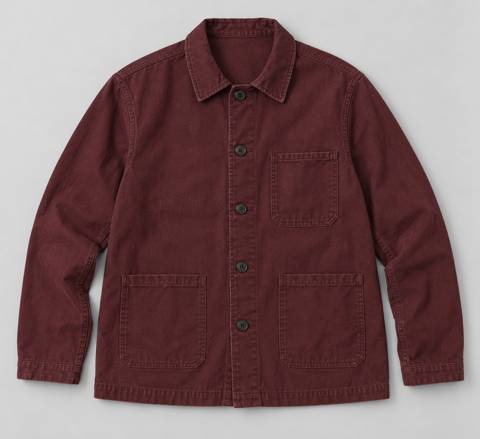
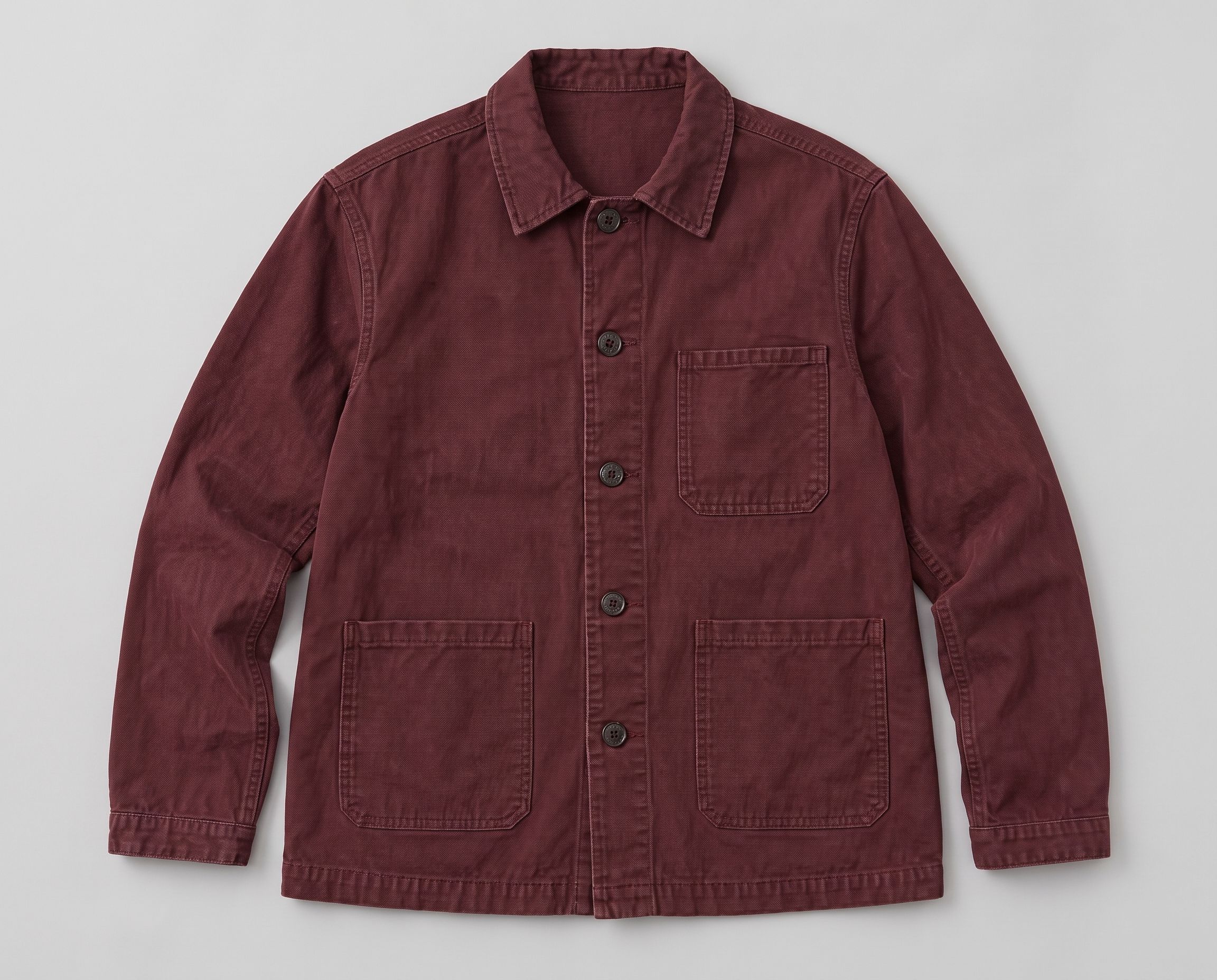
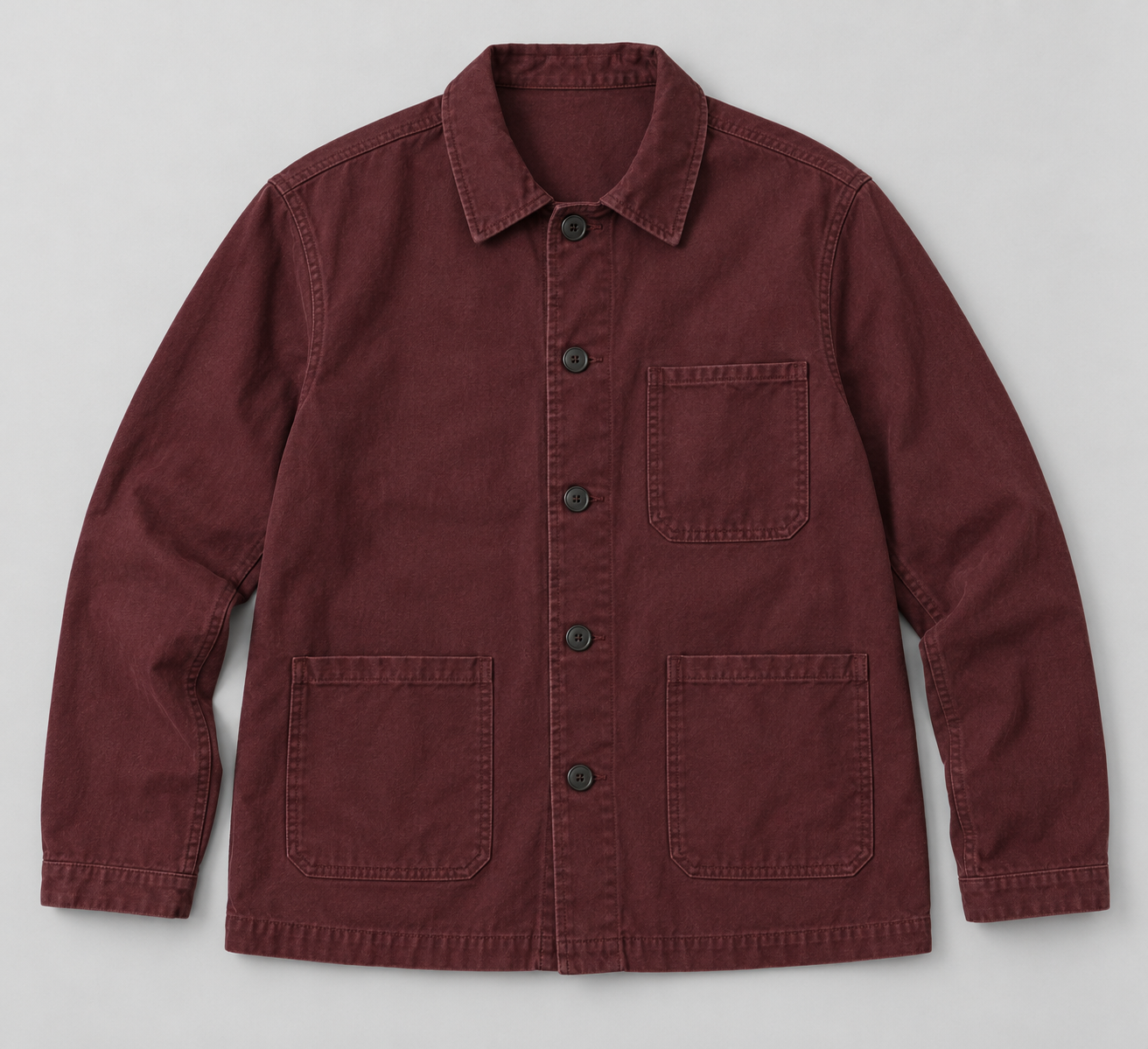
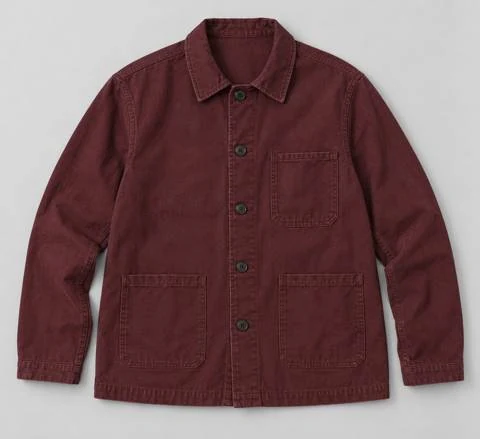
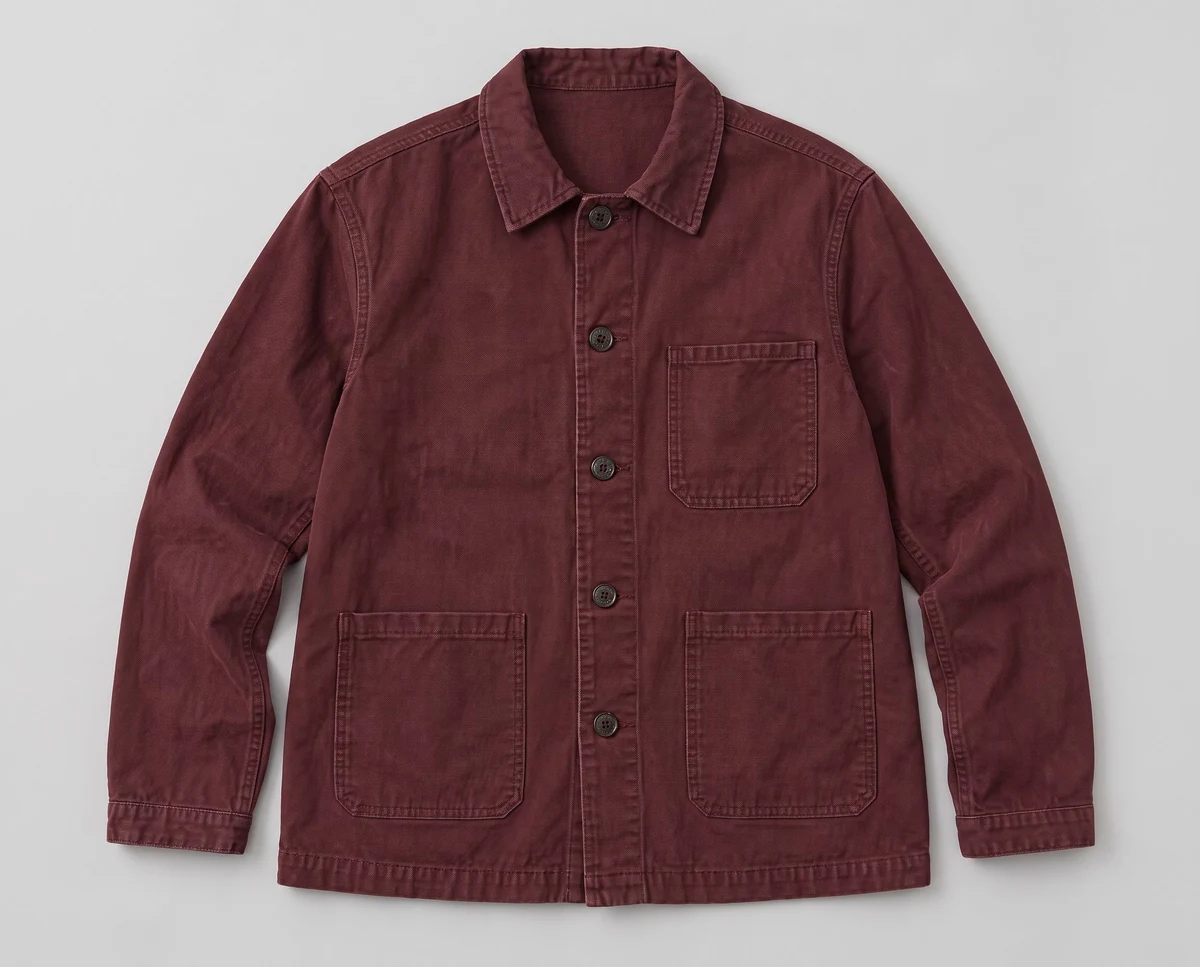
A 480 × 439 input returned a 2304 × 1856 enhancement through Fotogenic AI.
The enhancement cost two credits and added textile texture. Its canvas widened from roughly 1.09:1 to 1.24:1, so this is not a pixel-aligned enlargement. Check stitching against the retained original. These page-fitted examples use different magnifications; no competing upscaler was tested on this input.
Choose resizing, sharpening or enhancement
Resizing changes dimensions. Sharpening makes edges look more defined. AI enhancement can add plausible detail that the source does not show. Choose the operation that fixes your actual image problem.
Set the export size from the product page, crop and zoom requirement. If the file is already large enough, better photography may help more than enlargement.
Three checks before you choose
Source
Identify what is actually visible
Detail
Reject invented text or texture
Delivery
Use the size the page needs
Fotogenic AI
Upscale product photos inside WordPress
Fotogenic AI brings Increase Resolution to your WordPress image workflow. Select WooCommerce product or Media Library photos, create a larger version and review the saved result alongside the original. Choose it to keep enhancement close to the images your store already uses.
Strengths
- Upscale product photos and Media Library images.
- Work with single images or multiple selections.
- Save enhanced results as separate Media Library files.
- Keep original photos available for comparison and reuse.
$20/month, Starter
220 monthly credits. Creator includes 520 credits for $40/month; Pro includes 1,200 for $80/month.
Product images and campaign sets are included on Starter. Video and ad-ready visuals start on Creator. Costs vary by operation; credits do not roll over.
Plan and billing detailsBefore you start
Generation uses a connected Fotogenic AI account and credits.
Compare lettering and fine texture with the original before applying the result.
Try Fotogenic AITopaz Gigapixel
Dedicated desktop upscaling
Topaz Gigapixel is a dedicated AI upscaler with local and cloud rendering. Choose it for regular enhancement work on an editing workstation, especially when you want to compare different models before committing to a result.
Strengths
- Dedicated enhancement models with local and cloud options.
- Fits a standalone desktop editing workflow.
Limitations
- Local rendering needs suitable hardware.
- The personal commercial license excludes organizations at or above $1 million annual revenue.
$29/month, Gigapixel
Unlimited local rendering. Alternatives are $149/year prepaid or $19/month with a 12-month commitment.
Plan and billing detailsBuying details
Twelve $29 payments cost $348, versus $149 prepaid annually. The $19 monthly option requires a 12-month commitment.
The personal commercial license covers organizations below $1 million annual revenue. Larger organizations need the appropriate license. Local rendering needs suitable hardware and processing time.
Upscayl Desktop
Free local batch upscaling
Upscayl Desktop is a free, open-source upscaler for Windows, macOS and Linux. Batch processing and selectable models suit recurring product-image work on a compatible workstation, without buying a cloud allowance or monthly subscription.
Strengths
- Batch processing without a subscription.
- Selectable models for different source images.
- Desktop processing is separate from the paid Cloud offer.
Limitations
- Requires a Vulkan-compatible GPU; many integrated GPUs are unsupported.
- Cannot repair an out-of-focus source.
- Inferred texture still needs product review.
Free, Upscayl Desktop
Open-source desktop application for Windows, macOS and Linux, with batch processing and selectable models. Separate cloud services are not included.
Plan and billing detailsBuying details
Budget processing time, review and any hardware upgrade. No throughput or image-quality benchmark was run here.
Requires a Vulkan-compatible GPU; many integrated GPUs are unsupported. It cannot repair an out-of-focus image.
Let’s Enhance
Browser-based upscaling
Let’s Enhance handles image enlargement in the browser, including batch work and a gentler mode for fine detail. Choose it for occasional supplier-image cleanup when you do not want to install and manage a desktop upscaler.
Strengths
- Browser uploads without a desktop setup.
- A gentler enhancement option for fine detail.
Limitations
- Confirm export dimensions and processing limits before a large batch.
- Inspect saved patterns and text; a sharper preview can hide changes.
$12/month, Starter
100 credits; one image uses one credit. Pro is $32/month for 300; Max is $45/month for 500.
Plan and billing detailsBuying details
Starter gives 100 images for $12/month. Choose billing around occasional cleanup or a recurring supplier feed.
The $9 Starter rate requires annual billing. Paid rollover is capped at six times the monthly allowance; credits expire when the paid period ends. The free trial is watermarked.
Claid
Upscaling in an image pipeline
Claid combines upscaling with other catalog-image tools and offers a separately billed API. Choose it when enhancement belongs in a recurring processing pipeline, rather than buying a web subscription to enlarge a few individual files.
Strengths
- Upscaling alongside background and color tools.
- An API route for recurring catalog work.
Limitations
- API pricing is separate from the web plan.
- Your integration must handle failed jobs and unexpected output sizes.
$15/month, Essentials
500 credits per month; 2K output. Pro is $49/month for 2,000 credits with premium models and 4K options.
Plan and billing detailsBuying details
Budget the selected operation and any separate API agreement; web credits are not a fixed image allowance.
The $9 and $35 rates require yearly billing. Standard Photoshoot and AI Fashion use four credits; Studio uses ten. API plans are separate.
Adobe Photoshop
Upscaling within an Adobe workflow
Adobe Camera Raw’s Super Resolution enlarges supported photographs within an Adobe editing workflow. It suits teams already using Adobe who want to compare the source and enlarged result in the same environment, alongside their other photo adjustments.
Strengths
- Super Resolution is part of Camera Raw enhancement.
- Keeps source comparison within an existing Adobe workflow.
Limitations
- Input types and feature access have specific requirements.
- The Camera Raw Filter in Photoshop is not the same enhancement route.
$22.99/month, annual commitment
Photoshop on desktop, web and mobile, with 100GB cloud storage. Annual plan, billed monthly.
Plan and billing detailsBuying details
If Camera Raw is already part of your workflow, compare its existing enhancement tools before buying another app.
Compare dimensions and pixel count
Doubling width and height creates four times as many pixels. It does not recover four times as much product detail.
A 1000 by 1000 image becomes 2000 by 2000: one million pixels becomes four million. Judge whether that helps the actual product page, rather than choosing a tool by its maximum multiplier.
Check texture at full size and page size
Inspect fabric weave, leather grain, wood and brushed metal against the original or a better product reference. Enhancement can add a regular-looking pattern that the item does not have.
Check repeated patterns and seams at full size, then at the intended page size. Extra texture is not useful if customers cannot see it or it adds artifacts and file weight.
Check small text character by character
Letters, numerals and logos can look sharper while changing shape. Compare each character with the original; an unreadable label cannot be reliably reconstructed from extra pixels.
Use verified artwork or a new photograph when wording must be exact. Keep the factual reference beside the enhanced file for approval.
Choose where processing happens
A desktop app suits an editing workstation, a browser service suits teams across devices, and an API suits repeated catalog work. Decide who processes the files and where they go next.
Check the selected mode, not only the app name. Local and cloud options can have different hardware needs, file handling and output settings.
Test three source types
Compare a slightly undersized image, a heavily compressed file and a photo with fine product detail. Use the same target size and record each model, sharpening, denoising and generative setting.
Check for remaining softness, artificial texture, changed text, halos and excessive file size. Compare with both the original and the product-page requirement.
Export for the storefront
Keep the original and an enhanced master, then export a smaller delivery file where needed. Check the compressed, responsive image customers receive on a phone.
Inspect both the product grid and zoomed view after upload. Theme crops and image processing can change how the file appears.
See the Fotogenic AI upscaler workflow for enhancement, and our ecommerce photography guide for source preparation and image sizes.
Compare models on the same source
Interpolation estimates pixels from neighboring pixels. Learned super-resolution models infer plausible detail. Real-ESRGAN uses synthetic degradation to address low-quality inputs; reconstructed lettering or texture still needs verification.
Upscayl credits Real-ESRGAN and models including High Fidelity, Remacri and Ultramix. Compare two suitable models on one source before increasing scale. Model names do not guarantee product accuracy.
Count usable enhancements
Include processing, retries, review and export. Count the images you can use, rather than the largest files a tool can generate. Manual repair of artificial detail is part of the cost.
Let’s Enhance Starter includes 100 images for $12/month; $9 requires annual billing. Gigapixel costs $149 prepaid annually, versus $348 for twelve $29 monthly payments. Annual billing saves money only while the tool remains useful.
FAQ
Questions before you choose
A multiplier describes image dimensions or pixel count. Compare the enlarged result with the source to judge useful product detail.
Put your next idea to work
Your next product image starts here.
Turn a product photo into a new scene for your store.